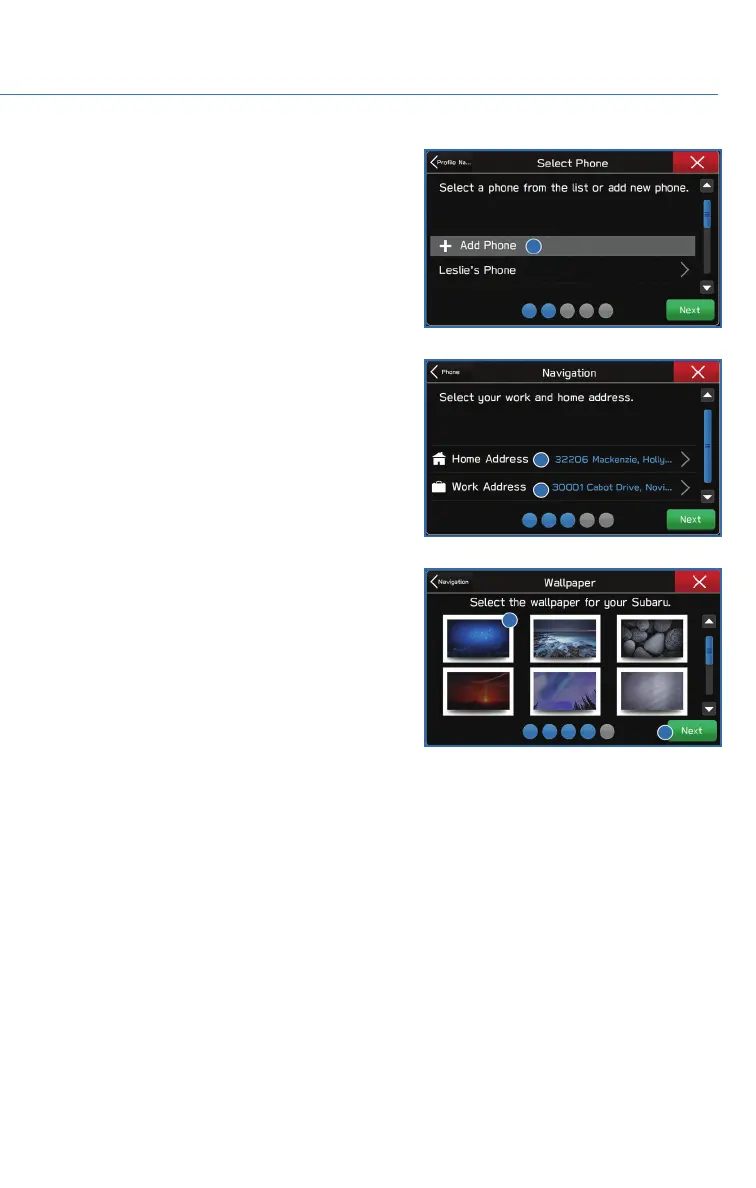
4. Select a paired phone or pair a new phone
(see page 94 and page 98 in the How To
Appendix). Then select “Next”.
5. Enter a Home Address and Work Address
(if equipped with navigation). Then select
“Next”.
6. Select a Wallpaper then select “Next”.
7. Select “Finish”.
Retrieving a Driver Profile
The system automatically retrieves the profile once you are in your Subaru with the radio
on and your phone’s Bluetooth
®
active. You can also manually retrieve or change the
profile by following these steps:
1. Press the “Home” button and then select “Settings”.
2. Select “Driver Profile”, select the profile you want to use, and select “Activate”.
DRIVER PROFILE
57















 To Next Page