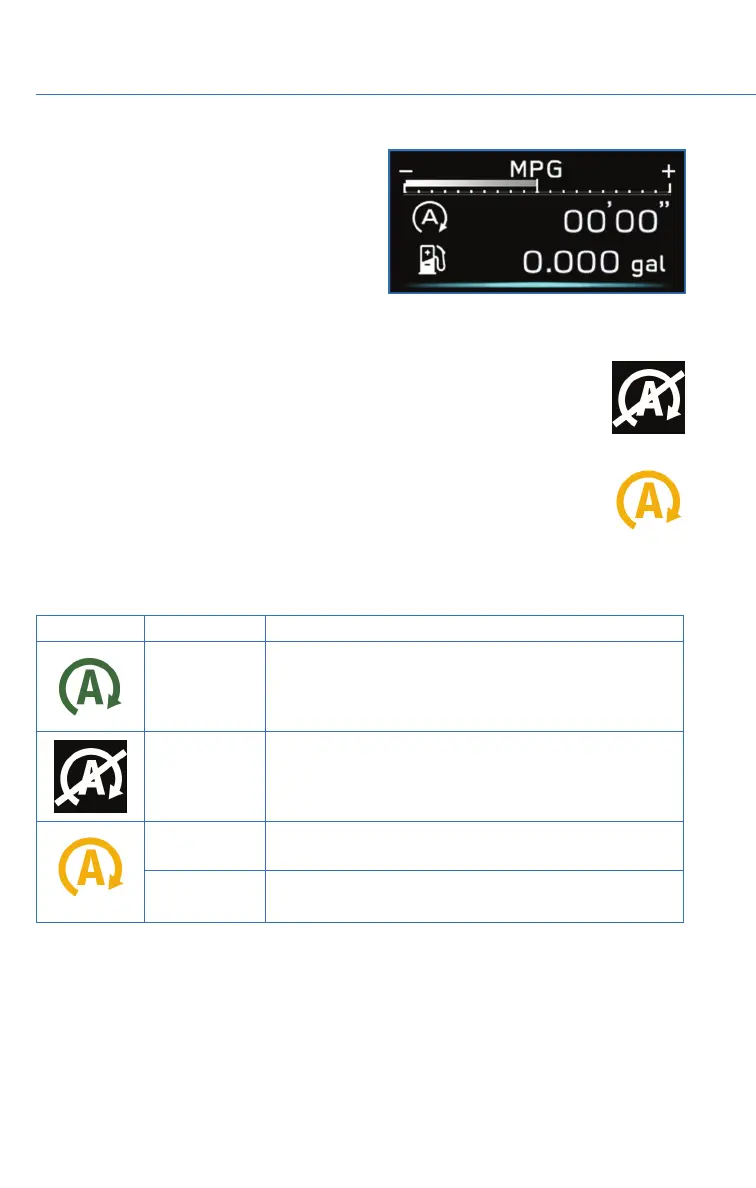
Fuel Saving Display
Once the Auto Start-Stop System has stopped
the engine, the Fuel Saving Screen will display
in the Combination Meter Display (CMD),
showing how much time the engine was off in
the top line and the amount of fuel saved in
the bottom line. These are the total stop time
and fuel saved since the trip meter was reset.
No Activity Detected Indicator Light
If the operational conditions are not met when the vehicle is stopped, the
engine will not stop and the white Auto Start-Stop No Activity Detected
indicator light will illuminate. It will turn off when the brake pedal is released.
Auto Start-Stop Warning Light
The Auto Start-Stop warning light will illuminate in yellow when initially turning
the ignition switch to the “ON” position. The light will turn off after the engine
has started.
NOTE: If the Auto Start-Stop warning light does not turn off after the engine
has started or is flashing, the Auto Start-Stop system may be malfunctioning. We
recommend that you contact your authorized SUBARU Retailer for an inspection.
INDICATOR PATTERN CONDITION
Solid green This indicator light illuminates when the engine has been
temporarily stopped by the Auto Start-Stop system. It
will turn off when the engine is restarted.
Solid White Operational conditions have not been met, the engine
will not stop and this light will illuminate. The light goes
out once the brake pedal is released.
Solid Yellow This light indicates that the system has been turned off.
The light will turn off once the system is turned back on.
Flashing
Yellow
A fault has been detected with the Start-Stop system.
Please contact your authorized Subaru Retailer.
OPERATING THE VEHICLE
34















 To Next Page