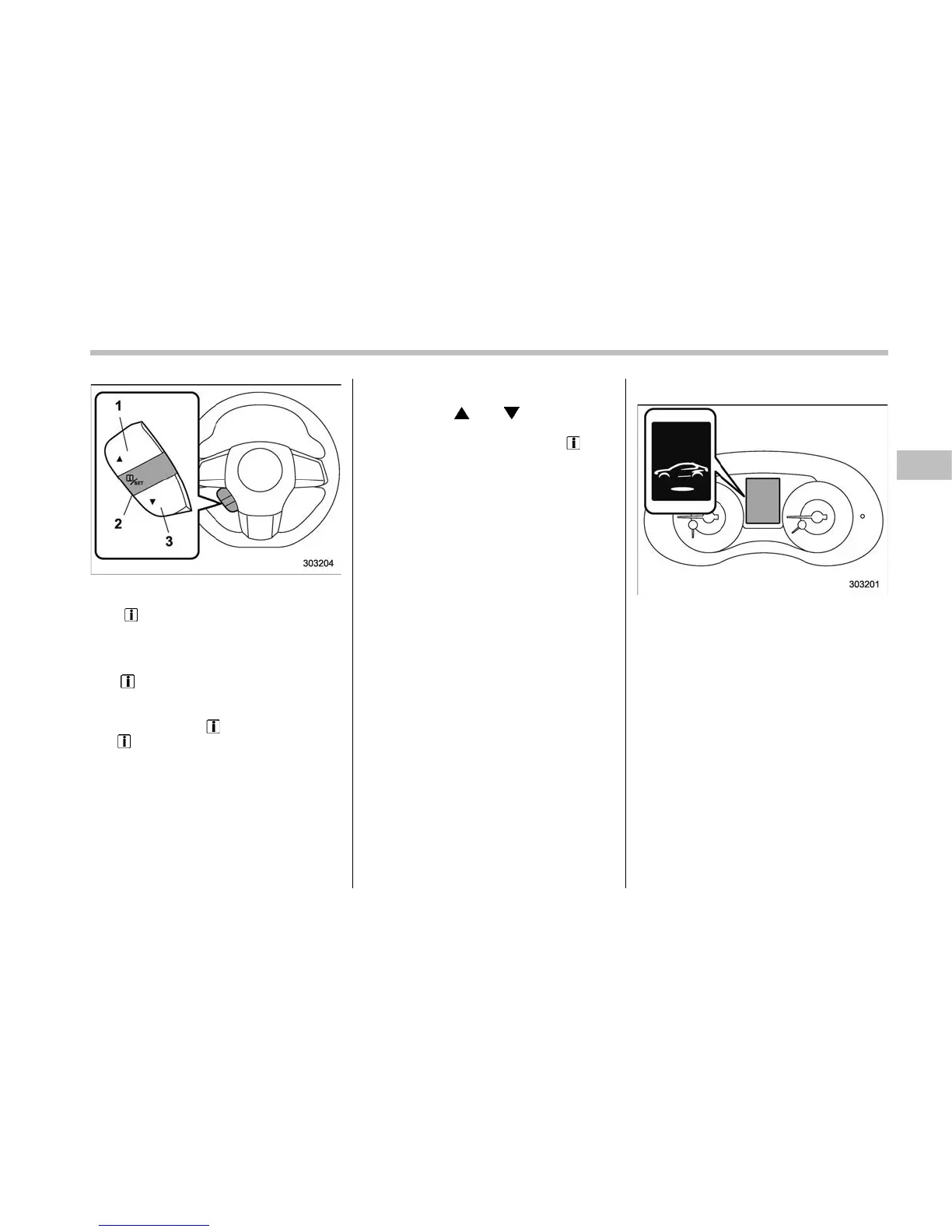
Control switch
1) Up (select)
2)
/SET (enter)
3) Down (select)
The warning screen will return to the
original screen after a few seconds. While
the “
” information reminder is on the
display, it may be possible to display the
warning screen again. To recall the mes-
sage marked with “
” on the display, pull
the “
/SET” switch on the steering wheel
toward you.
& Basic operation
By operating “ ” or “ ” of the control
switch, the screens and selection items
can be switched. When the “
/SET”
switch is pulled toward you, the item can
be selected and set.
If there are some useful messages, such
as vehicle information, warning informa-
tion, etc., they will interrupt the current
screen, and appear on the display accom-
panied by a beep. If such a screen is
displayed, take proper action according to
the message shown on the screen.
& Welcome screen
When the door is unlocked, and the
driver’s door is opened and then closed,
the welcome screen will appear for ap-
proximately 20 seconds.
NOTE
. Once the welcome screen appears,
it takes a certain period of time to
display it again.
. The welcome screen will disappear
when the ignition switch is turned to
the “ON” position while the welcome
screen is displayed.
. If any of the doors is opened while
the welcome screen is displayed, the
door ajar warning will appear.
. The welcome screen can be set to
on or off. For details, refer to “Welcome
Instruments and controls/Multi information display
– CONTINUED –
3-39











 To Next Page