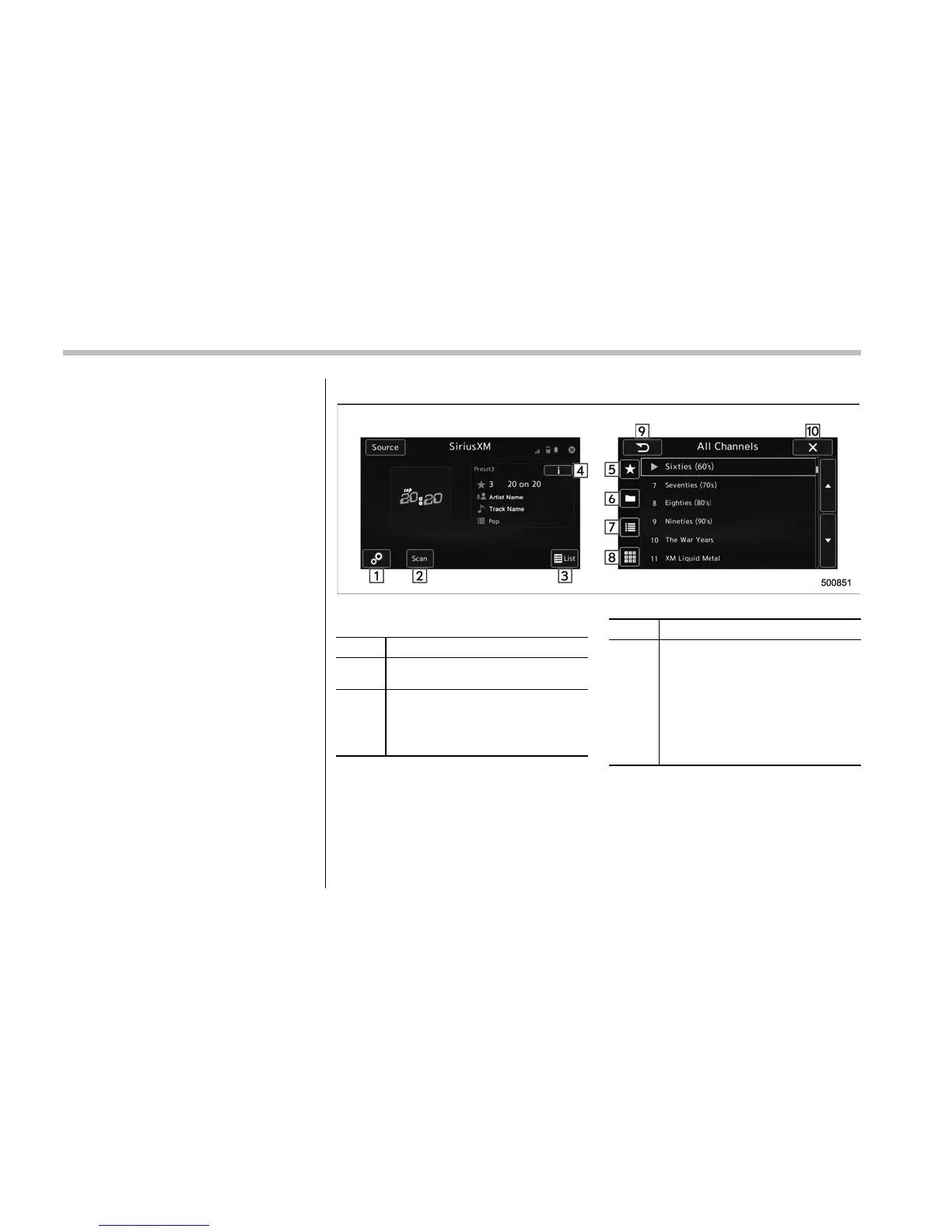
Audio/Audio set
& SiriusXM Satellite Radio (if
equipped)
! SiriusXM Data Service
Data service information, which is com-
prised of traffic information and weather
information, can be received via the
SiriusXM Radio.
To receive the data service information in
the vehicle, a subscription to the SiriusXM
Satellite Radio service is necessary.
Content set to use the SiriusXM data
service is reset when personal information
is initialized.
! Control screen and audio panel
Control screen
No. Function
&
1
Perform the SXM setting. See be-
low. Refer to “SXM setting” F5-42.
&
2
Search for a channel which the
direction of higher frequency from
current frequency. Reproduce the
channel that can receive by 5
seconds.
No. Function
&
3
A list is displayed. There are three
types of lists (“Presets”, “Categories”
or “All Channels”) available.
. “Presets”: Preset channels are
displayed in a list.
. “Categories”: The channels of
the selected category are dis-
played in a list.
. “All Channels”: All selectable
channels are displayed in a list.
5-36











 To Next Page