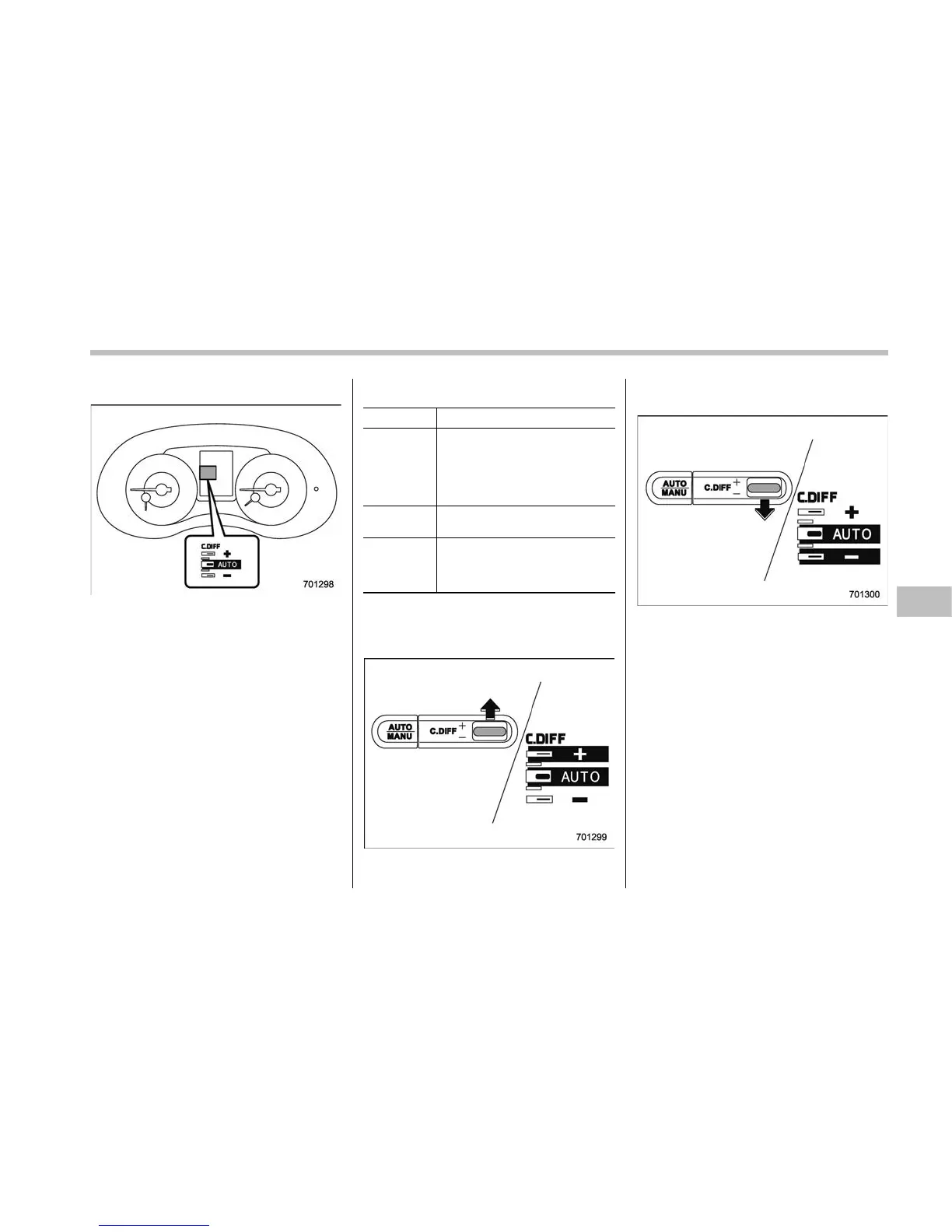
& Auto mode
In the auto mode, the system estimates
the driving and road conditions using
signals from the whee l speed sensor,
throttle position sensor, steering angle
sensor and brake switch, etc. According
to the result, it electronically and auto-
matically controls the degree of limitation
of the differential action (LSD torque) to
optimize the differential action of the
center differential. When the ignition
switch is turned ON, the “AUTO” indicator
on the combination meter appears.
The auto mode has 3 modes as follows.
Mode Operation
AUTO [+] This mode emphasizes traction
control and strengthens the
limitation of differential action
that is suitable for driving on
slippery roads for vehicle stabi-
lity.
AUTO This mode is suitable for most
driving situations.
AUTO [−] This mode is suitable when you
seek quick response from the
steering wheel and smooth
driving.
! Mode setting method
In most situations, it is recommended that
the “AUTO” mode is selected.
Push the control switch forward to select
the “AUTO [+]” mode. After setting the
mode, “AUTO [+]” appears.
Pull the control switch rearward to select
the “AUTO [−]” mode. After setting the
mode, “AUTO [−]” appears.
When the “AUTO [+]” mode is selected,
pull the control switch rearward to change
to the “AUTO” mode. When the “AUTO
[−]” mode is set, push the control switch
forward to change to the “AUTO” mode.
Starting and operating/Driver’s Control Center Differential (C.DIFF/DCCD) (STI)
– CONTINUED –
7-21








 To Next Page