Audio/Bluetooth
®
settings
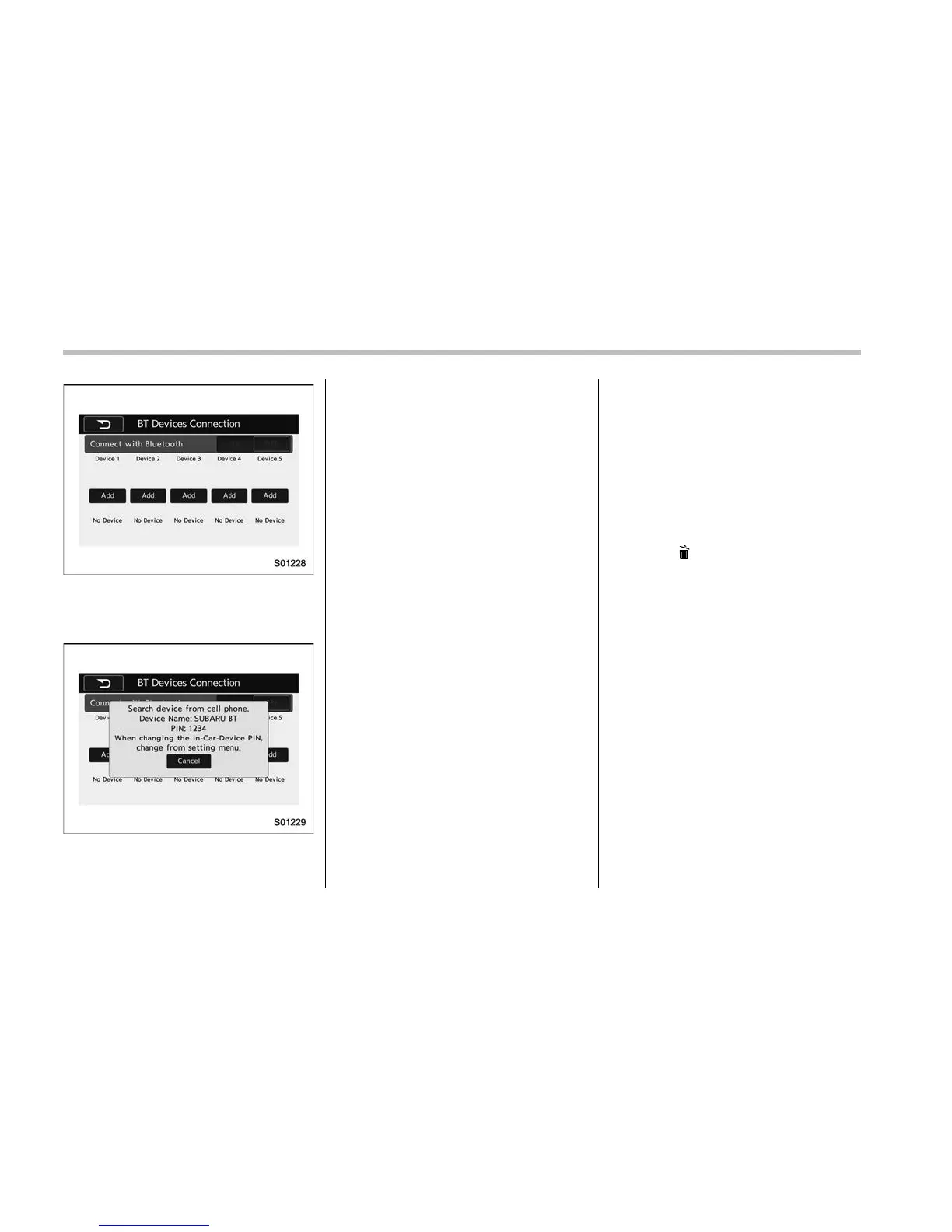
“BT Devices Connection” screen (At the
initial startup and when no device is
registered).
5. Touch the “Add” key.
When the “Add” key is selected (Waiting
for the connection request from a device).
. For details about operating the
Bluetooth device, see the manual that
comes with it.
. To cancel the registration, touch the
“Cancel” key.
6. Register the Bluetooth device using
your Bluetooth device.
. A PIN-code is not required for SSP
(Secure Simple Pairing) compatible
Bluetooth devices. Depending on the
type of Bluetooth device being con-
nected, a message confirming regis-
tration may be displayed on the
Bluetooth device’s screen. Respond
and operate the Bluetooth device
according to the confirmation mes-
sage.
7. Check that the screen is displayed
when registration is complete.
. The sys tem waits for connection
requests coming from the registered
device.
. At this stage, the Bluetooth func-
tions are not yet available.
! Registering a Bluetooth Audio de-
vice for the first time
To use the Bluetooth Audio, it is necessary
to register an audio devi ce with the
system.
The device registration procedure is the
same for both the hands-free system and
Bluetooth audio.
1. Display the “BT Devices Connection”
screen. Refer to “Registering a Bluetooth
phone for the first time” F5-65.
2. Select the “Add” key.
The “Add” key is not displayed when five
devices are already registered.
To add another device, you need to delete
one of the registered devices.
Press the
key for the device to be
deleted, and then select the “OK” key.
3. Register the Bluetooth device using
your Bluetooth device.
. A PIN-code is not required for SSP
(Secure Simple Pairing) compatible
Bluetooth devices. Depending on the
type of Bluetooth device being con-
nected, a message confirming regis-
tration may be displayed on the
Bluetooth device’s screen. Respond
and operate the Bluetooth device
accordi ng to the confirmation mes-
sage.
4. Check that the screen is displayed
when registration is complete.
. The system waits for connection
requests coming from the registered
device.
. At this stage, the Bluetooth func-
tions are not yet available.
5-66











 To Next Page