38
Appendix
!
WARNING
• A leaking battery cap may lead to the destruction of XP10 by water seeping in or cause XP10
to switch off without prior notice.
• Always open the battery compartment in a dry and clean environment.
• Only open the battery compartment to replace the battery.
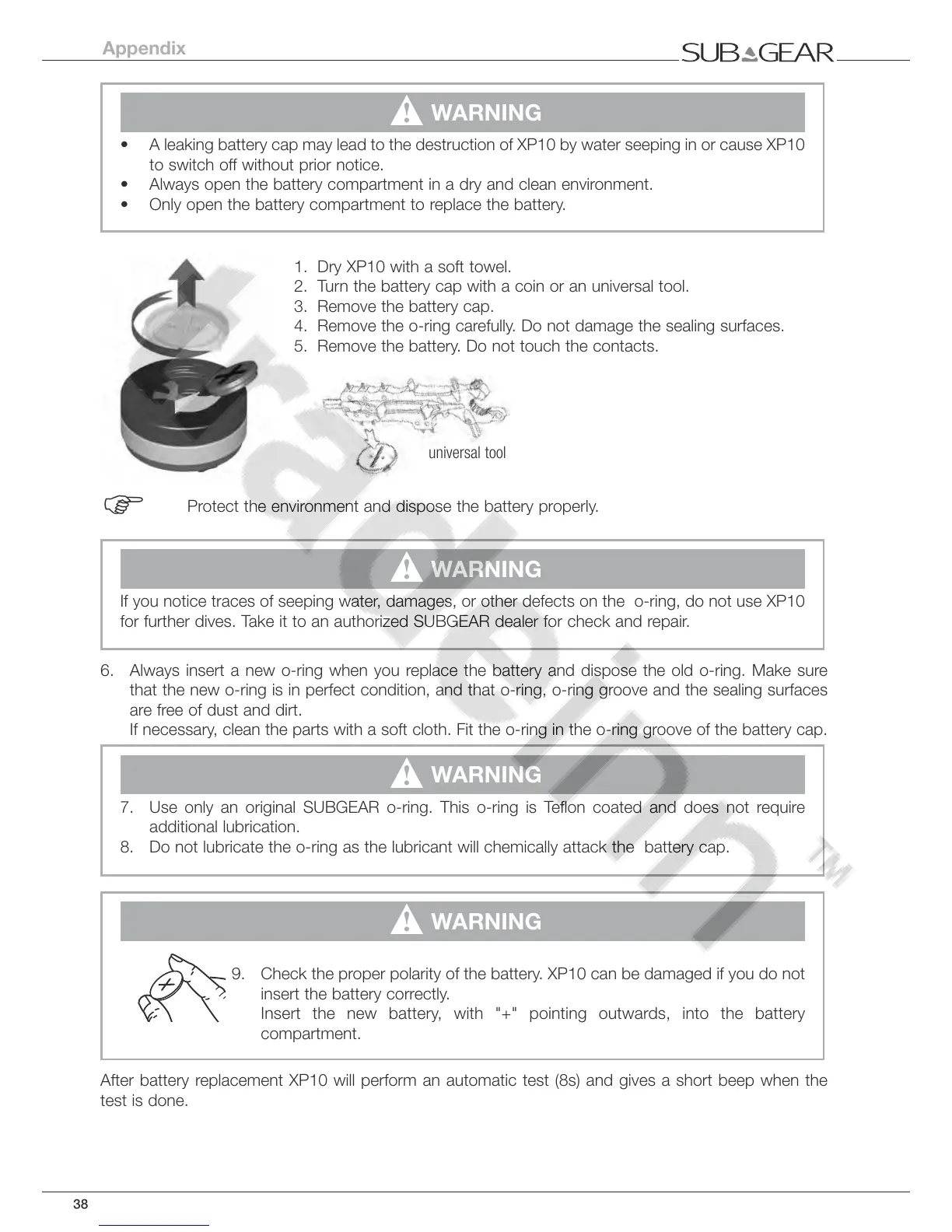
1. Dry XP10 with a soft towel.
2. Turn the battery cap with a coin or an universal tool.
3. Remove the battery cap.
4. Remove the o-ring carefully. Do not damage the sealing surfaces.
5. Remove the battery. Do not touch the contacts.
universal tool
F
Protect the environment and dispose the battery properly.
!
WARNING
If you notice traces of seeping water, damages, or other defects on the o-ring, do not use XP10
for further dives. Take it to an authorized SUBGEAR dealer for check and repair.
6. Always insert a new o-ring when you replace the battery and dispose the old o-ring. Make sure
that the new o-ring is in perfect condition, and that o-ring, o-ring groove and the sealing surfaces
are free of dust and dirt.
If necessary, clean the parts with a soft cloth. Fit the o-ring in the o-ring groove of the battery cap.
!
WARNING
7. Use only an original SUBGEAR o-ring. This o-ring is Teflon coated and does not require
additional lubrication.
8. Do not lubricate the o-ring as the lubricant will chemically attack the battery cap.
!
WARNING
9. Check the proper polarity of the battery. XP10 can be damaged if you do not
insert the battery correctly.
Insert the new battery, with "+" pointing outwards, into the battery
compartment.
After battery replacement XP10 will perform an automatic test (8s) and gives a short beep when the
test is done.



 To Next Page