Cyclone MKV 2 Multimedia Enclosure
Page 40.
Version 1.2
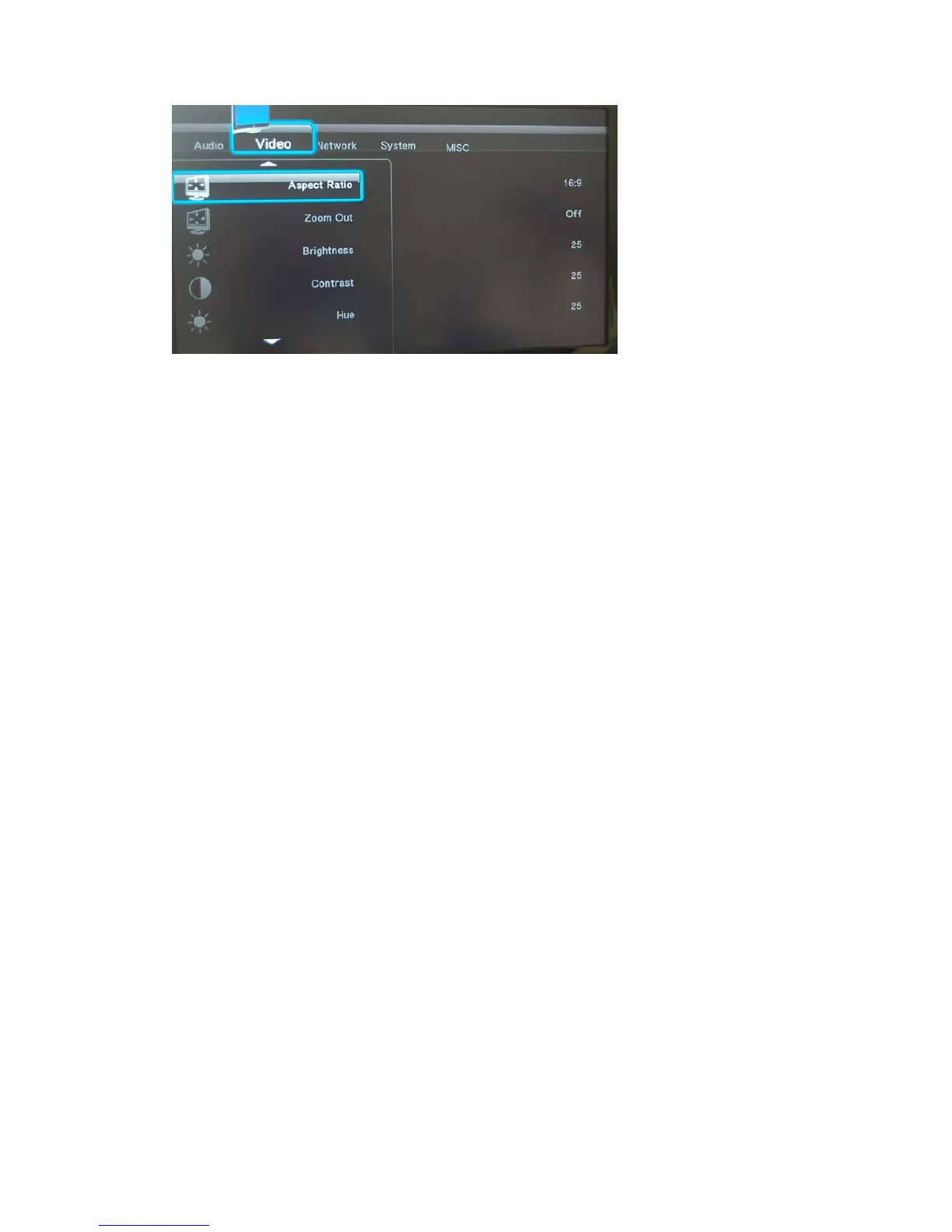
Aspect Ratio:
Allows you to select different aspect ratios.
To adjust the display aspect ratio, use the NAVIGATION buttons to select one
of the following.
Pan Scan 4:3 Select this option when connected to a standard TV.
Crops a widescreen image to 4:3
(May result in the edges of an image being cut off).
Letter Box 4:3 Select this option when connected to a standard TV.
Playback of widescreen formats will have black bars
above and below the image.
16:9 Select this option when connected to a 16:9 TV.
16:10 Select this option when connected to a 16:10 TV.
Zoom Out:
This feature will activate or deactivate the Cyclone MKV 2’s zooming out
feature.
This feature can be activated or deactivated by selecting ON or OFF.
Brightness:
This function allows a user to adjust the video output brightness levels.
To adjust the brightness levels use the NAVIGATION buttons to select the
desired level.
Contrast:
This function allows a user to adjust the video output contrast levels.


 To Next Page