EM6910 Café Series Espresso Machine Issue: A Page 16 of 48
Figure 8
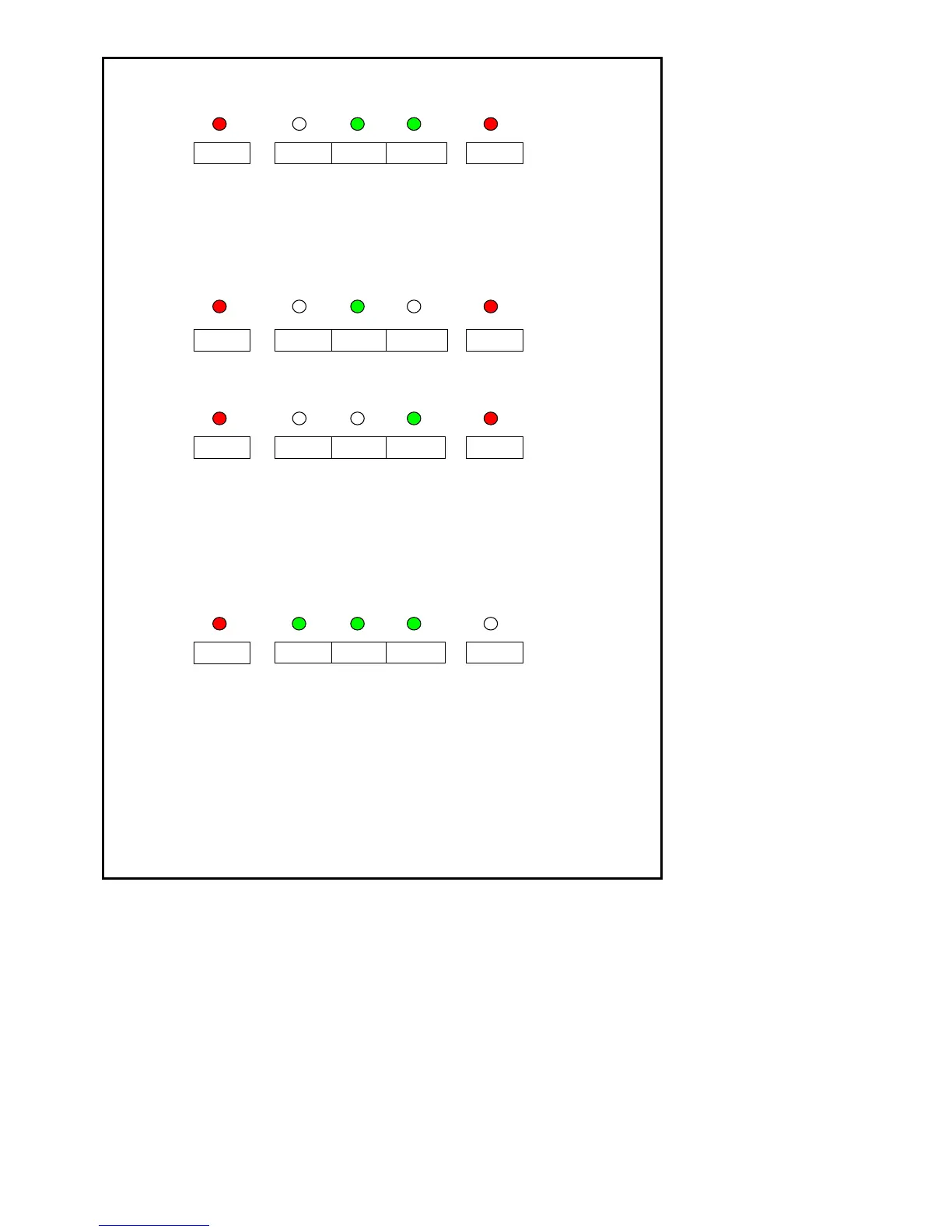
• Press one-cup button or two cups button once to start the brewing
process. Refer to figure 9 & 10 for LED pattern illumination.
For One Cup
Figure 9
For Two Cups
Figure 10
• Activate any push button other than “Power” button when the brewed
coffee volume reaches desired volume. Two beeps shall be given to
indicate the memory volume setting has been saved. The unit goes
back to ready mode. Refer to figure 11 for LED pattern illumination.
Figure 11
• There shall be a weight tolerance of ± 2.5g during the 1 cup memory
water/coffee saved volume amount.
• There shall be a weight tolerance of ± 5.0g during the 2 cup memory
water/coffee saved volume amount.
• 1 cup/2 cups coffee memory recording should be maintained even after
disconnecting AC power from the unit.











 To Next Page