SunFounder 3in1 Kit
Code
Note:
• Open the 5.11.temperature_humidity.ino file under the path of 3in1-kit\learning_project\5.11.
temperature_humidity.
• Or copy this code into Arduino IDE.
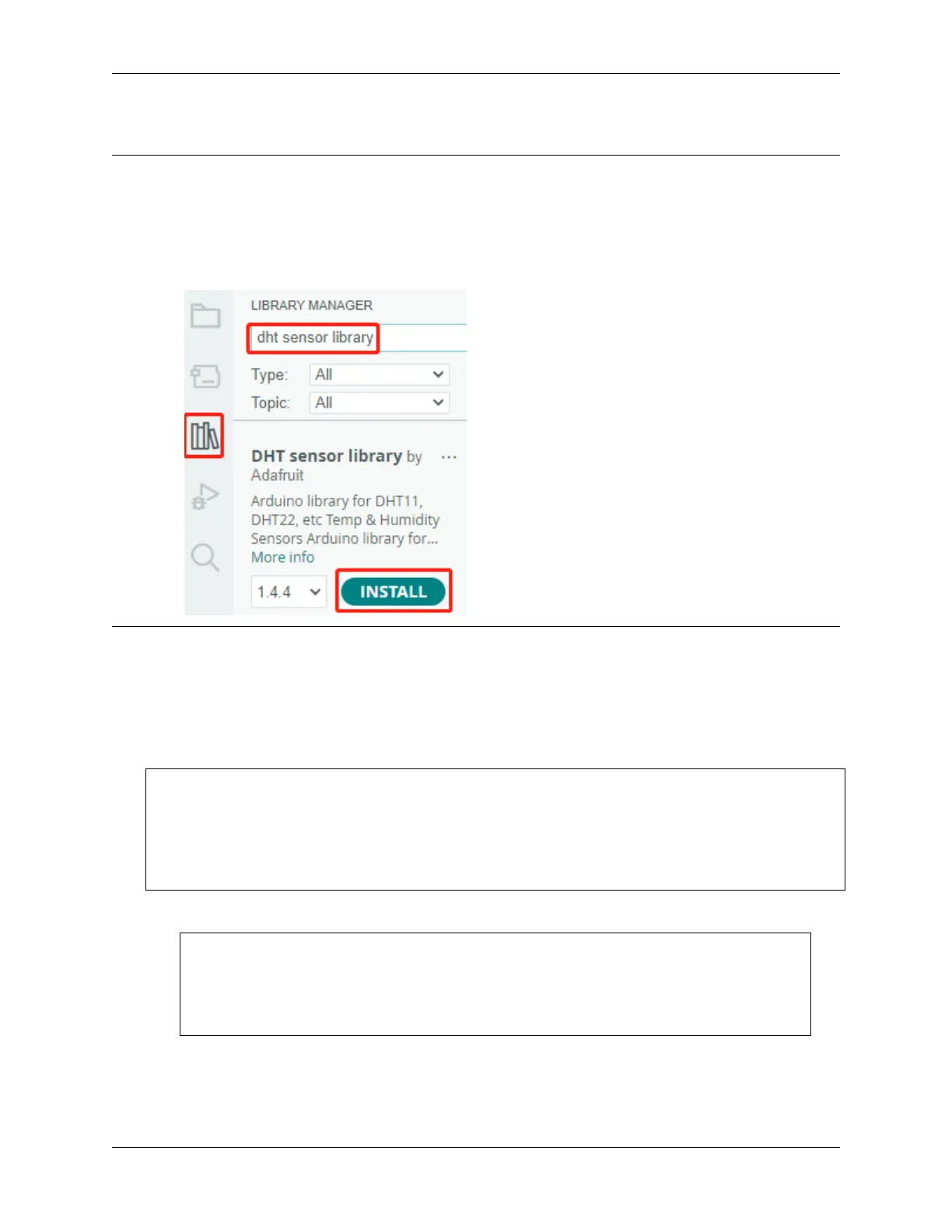
• The DHT sensor library is used here, you can install it from the Library Manager.
After the code is uploaded successfully, you will see the Serial Monitor continuously print out the temperature and
humidity, and as the program runs steadily, these two values will become more and more accurate.
How it works?
1. Includes the DHT.h library, which provides functions to interact with the DHT sensors. Then, set the pin and
type for the DHT sensor.
#include "DHT.h"
#define DHTPIN 11 // Set the pin connected to the DHT11 data pin
#define DHTTYPE DHT11 // DHT 11
DHT dht(DHTPIN, DHTTYPE);
2. Initializes serial communication at a baud rate of 115200 and initializes the DHT sensor.
void setup() {
Serial.begin(115200);
Serial.println("DHT11 test!");
dht.begin();
}
3. In the loop() function, read temperature and humidity values from the DHT11 sensor, and print them to the
serial monitor.
178 Chapter 4. Basic Projects



 To Next Page