SunFounder 3in1 Kit
6.1 1. Get Started with Blynk
Getting the R4 board to communicate with Blynk requires some configuration when you first use Blynk.
Follow the steps below, and note that you must do them in order and not skip any chapters.
6.1.1 1.1 Configuring the ESP8266
The ESP8266 module that comes with the kit is already pre-burned with AT firmware, but you still need to modify its
configuration by following the steps below.
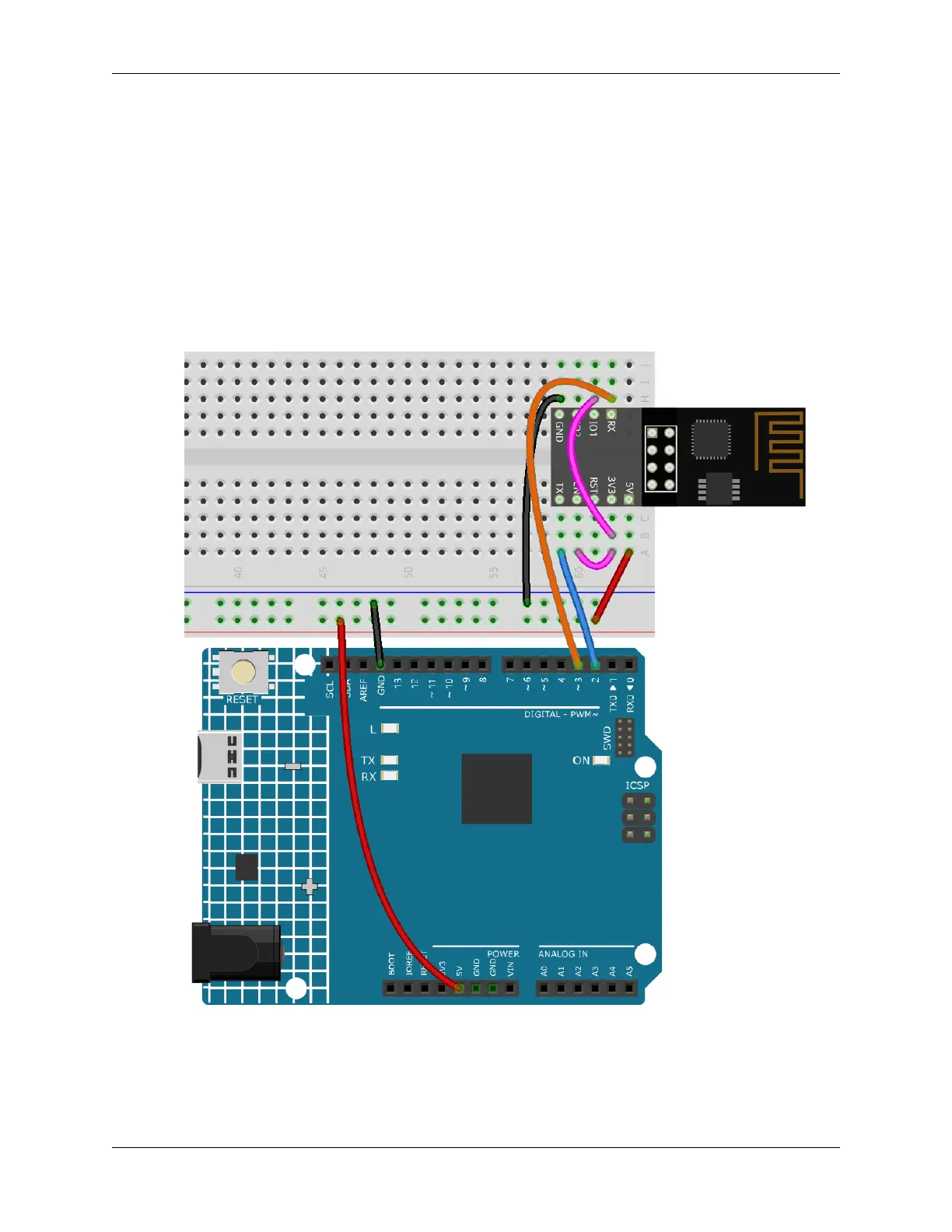
1. Build the circuit.
2. Open the 1.set_software_serial.ino file under the path of 3in1-kit\iot_project\1.
set_software_serial. Or copy this code into Arduino IDE.
268 Chapter 6. IoT Projects



 To Next Page