SunFounder 3in1 Kit
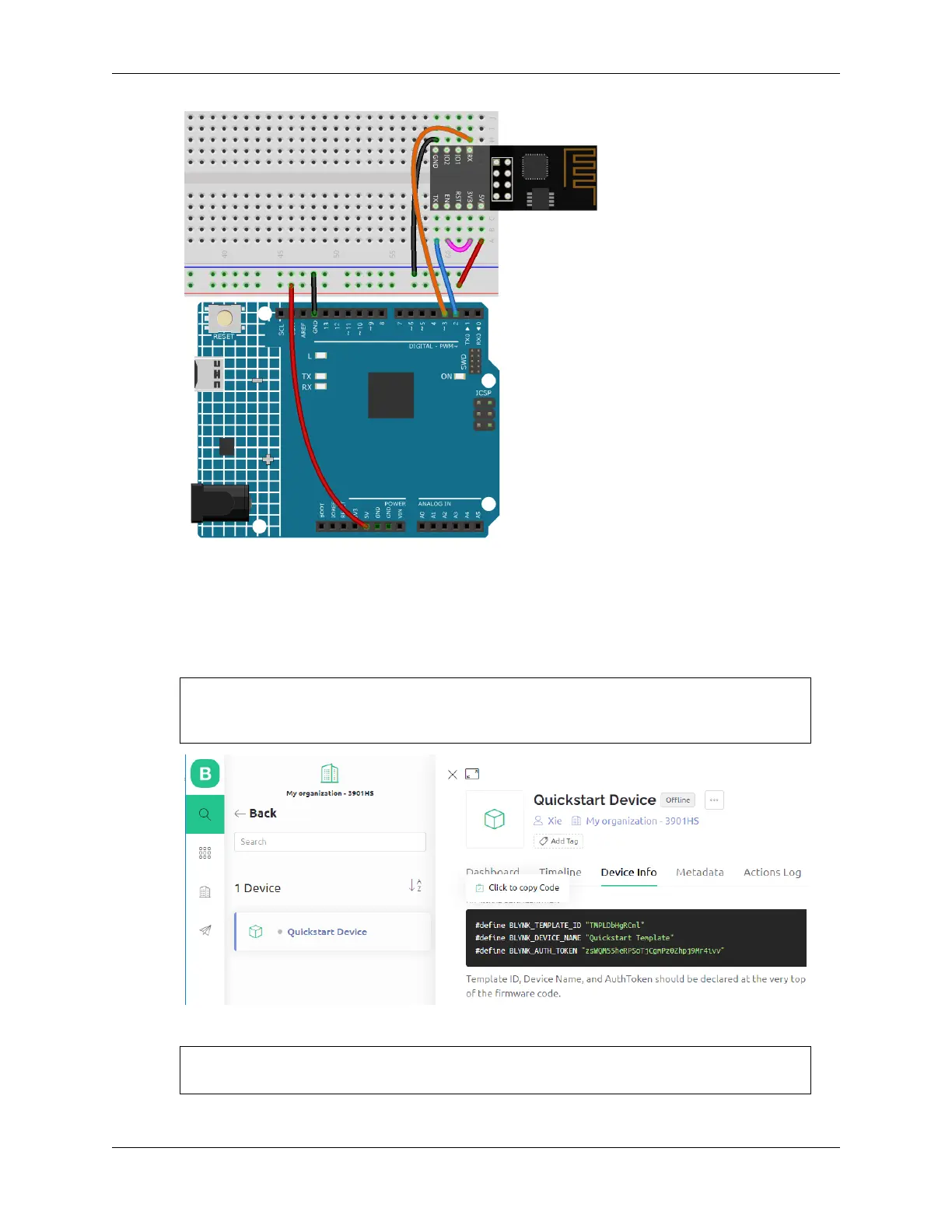
2. Open the 1.connect.ino file under the path of 3in1-kit\iot_project\1.connect. Or copy this code into
Arduino IDE.
3. Replace the following three lines of code that you can copy from your account’s Device info page. These three
lines of code will allow your R4 board to find your blynk account.
#define BLYNK_TEMPLATE_ID "TMPLxxxxxx"
#define BLYNK_DEVICE_NAME "Device"
#define BLYNK_AUTH_TOKEN "YourAuthToken"
4. Fill in the ssid and password of the WiFi you are using.
char ssid[] = "ssid";
char pass[] = "password";
6.1. 1. Get Started with Blynk 279



 To Next Page