SunFounder 3in1 Kit
Backlight/Contrast
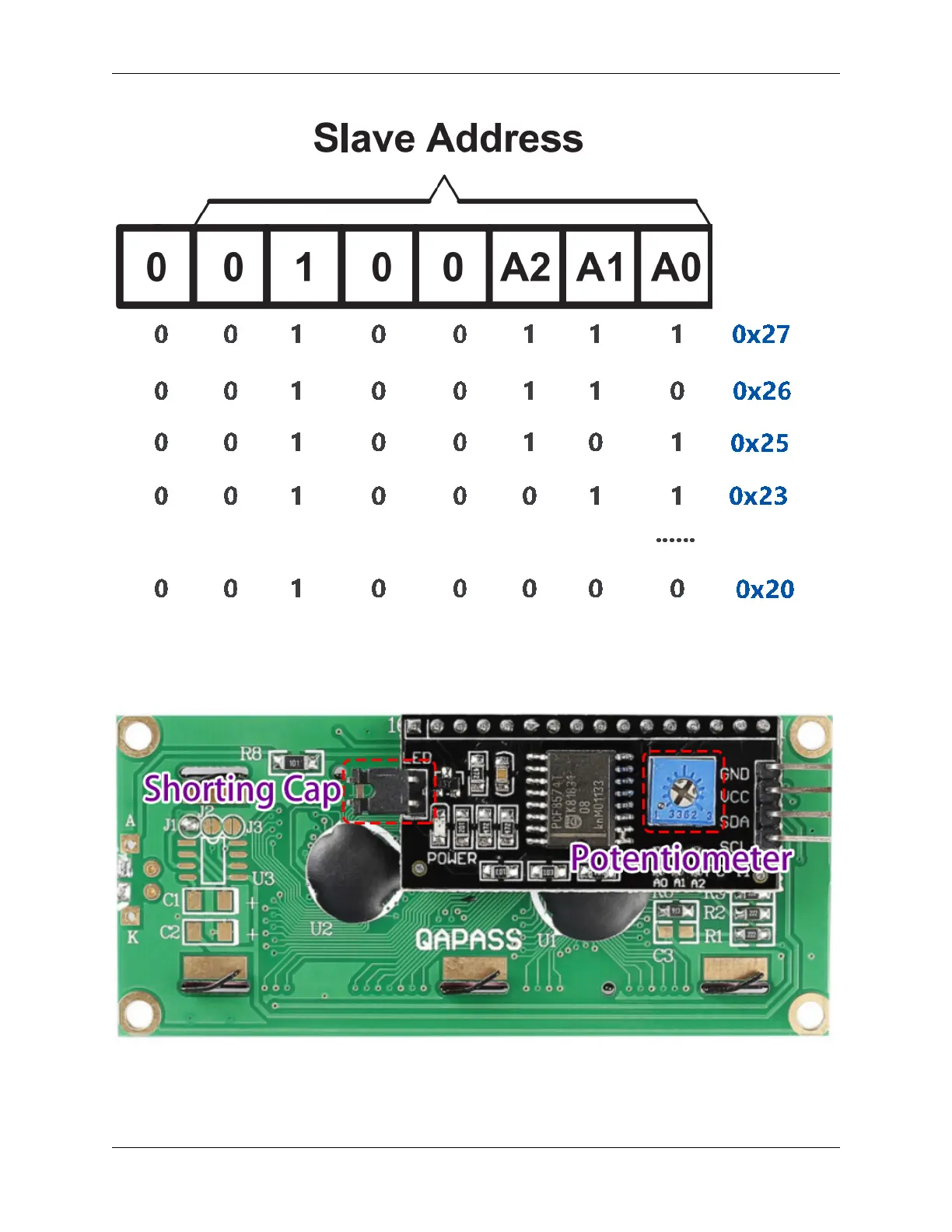
Backlight can be enabled by jumper cap, unplugg the jumper cap to disable the backlight. The blue potentiometer on
the back is used to adjust the contrast (the ratio of brightness between the brightest white and the darkest black).
• Shorting Cap: Backlight can be enabled by this capunplugg this cap to disable the backlight.
• Potentiometer: It is used to adjust the contrast (the clarity of the displayed text), which is increased in the
clockwise direction and decreased in the counterclockwise direction.
1.11. I2C LCD1602 25



 To Next Page