SunFounder 3in1 Kit
(continued from previous page)
}
if (Serial1.available()) { // If anything comes in Serial1 (pins 0 & 1)
Serial.write(Serial1.read()); // read it and send it out Serial (USB)
}
}
3. Burning the firmware
• Follow the steps below to burn the firmware if you are using Windows.
1. Download firmware and burn-in tool.
– ESP8266 Firmware
2. After unzipping, you will see 4 files.
– BAT_AT_V1.7.1.0_1M.bin: The firmware to burn to the ESP8266 module.
– esptool.exe: This is a command-line utility for Windows.
– install_r3.bat: This is the command package for Windows system, double click this file
will run all the commands inside the file.
– install_r4.bat: Same as install_r3.bat, but dedicated to UNO R4 board.
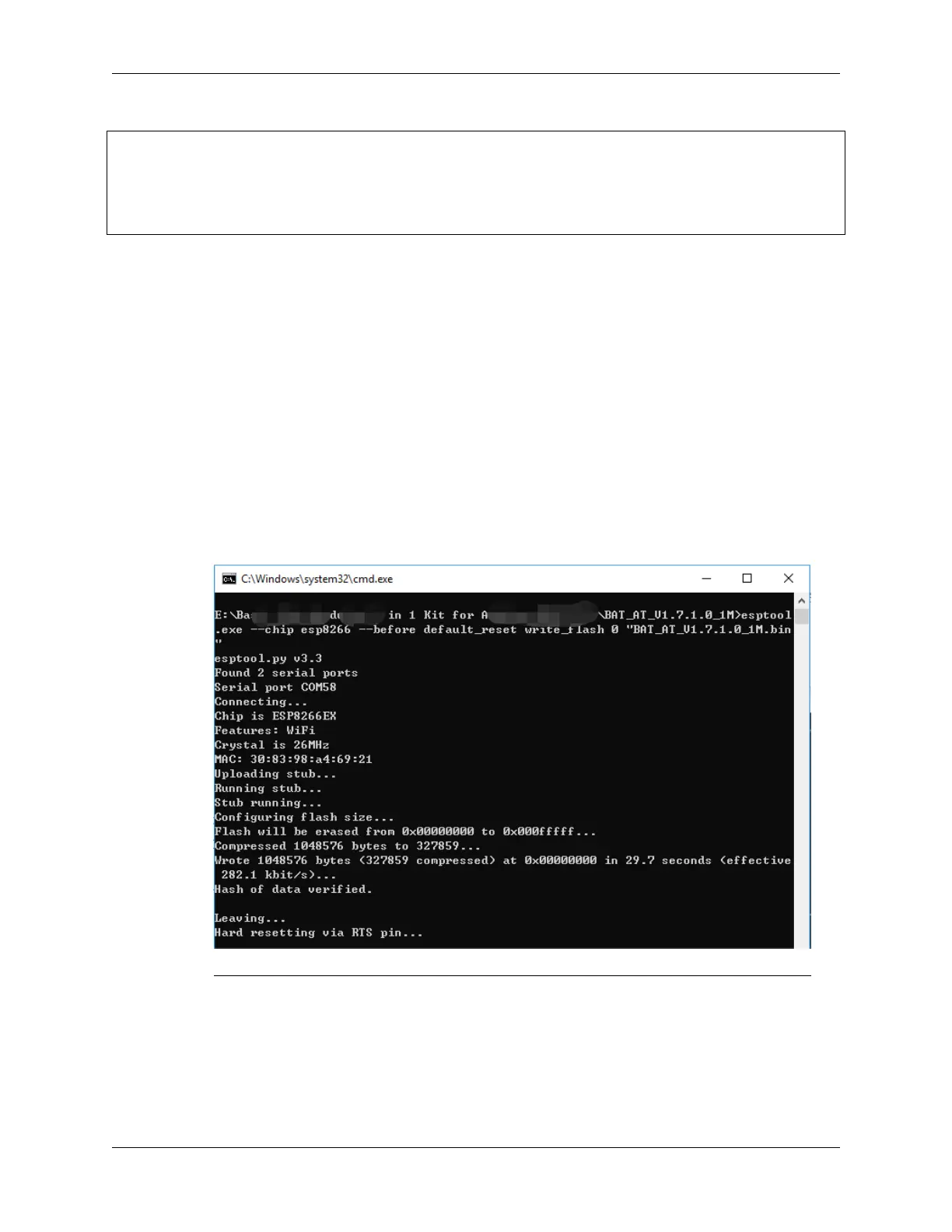
3. Double click install_r4.bat to start the firmware burning. If you see the following prompt, the firmware
has been installed successfully.
Note: If the burn-in fails, please check the following points.
– Reset the ESP8266 module by inserting the RST on the ESP8266 Adapter to GND and then
unplugging it.
– Check if the wiring is correct.
– Whether the computer has recognized your board properly, and make sure the port is not
occupied.
336 Chapter 7. FAQ



 To Next Page