SunFounder 3in1 Kit
Note:
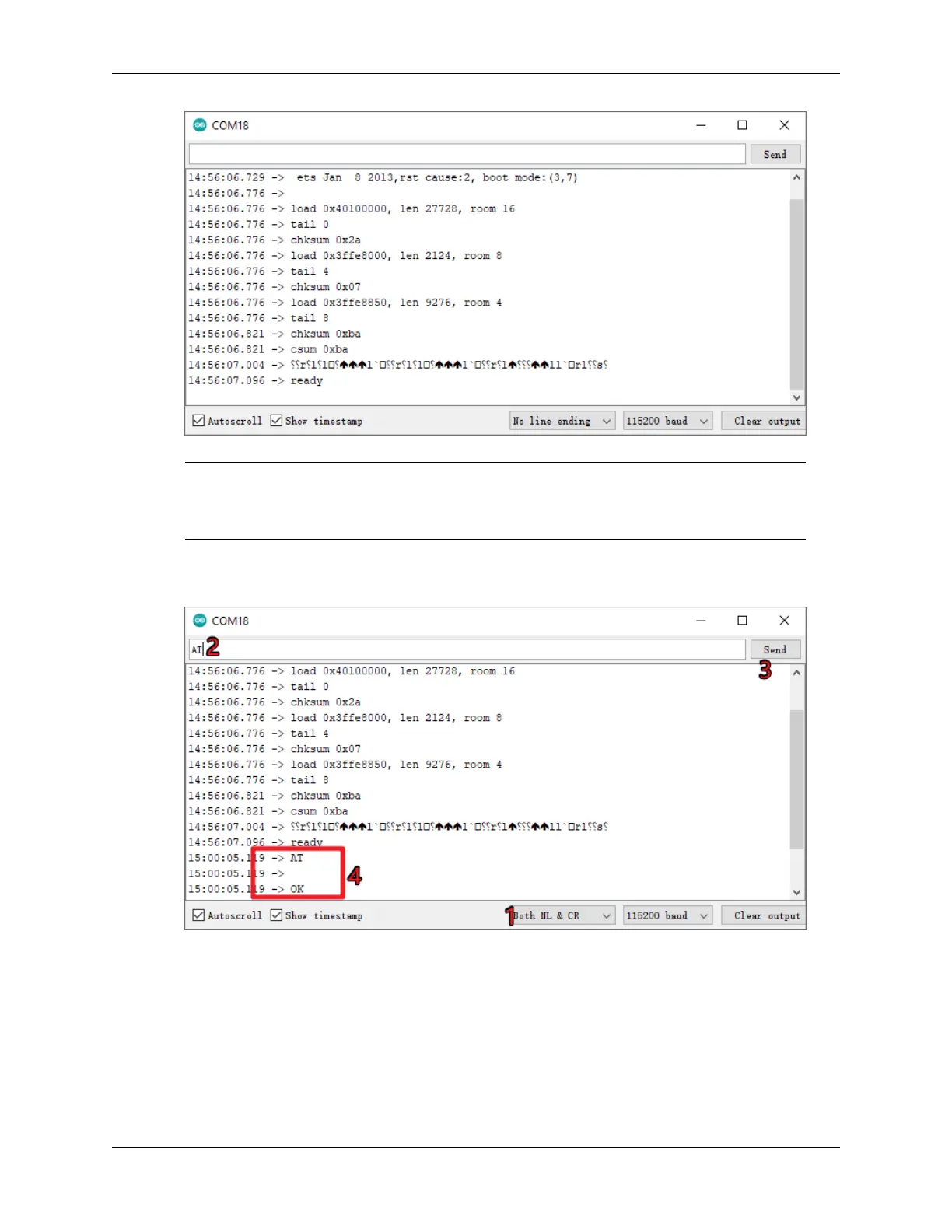
• If ready doesn’t appear, you can try to reset the ESP8266 module(connect RST to GND) and
re-open the Serial Monitor.
3. Click on NEWLINE DROPDOWN BOX, select both NL & CR in the drop down option, enter AT, if it returns
OK, it means ESP8266 has successfully established connection with your board.
Now you can continue to follow 1.1 Configuring the ESP8266 to set the working mode and baud rate of the ESP8266
module.
7.2. How to re-burn the firmware for ESP8266 module? 339



 To Next Page