2 LCD Operation User Manual
10
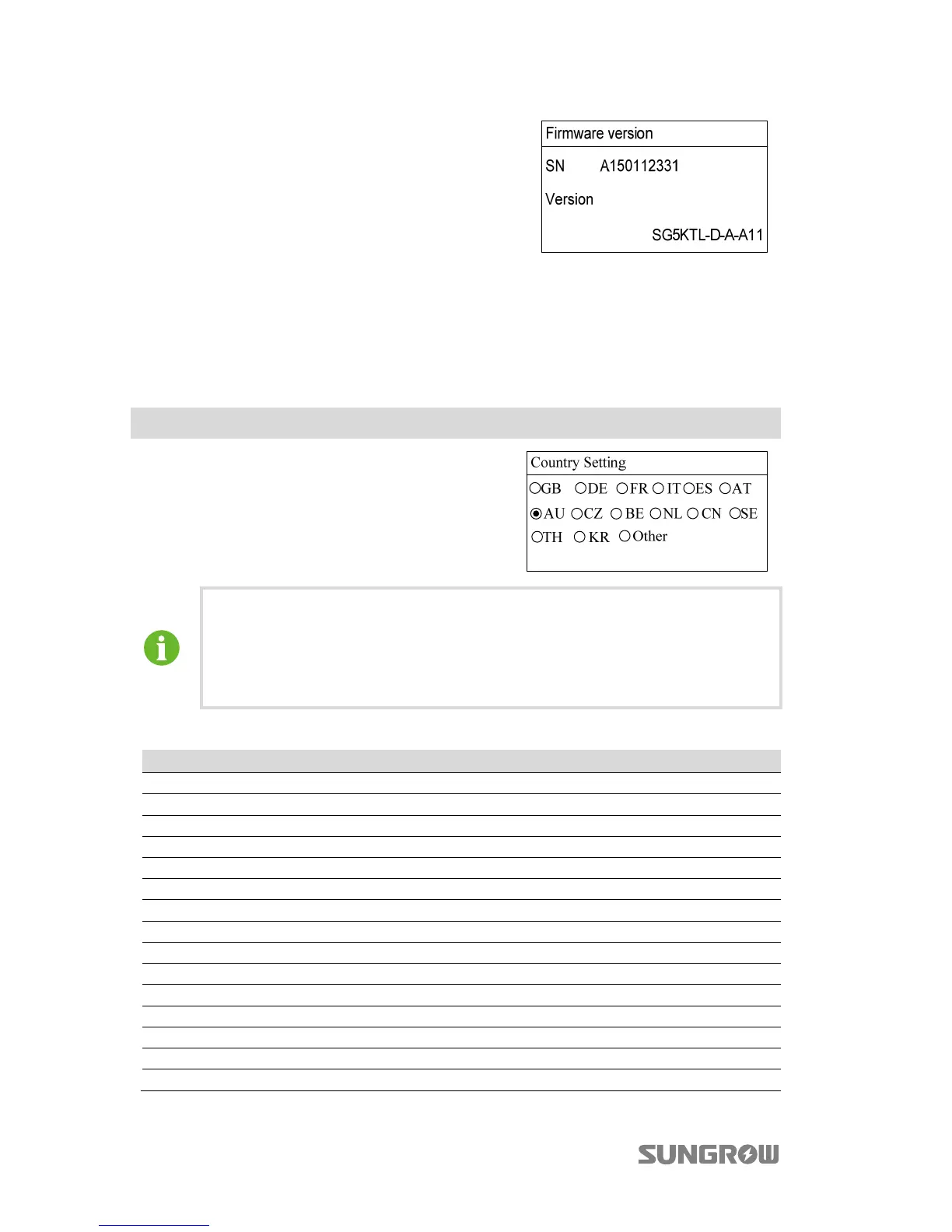
Inverter shows detailed device information,
including the SN and the firmware version.
The firmware version information is read only.
2.6 Setting the Country Code
To make the protection parameters setting convenient, inverter provides in-built
protection parameters for certain countries.
Main Screen (Press )→Menu (Touch ×1)→Country setting (Press )
Touch / to choose countries and press to
confirm.
If the country selected is not in the list, please
choose Other and then input the protection
parameters manually.
Tab. 2-4 Country code description
Country Code Country Language
GB Great Britain English
DE Germany German
FR France French
IT Italy Italian
ES Spain English
AT Austria German
AU Australia English
CZ Czech English
BE Belgium French
NL Netherlands English
CN China Chinese
SE Sweden English
TH Thailand English
KR Korea Korean
Other Country not mentioned above English
After setting the Country, please set other parameters of the inverter in
accordance with the specific requirements of the local grid. Check the
parameters thoroughly before commissioning.
SUNGROW assumes no liability for direct or indirect damage arising from
the parameters exceeding the permissible range of the utility grid.



 To Next Page