2 LCD Operation User Manual
14
2.10 Settings
Main Screen (Press )→Menu (Touch ×5)→Set-param (Press )
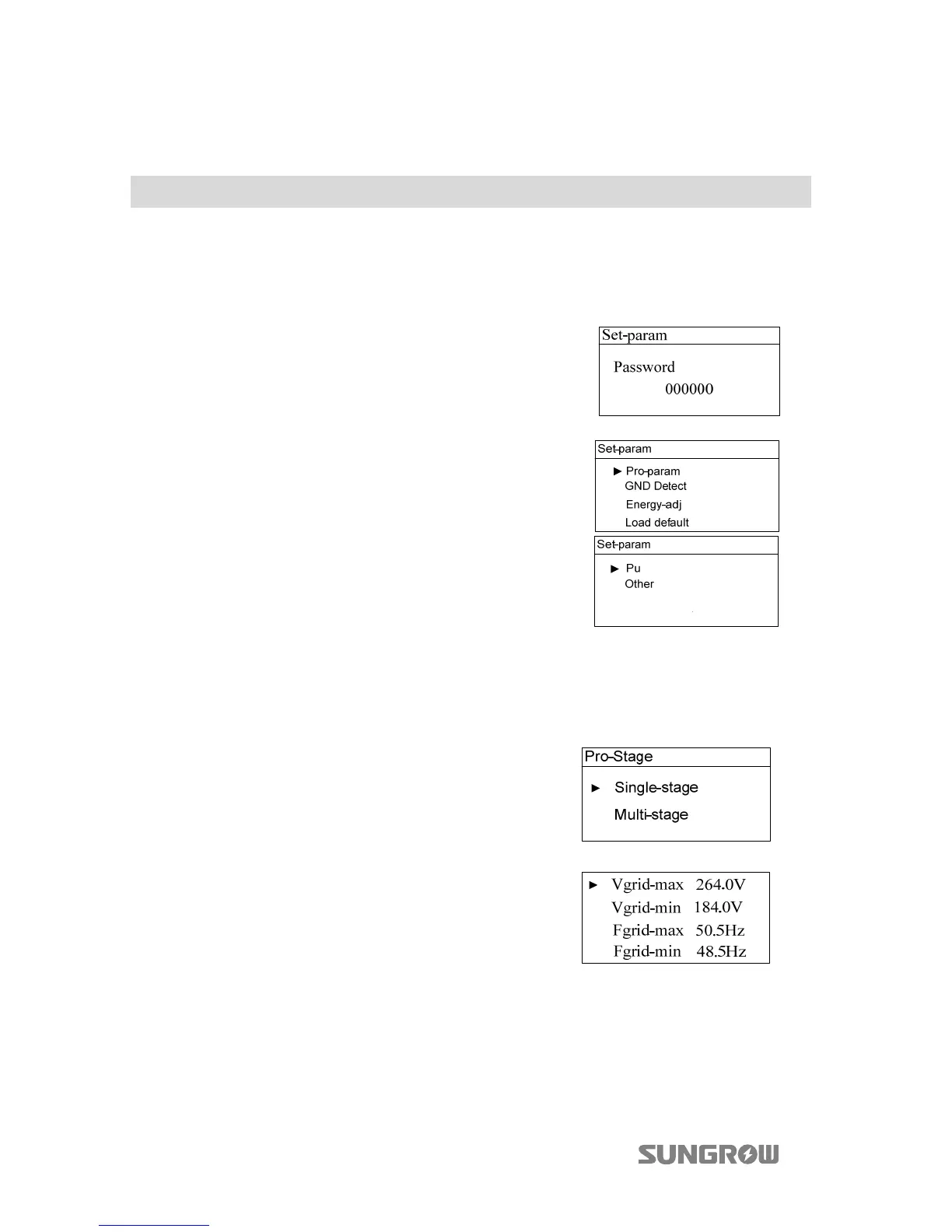
2.10.1 Password Entry
Set-parameter setting is password-protected. To set the parameters, you should
input the correct password.
Step 1 A password confirmation screen will occur.
Touch to move cursor right and touch
to input the password 111111.
Step 2 Press to confirm the password and enter
the “Set-param” submenu.
2.10.2 Setting the Protective Parameters
Protective parameters are designed for the threshold values that can trigger the
protection function of the inverter.
he single-stage and multi-stage protection
parameter setting interface will appear.
Single-stage Protection Parameter Setting:
Touch to select parameter, touch to move the
cursor and touch to set the appropriate value.
Confirm settings by pressing .



 To Next Page