1 InstallationandConnection User Manual
2
Procedure
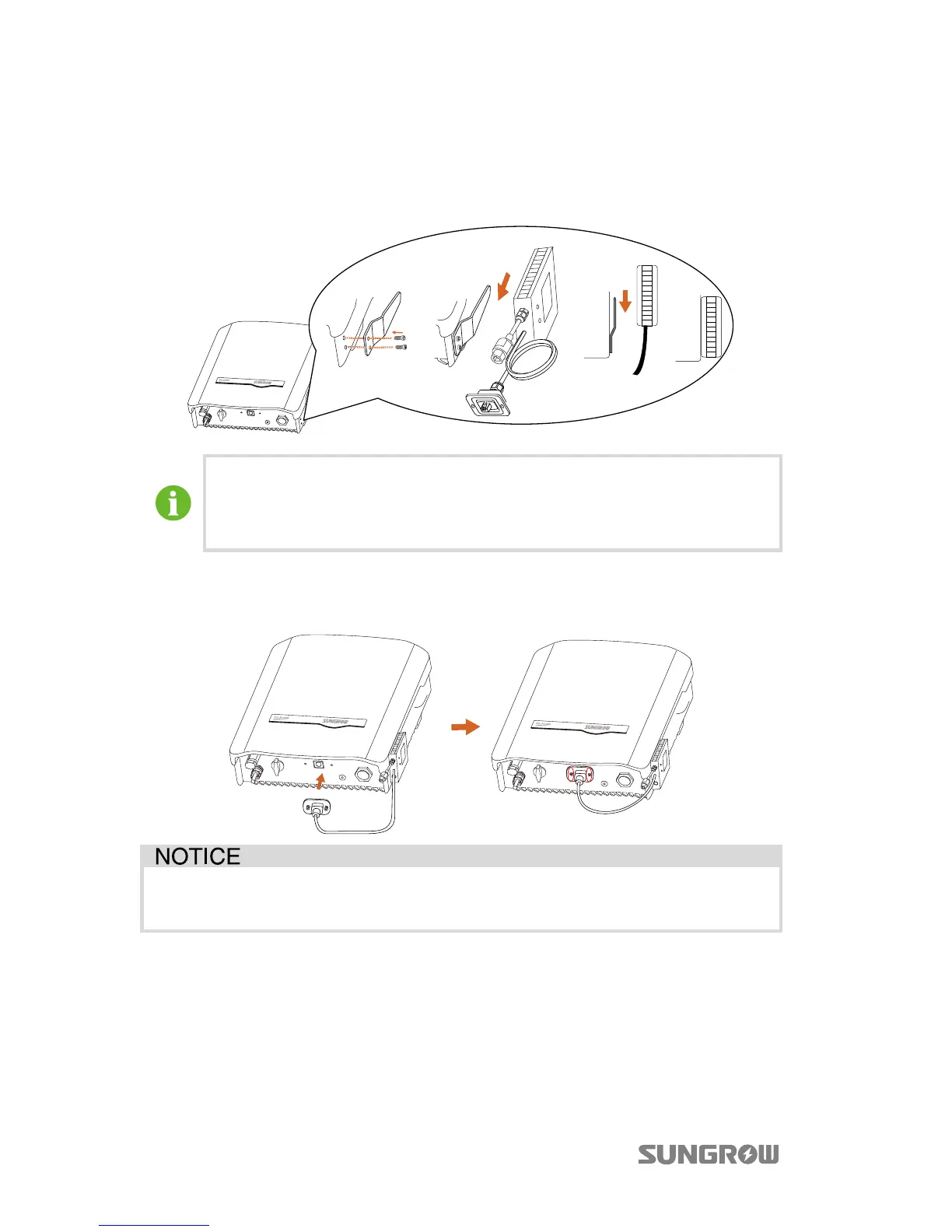
Step 1 Secure the bracket to the inverter with the supplied screws and then hang
the eShow onto the bracket.
The eShow can also be mounted to the wall next to the inverter.
Make sure that the space between the eShow and the inverter is proper
for the cable connection.
Step 2 Connect the RJ45 plug to the RJ45 port on the bottom of the inverter. Fasten
the screws on the RJ45 plug.
Do not extend the communication cable. The loss of any or all rights may
follow if otherwise.
1.2 Connecting the eShow to the DRED
The eShow provides a DRM (Demand Response Mode) port for connecting to a
demand response enabling device (DRED). The DRM port is a standard Ethernet
port.



 To Next Page