2 LCD Operation User Manual
16
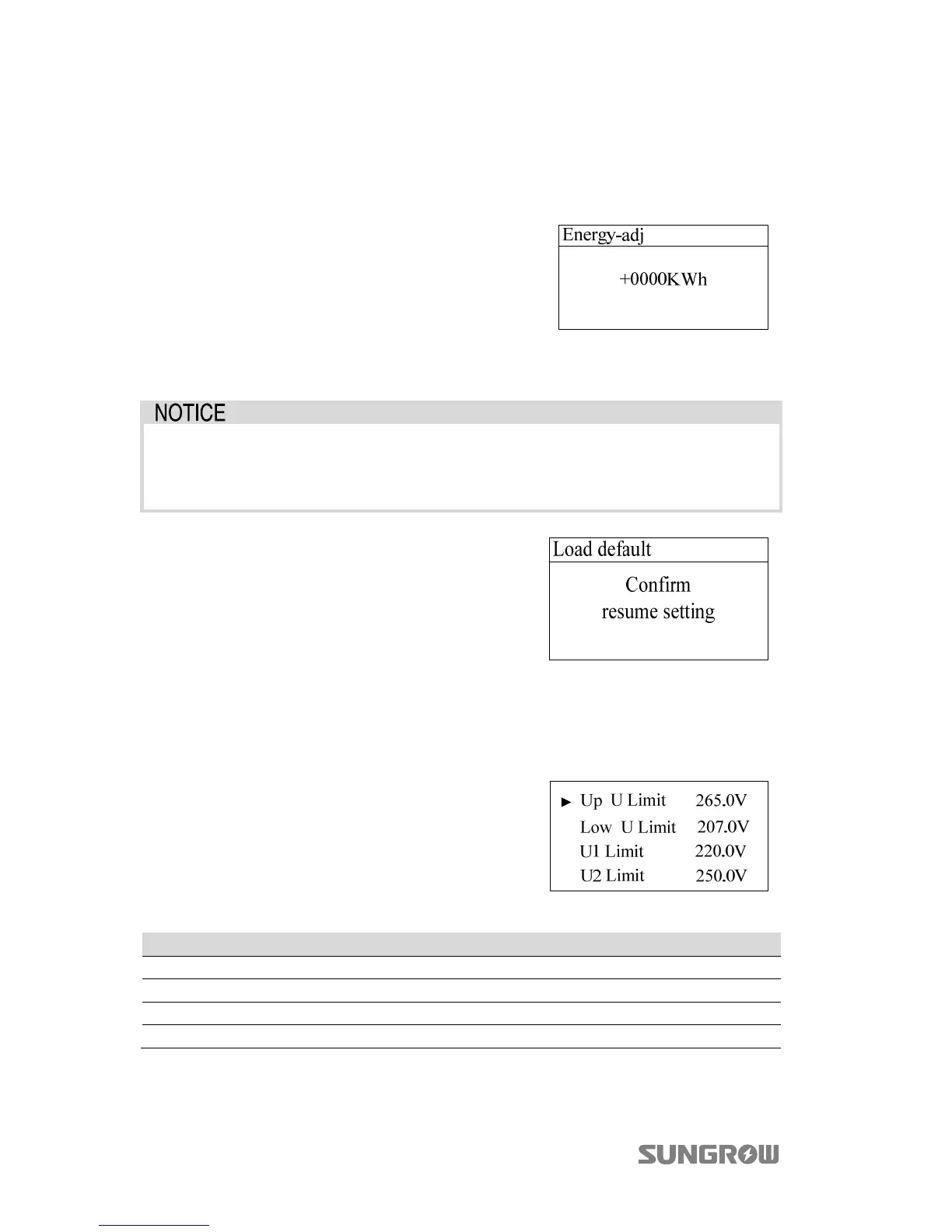
2.10.4 Total Energy Deviation Adjustment
If the accumulative value “E-total” in the inverter is different from the value in the
external metering device, you should adjust energy by “Energy-adj” setting.
Touch to move the cursor and touch to
change the value. Press to confirm the setting.
The “+” can be changed to “-”.
The adjustment rangs from -9999 to +9999 kWh.
(Energy-adj value)=(Real measured value) - (E-tot
reading value).
2.10.5 Load Default
All history information will be unrecoverable and all parameters will return
to the default value except the protective parameters and time once the
“load default” operation is performed.
Press to confirm “load default”.
2.10.6 Setting the Power Derating Parameters
Set four grid voltage reference values. The output power of the inverter varies in
response to the grid voltage.
Touch to move the cursor and touch to
change value. Press to confirm setting.
Tab. 2-9 Description of Power Derating Parameters
Parameter Description Default Range
Up U Limit Grid voltage reference value 4 265.0 V 244 V...265 V
Low U Limit Grid voltage reference value 1 207.0 V -
U1 Limit Grid voltage reference value 2 220.0 V 216 V... 230 V
U2 Limit Grid voltage reference value 3 250.0 V 235 V... 255 V



 To Next Page