Home
Sungrow
Control Unit
eShow
Page 22 (Viewing Fault Records)
Sungrow eShow - Viewing Fault Records
30 pages
Manual
Save Page as PDF
To Next Page
To Next Page
To Previous Page
To Previous Page
Loading...
2 L
CD Operation
User Manu
al
18
2.12
V
iewing F
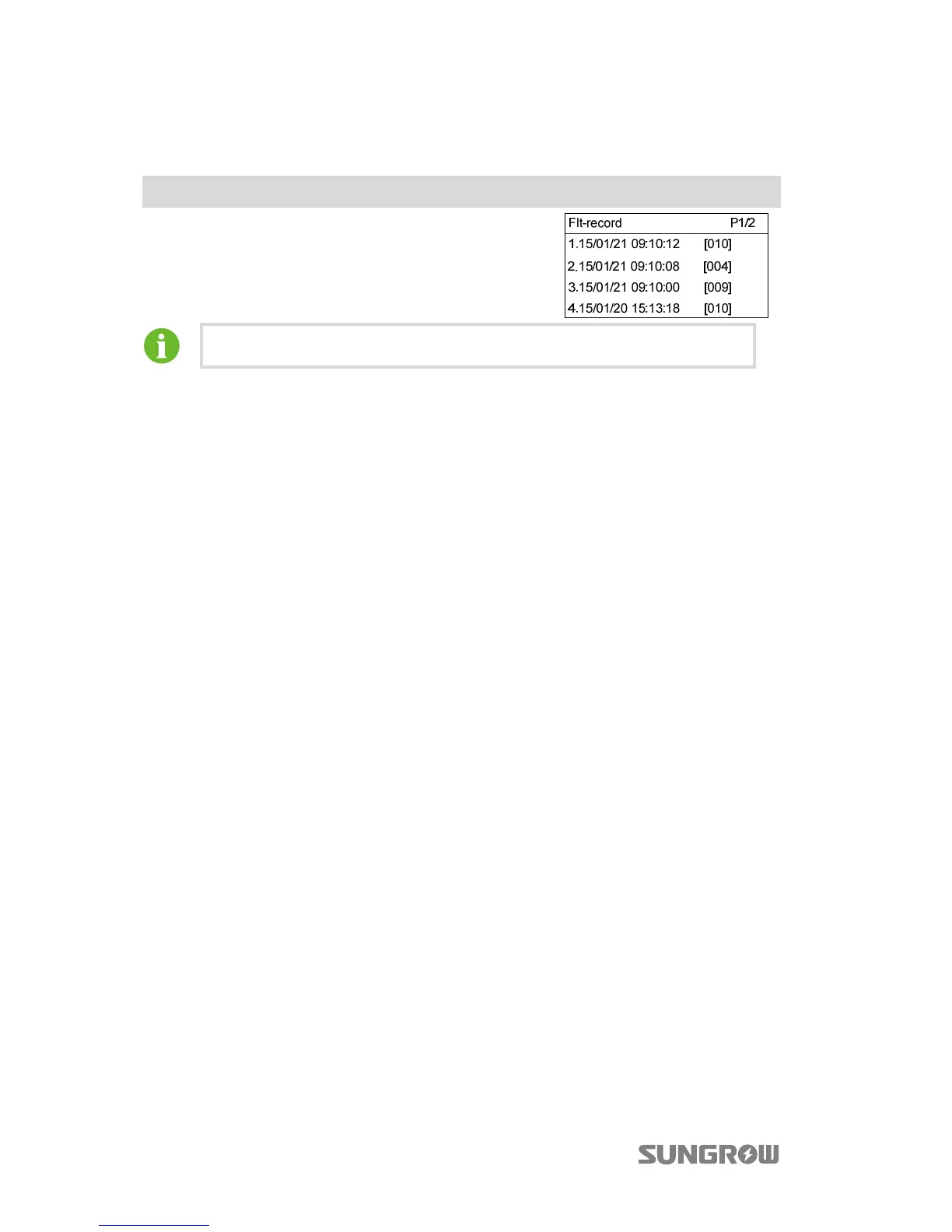
ault Records
Main Screen (Press
)
→
Men
u (Touch
×
7)
→
Flt-record (Press
)
Inverter shows f
ault rec
ord page
s.
Scroll pages by touching
.
The in
verter can only store at most 20 la
test fault r
ecords
.
21
23
Table of Contents
Main Page
Default Chapter
3
Table of Contents
3
1 Installation and Connection
5
Connecting the Eshow to the Inverter
5
Connecting the Eshow to the DRED
6
2 LCD Operation
9
Description of Button Function
9
Menu Tree
10
Main Screen
11
Contrast Adjustment
12
Checking Running Information
13
Setting the Country Code
14
Setting the Time
15
Starting/Stopping the Inverter
15
Setting the Running Parameters
16
Settings
18
Password Entry
18
Setting the Protective Parameters
18
GND Detection
19
Total Energy Deviation Adjustment
20
Load Default
20
Setting the Power Derating Parameters
20
Setting Other Parameters
21
Setting the Communication Parameters
21
Viewing Fault Records
22
3 Appendix
23
Troubleshooting
23
Exclusion of Liability
28
About Us
29
Related product manuals
Sungrow EyeM4
27 pages
Sungrow WiNet-S
2 pages



 To Next Page