User Manual 1 InstallationandConnection
3
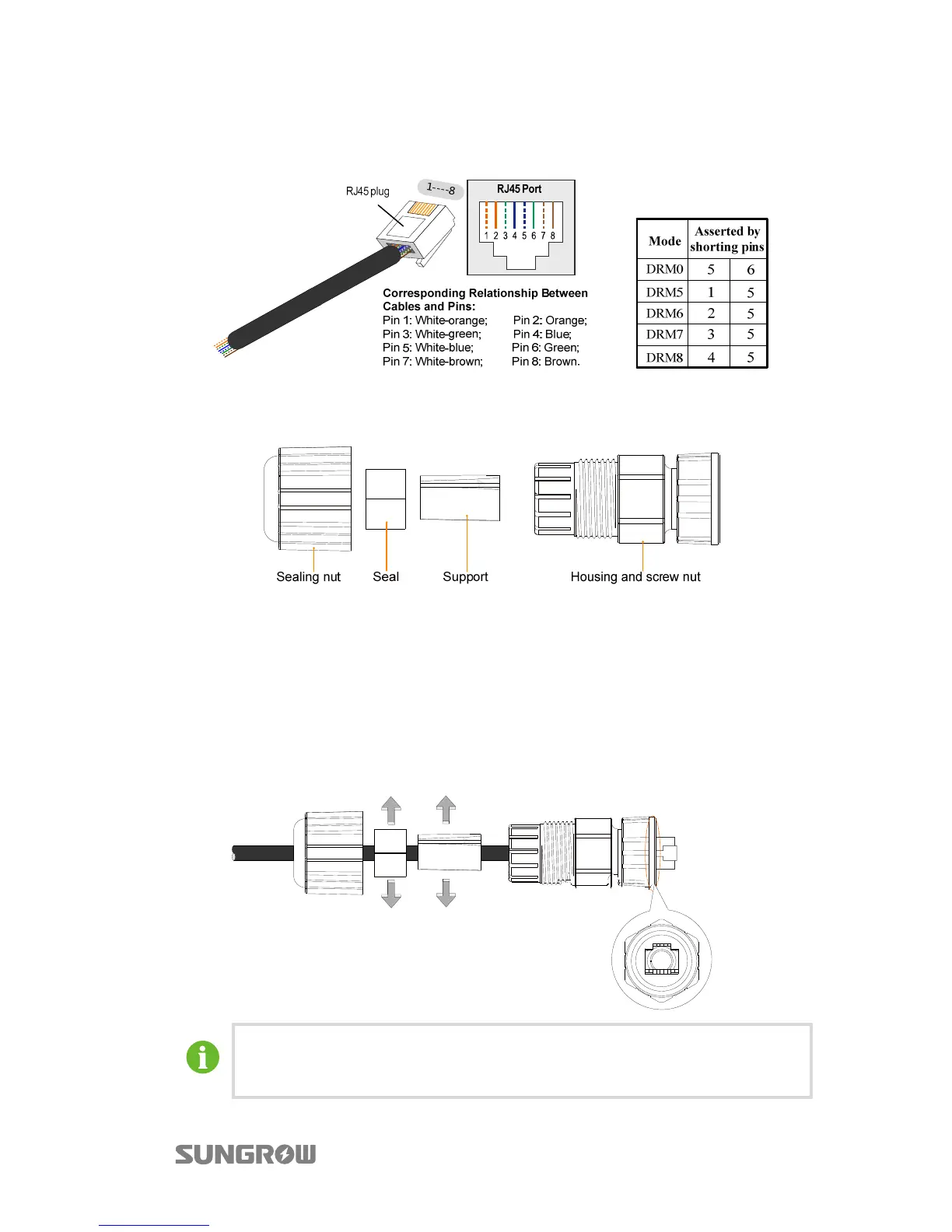
The following figure shows the DRM mode and the corresponding shorting pins of
the RJ45 plug.
The components of the DRM connector are included in the delivery scope, as shown
in the following figure.
Fig. 1-3 DRM Connector Components
* The seal and the support are not closed. So, you can use the standard network
cable with the RJ45 plug to assemble the DRM connector.
Procedure
Step 1 Lead the network cable through the components according to the following
sequence.
The seal and the support can be opened to place the cable body.
Align the RJ45 plug and the slot to lead the cable through the housing.



 To Next Page