106
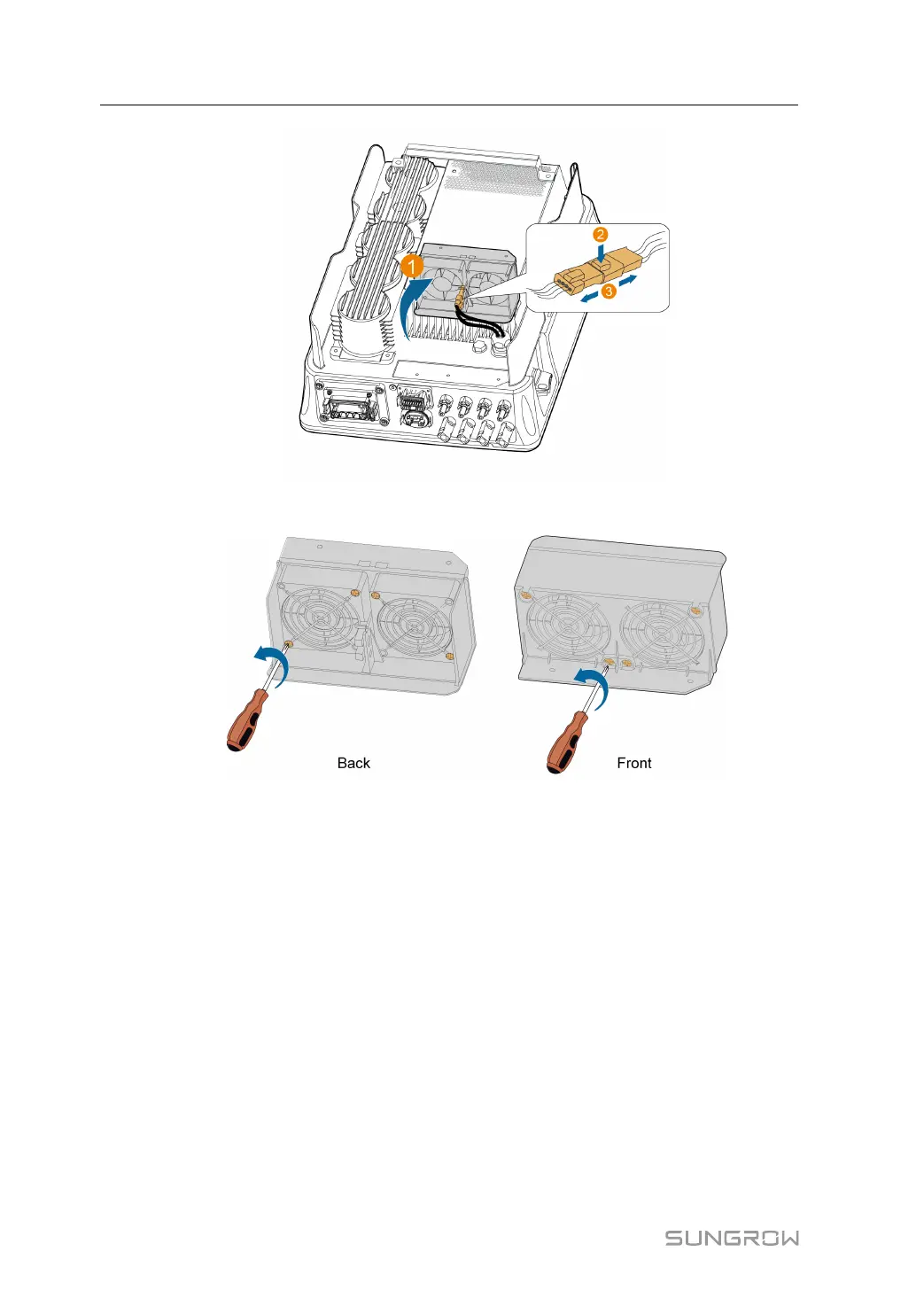
step 6 Unscrew the screws on the dust covers and remove the dust covers.
step 7 Use a soft brush or vacuum cleaner to clean the fan. If you need to replace the fan, use a
screwdriver to unscrew the screw at the fan bracket and remove the fan.
step 8 Install the dust covers and then the fan bracket to the inverter. Restart the inverter.
- - End
9 Troubleshooting and Maintenance User Manual





 To Next Page