76
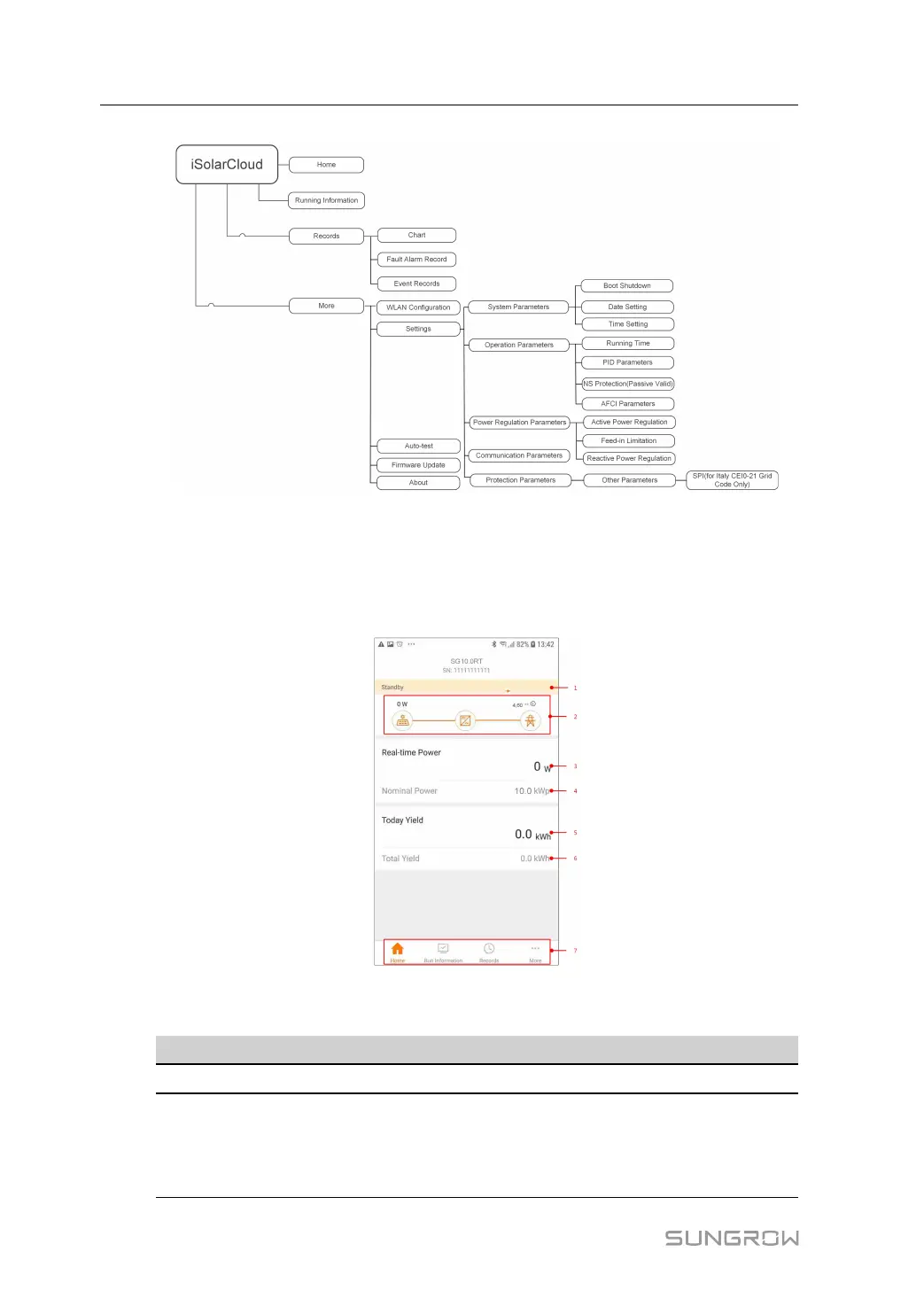
figure 7-4 App Key Function Menu
7.7 Home
Home page of the App is shown in the following figure.
figure 7-5 Home
table 7-1 Home Page Description
No. Name
Description
1 Inverter state
Present operation state of the inverter
2
Energy flow
chart
Shows the PV power generation power, feed-in power, etc.
The line with an arrow indicates energy flow between con-
nected devices, and the arrow pointing indicates energy flow
direction.
7 iSolarCloud App User Manual





 To Next Page