Device Menu
13
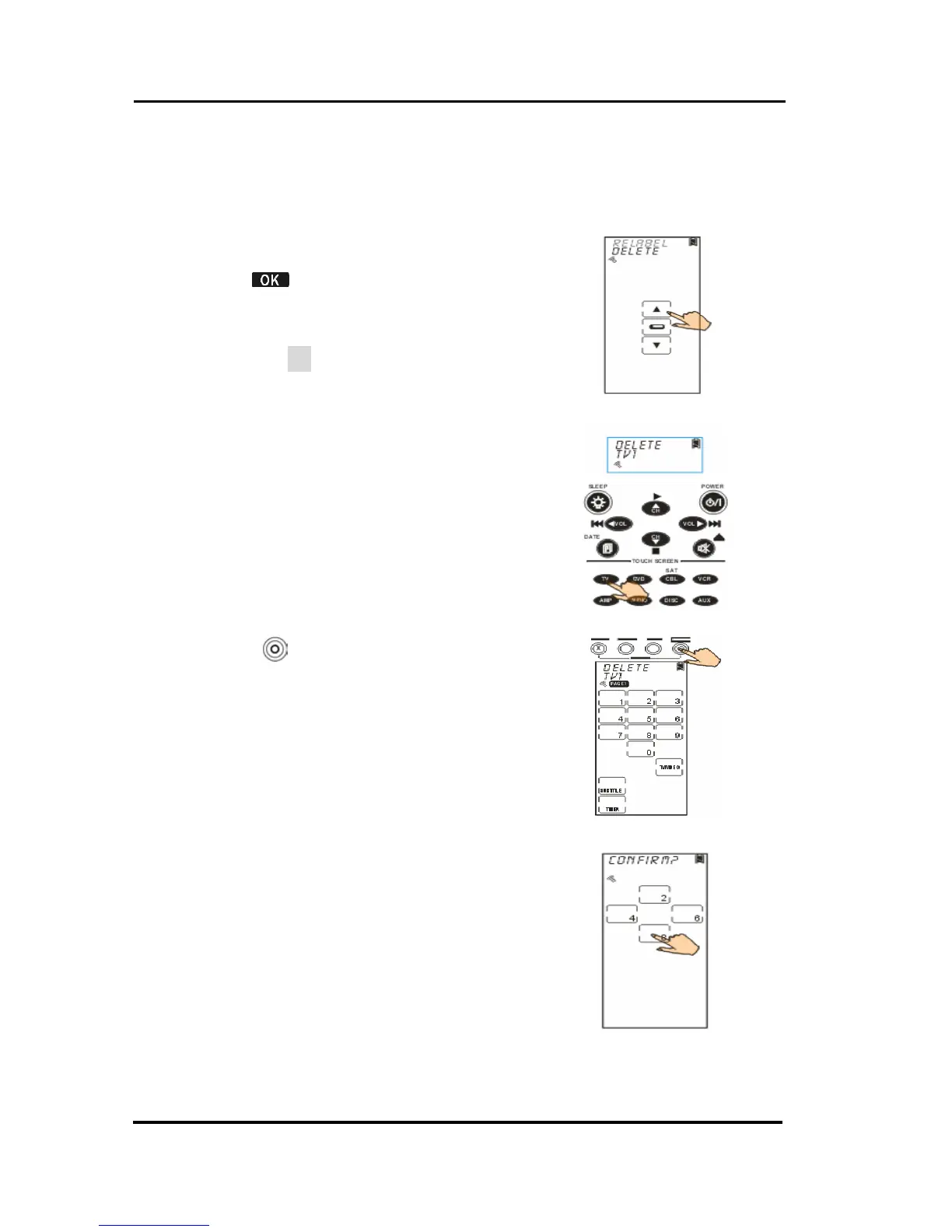
Deleting a Device
The section will instruct you how to delete a device,
including the screen configuration and codes.
1. Select Delete option.
2. Tap
to confirm.
3. Among default devices, select
one of them that you desire to
delete (TV for example).
4. Press
to confirm the decision.
5. You are prompted to reconfirm
the action. Let 4 numbers
disappear by finger tapping.
When it is successful, the screen
will back to previous menu.



 To Next Page