Code Menu
19
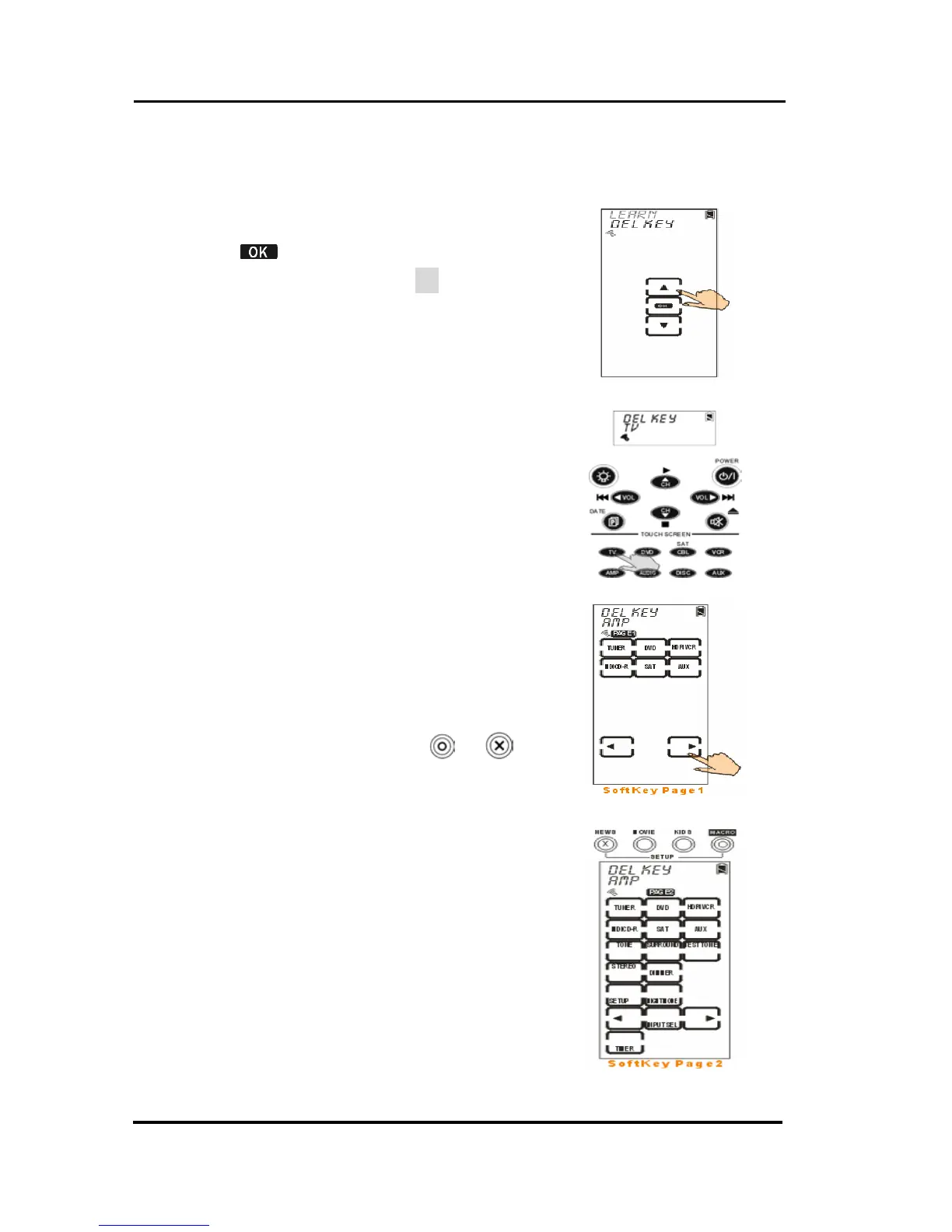
Erasing a Key Code
The section will instruct you how to delete key codes.
1. Select del key option.
2. Tap
to confirm.
3. Select target device (TV for
example).
4. Tap the key or press the button
that you desire to delete its code.
Once the screen displays an “OK”
message, it means the code is
successfully deleted.
5. If finished, please press
or to
exit.



 To Next Page