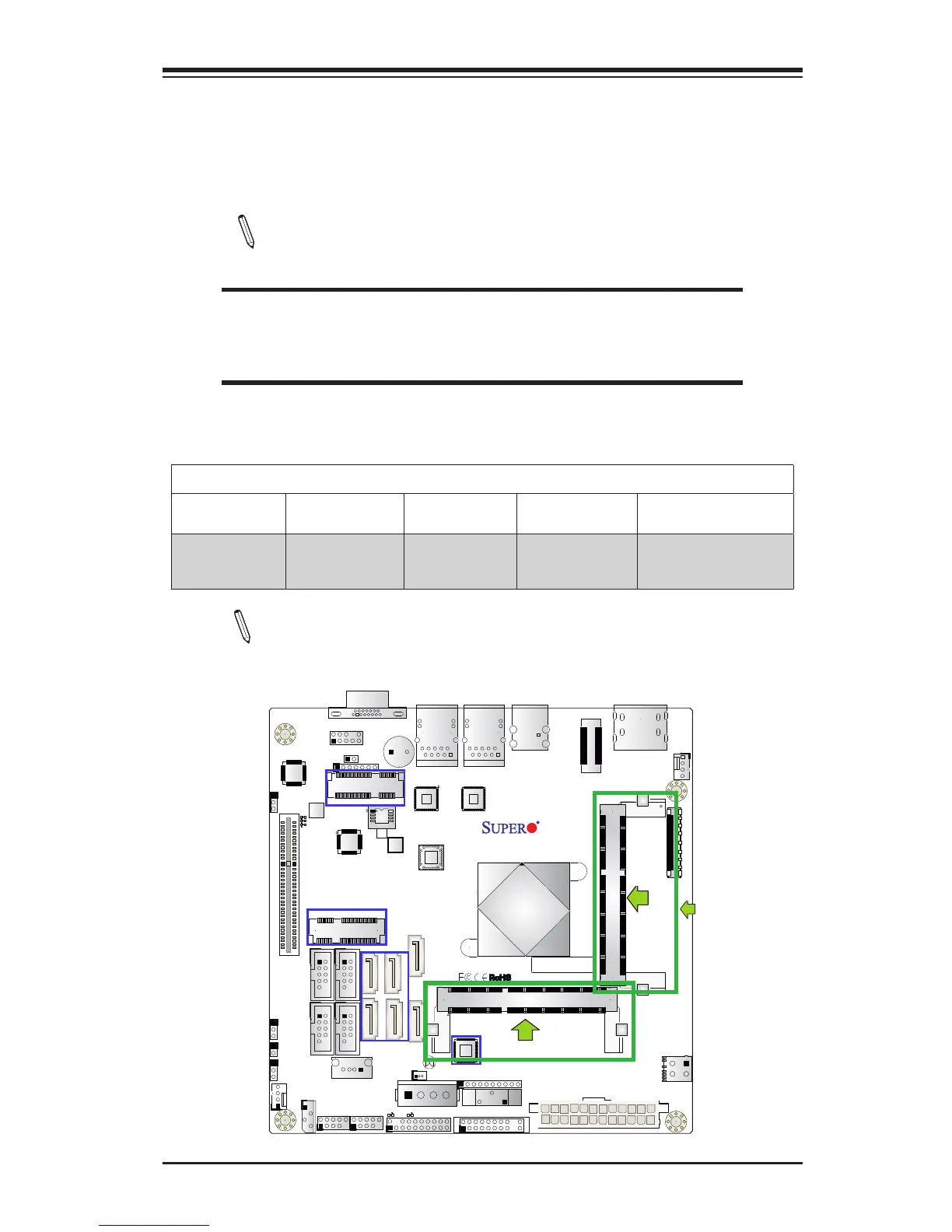
2-3 Memory Support
The X10SBA/X10SBA-L supports up to 8 GB of DDR3L (Low Voltage) Non-ECC
SO-DIMM of up to 1333 MHz in two horizontal sockets. This motherboard supports
1.35V memory only. Populate memory on Socket SO-DIMM1 rst.
Note: Check the Supermicro website for recommended memory modules.
CAUTION
Exercise extreme care when installing or removing DIMM
modules to prevent any possible damage.
Memory Population Guidelines
Please follow the table below when populating the motherboard.
Unbuffered DDR3L Non-ECC SO-DIMM Memory
DIMM Slots per
Channel
DIMMs Populat-
ed per Channel
DIMM Type POR Speeds Memory Population
Sequence
2 1 Unbuffered
DDR3L SO-
DIMM
Up to 1333 JDIMM1, JDIMM2
(2 DIMMs)
Note: Be sure to use memory modules of the same type, same speed,
same frequency on the same motherboard. Mixing of memory modules
of different types and speeds is not allowed.
JDIMM2
JDIMM1
(Populate this module rst)



 To Next Page