B-2
X10SBA/X10SBA-L User’s Manual
Note: The SuperDoctor 5 program and User’s Manual can be downloaded
from the Supermicro web site at http://www.supermicro.com/products/nfo/
sms_sd5.cfm. For Linux, we still recommend that you use SuperDoctor
II, this version is also available for download at the link above.
B-2 Conguring SuperDoctor 5
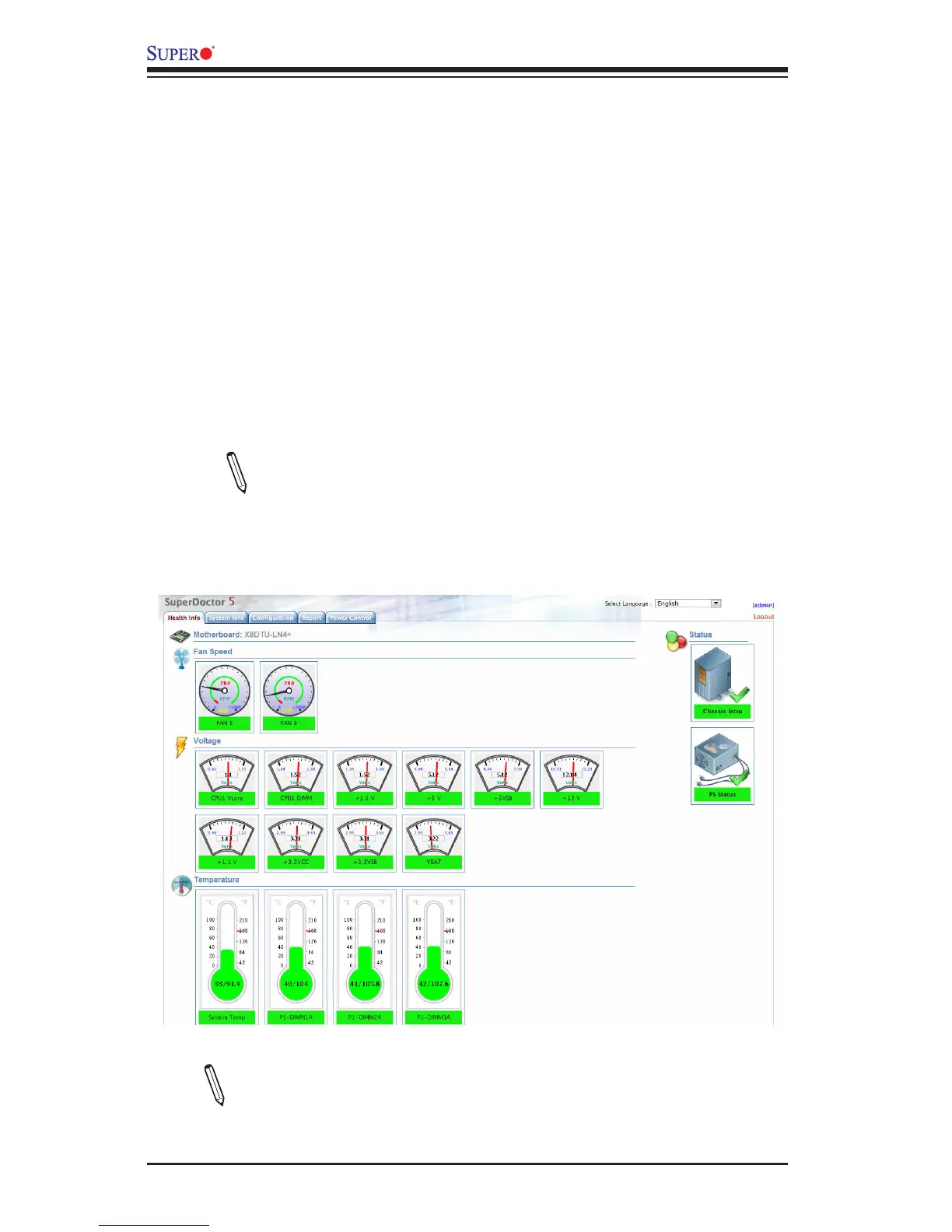
The Supermicro SuperDoctor® 5 is a program that functions in a command-line or
web-based interface in Windows and Linux operating systems. The program moni-
tors system health information such as CPU temperature, system voltages, system
power consumption, fan speed, and provides alerts via email or Simple Network
Management Protocol (SNMP).
SuperDoctor 5 comes in local and remote management versions and can be used
with Nagios to maximize your system monitoring needs. With SuperDoctor 5 Man-
agement Server (SSM Server), you can remotely control power on/off and reset
chassis intrusion for multiple systems with SuperDoctor 5 or IPMI. SD5 Manage-
ment Server monitors HTTP, FTP, and SMTP services to optimize the efciency of
your operation.
SuperDoctor® 5 Interface Display Screen (Health Information)
Note: The default User Name and Password for SuperDoctor 5 is admin
/ admin.



 To Next Page