Chapter 12 Privacy and security
12.1 Privacy
User Experience Project only upload the exception log, which can help to diagnose and
improve Supernote device. Your files on the device will not been uploaded.
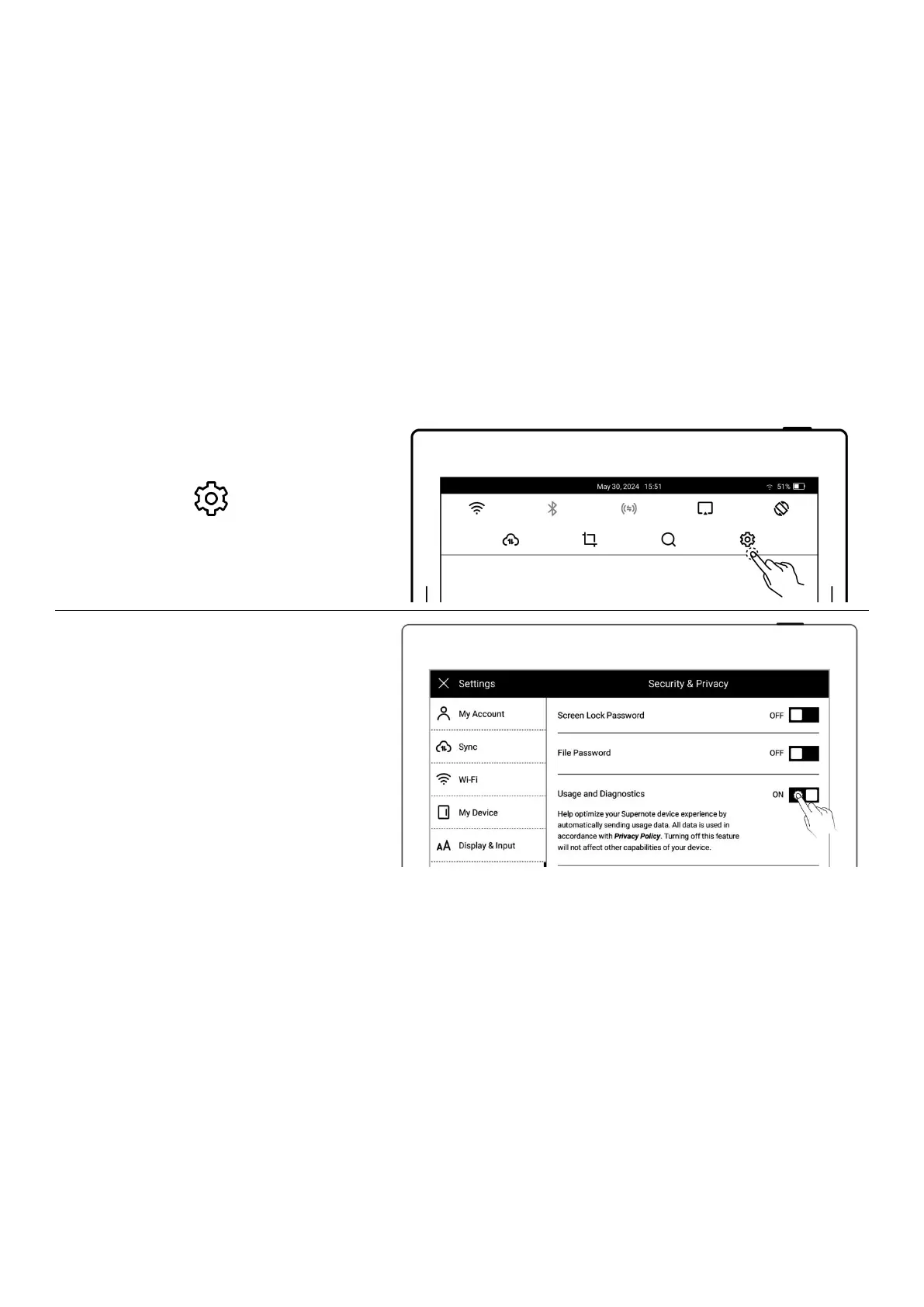
12.1.1 User Experience Project ON/ Off
1、Open the top menu bar
Tap “ Settings”
Tap “Security & Privacy”
2、You can view《Supernote Privacy
Policy 》 on “Security & Privacy”
page
Tap the “User Experience
Project” to turn it ON/OFF
12.2 Security
For security concern, we strongly recommend you to set password to protect your data.



 To Next Page