EasyManua.ls Logo

Supernote A6 X2 Nomad - File Password

Supernote A6 X2 Nomad
159 pages
Print Icon
To Next Page IconTo Next Page
To Previous Page IconTo Previous Page
Loading...
145
you just received
After successful unlock, it will jump to setting screen-lock password page, where
you can reset the password
*Note: If you have not registered an Supernote account, please recall your password
and try different combinations first; if you still cannot input correct password, please
contact Supernote Customer Service.
3
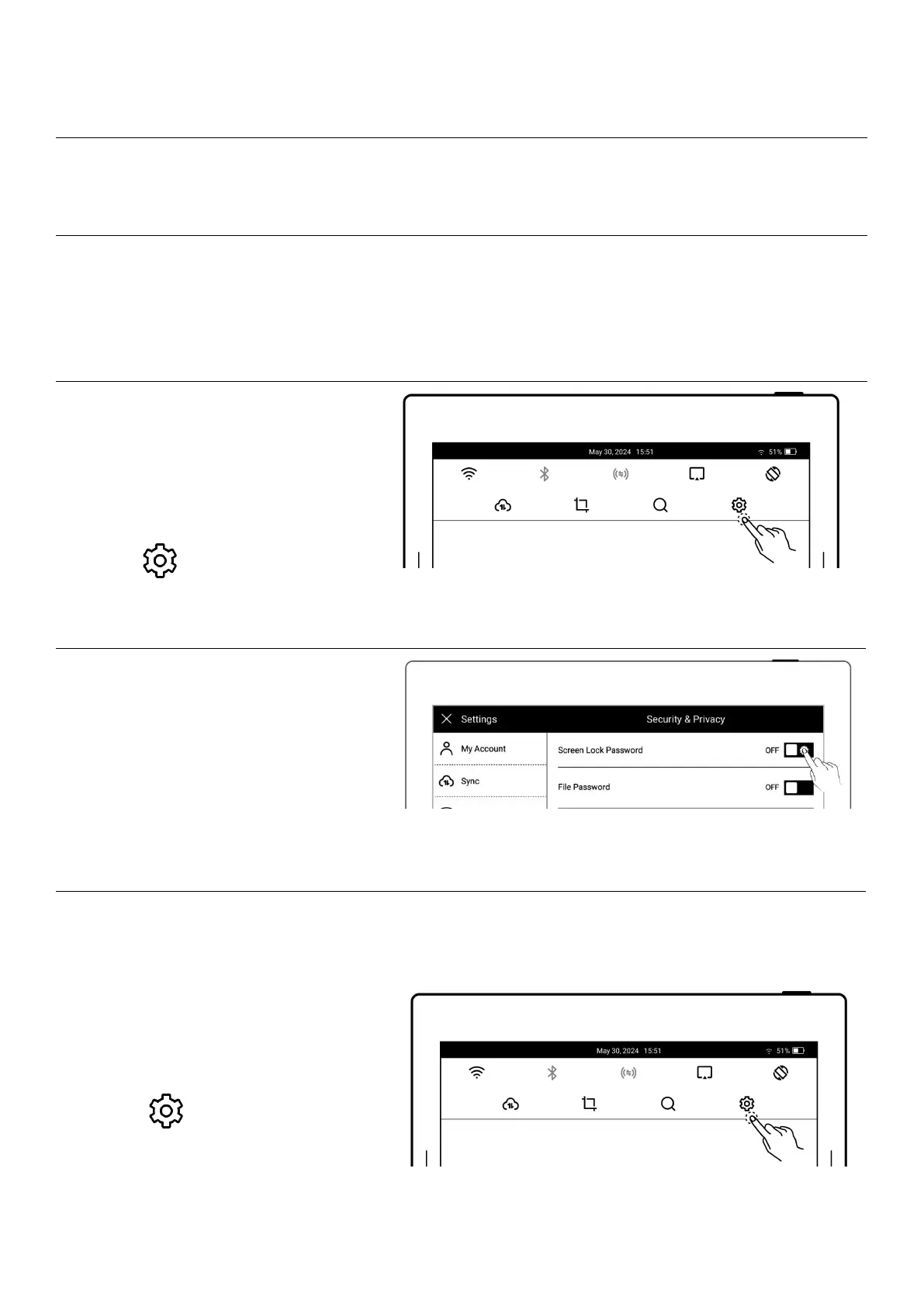
Disable screen-lock
password
Open the top menu barTap
Settings
Tap Security & Privacy
Tap "Screen lock password"
and turn "OFF"
Type correct 6-digit
password to disable
screen-lock password
12.2.2 File password
1
Set the File password
Open the top menu barTap
Settings Tap
Security & Privacy

Table of Contents

Related product manuals