*Note: After selecting folders you want to sync to Dropbox or Google Drive and
activating the sync function on the device, you will find a folder named “Supernote”
automatically created on your Dropbox or Google Drive. This folder is the main
synchronization folder for your Supernote device. Please do not delete, rename or
move it.
3.7 Third party application
Make sure the Wi-Fi is well connected before access.
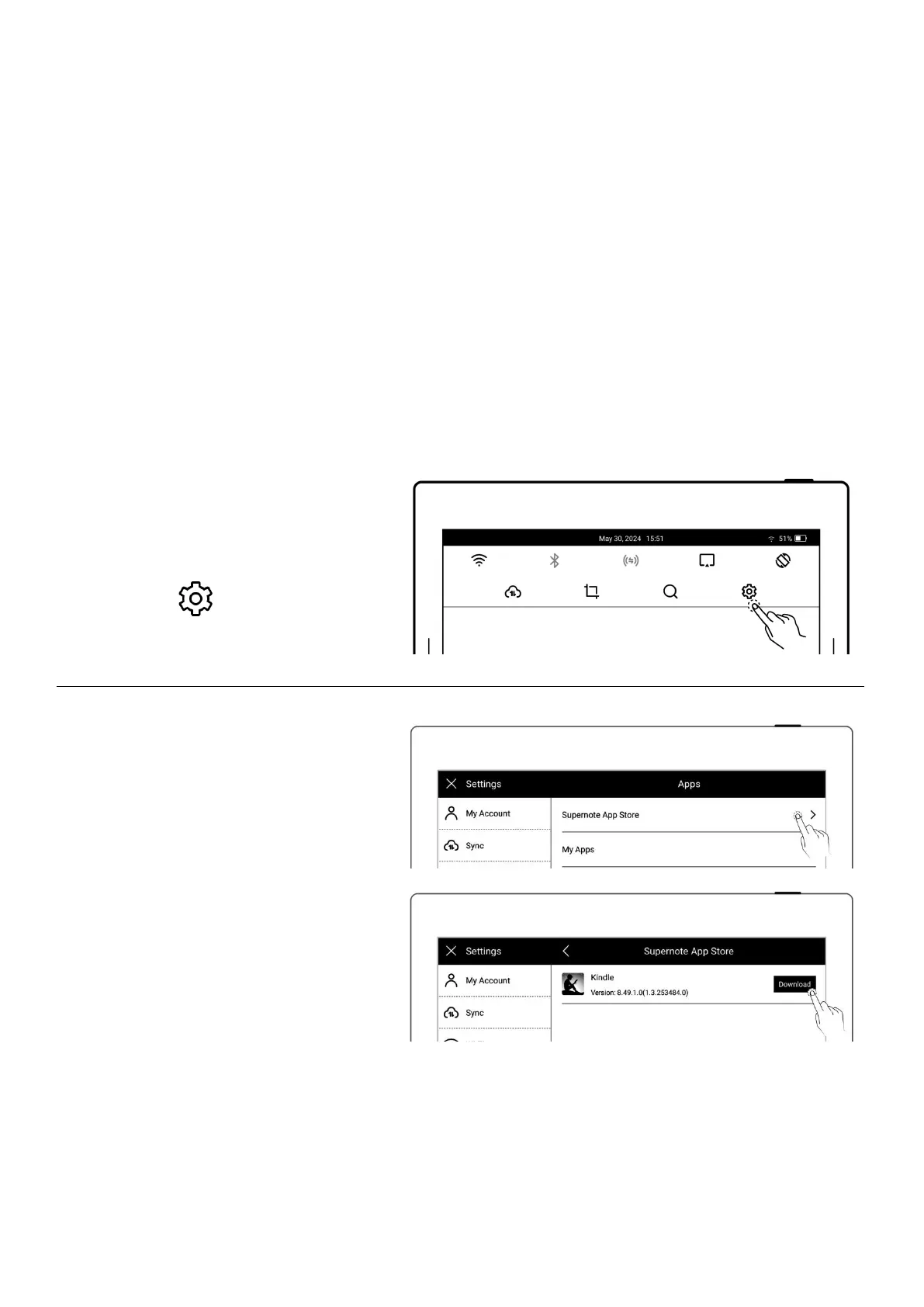
1、Swipe down from the top of the
screen to open the top menu bar
Tap “ Settings”
Tap “Apps”
2、Third Party Application Store
Tap “Supernote App Store”
Select the app, tap
“Download”. Then tap
“Open” to use after
installation
Installed apps are displayed
in the sidebar menu.



 To Next Page