screen saver file will not be
deleted from device drive)
*Note: Only PNG, JPG, JPEG, WEBP format picture available for customized screen
saver.
3.5 Low power consumption
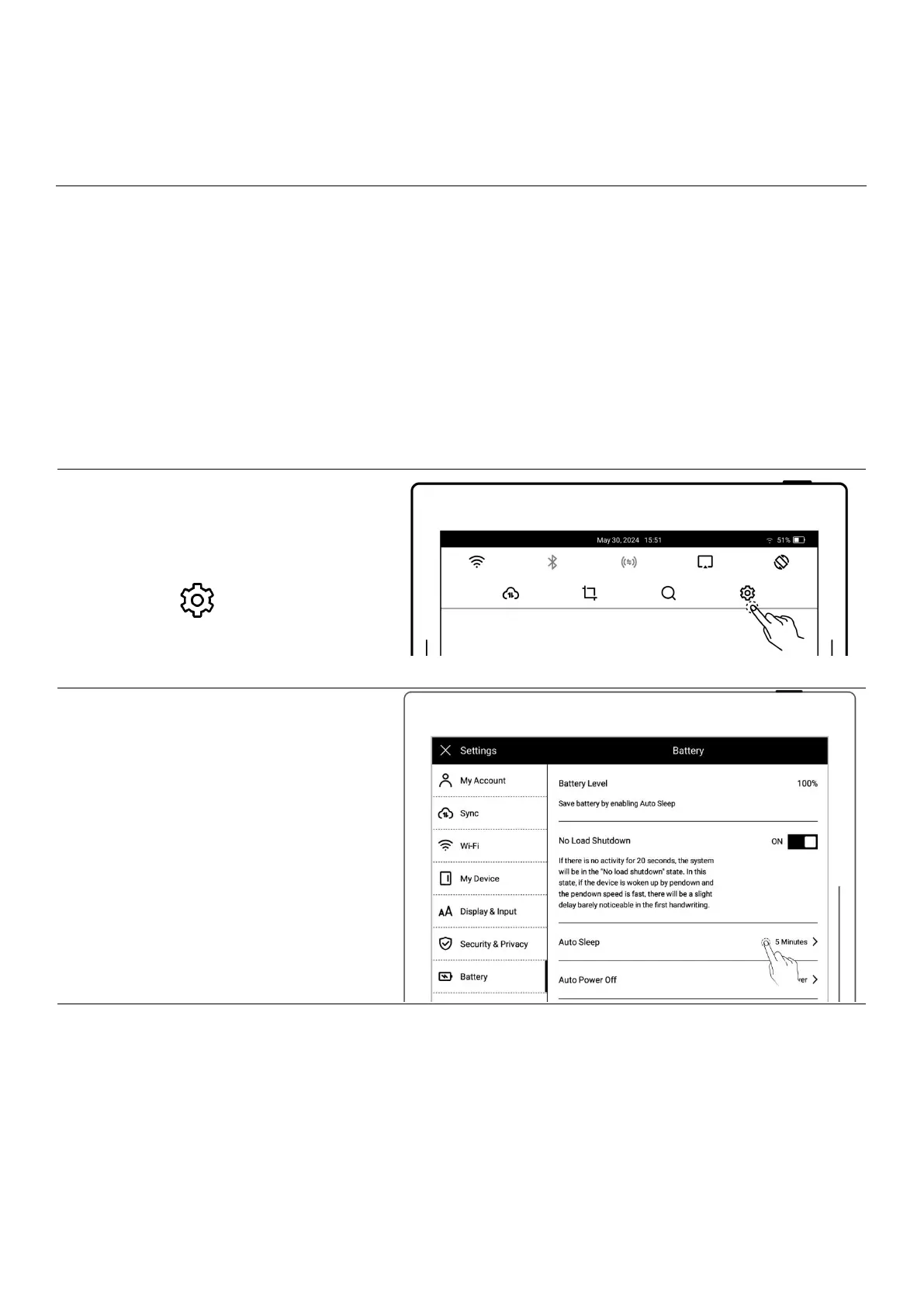
The following settings can save power consumption of the device.
1、Swipe down from the top of the
screen to open the top menu bar
Tap “ Settings”
Tap “Battery”
2、Battery
Tap “Auto Sleep”
Select waiting time before
going to sleep when not in
use
Set auto power off time



 To Next Page