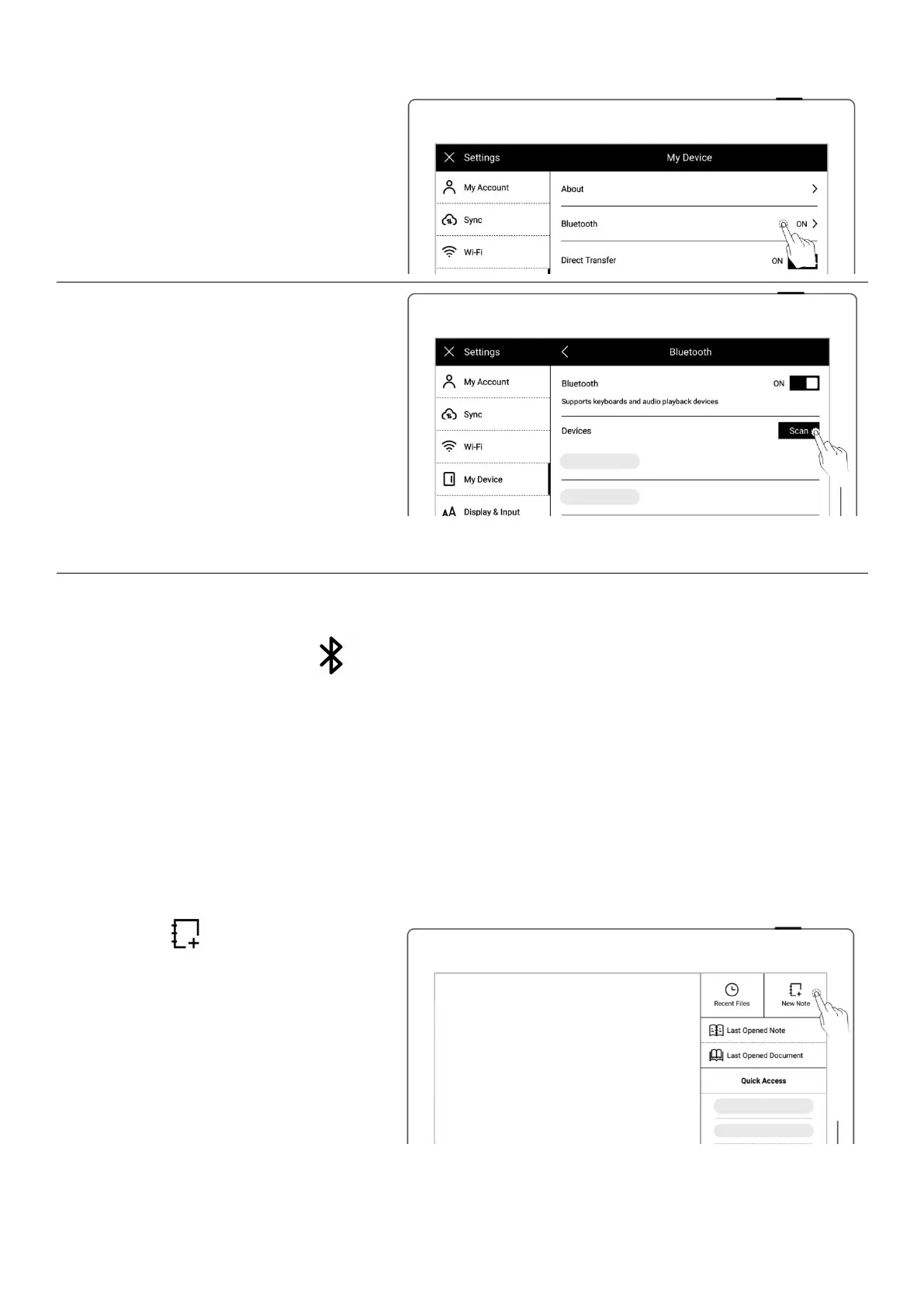
2、On″Bluetooth″ page
Turn Bluetooth ON
Tap“Scan”
Select the device to be
paired, input pairing code if
required
*Note:When reading PDF, EPUB, CBZ, FB2 and XPS documents, you can turn pages using
Bluetooth. Long press the “ Bluetooth” icon in the top menu bar to access the
“Bluetooth”settings screen.
Chapter 4 Handwriting and Drawing
4.1 Create a new notebook
1、 Tap " New Note" in the
sidebar menu



 To Next Page