Chapter 15 FAQ and Troubleshooting
Q:How to make custom image templates?
A:
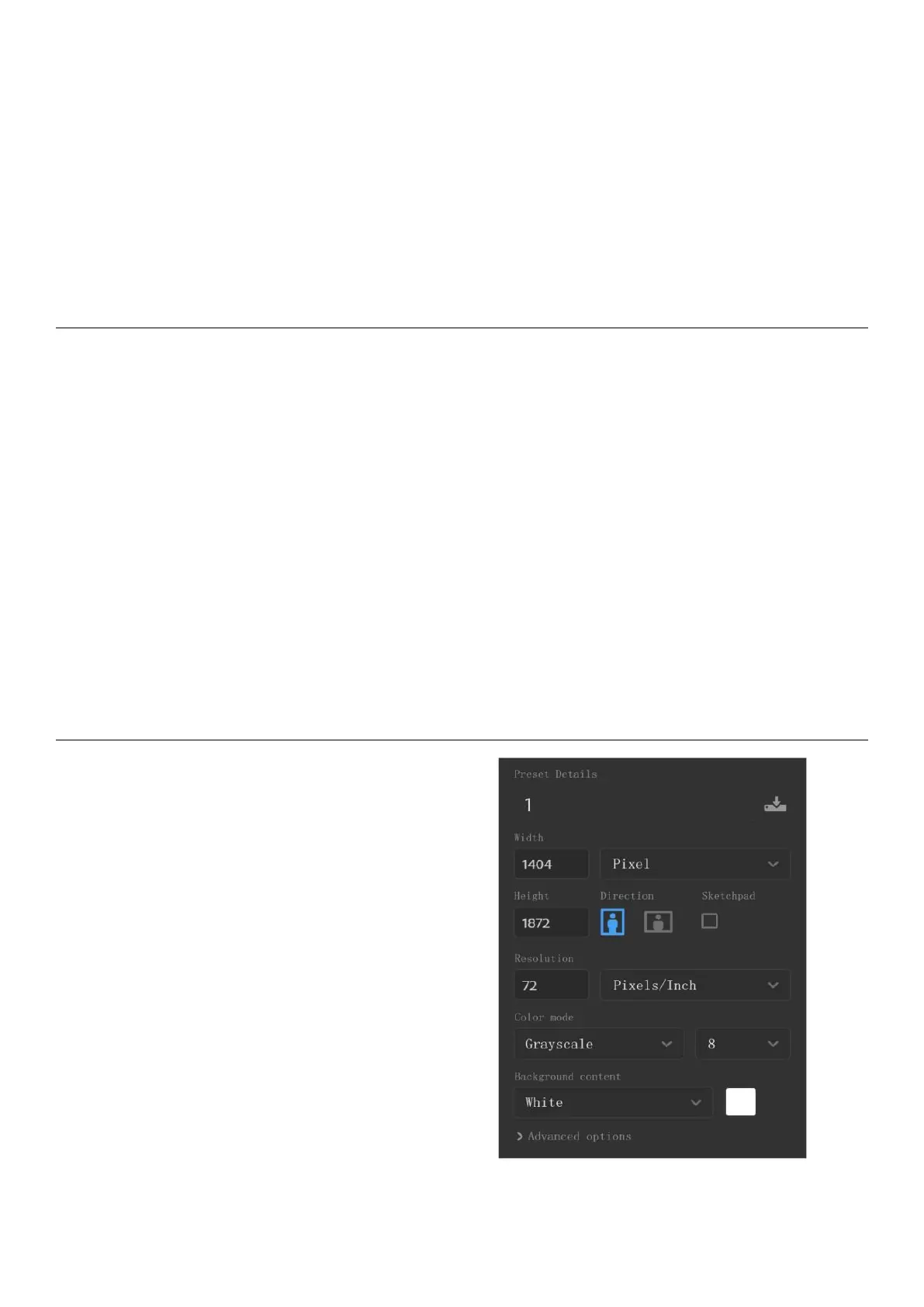
1.Dimensions: 1404 px *1872 px for Nomad (Recommended)
2.Format: Support PNG, JPG, JPEG and WEBP
3. Image name should not contain special characters (e.g. \ / : * ? " < > | .)
*Note: In order to show better effect, we suggest not to apply large grey area in this
image, no optionally change of image or rename of file.
4. Copy and paste the saved image to /MyStyle directory of Supernote disk. The custom
templates are to be found from the templates list of Supernote
Method:
Method 1 : You can use the drawing
software to create on your PC (e.g.
Photoshop, PS version is CC2017).
1 、 Click “File”->”New”, to set width,
height, resolution ratio, color mode and
background



 To Next Page