EasyManua.ls Logo

Supernote A6 X2 Nomad - Top Menu Bar

Supernote A6 X2 Nomad
159 pages
Print Icon
To Next Page IconTo Next Page
To Previous Page IconTo Previous Page
Loading...
19
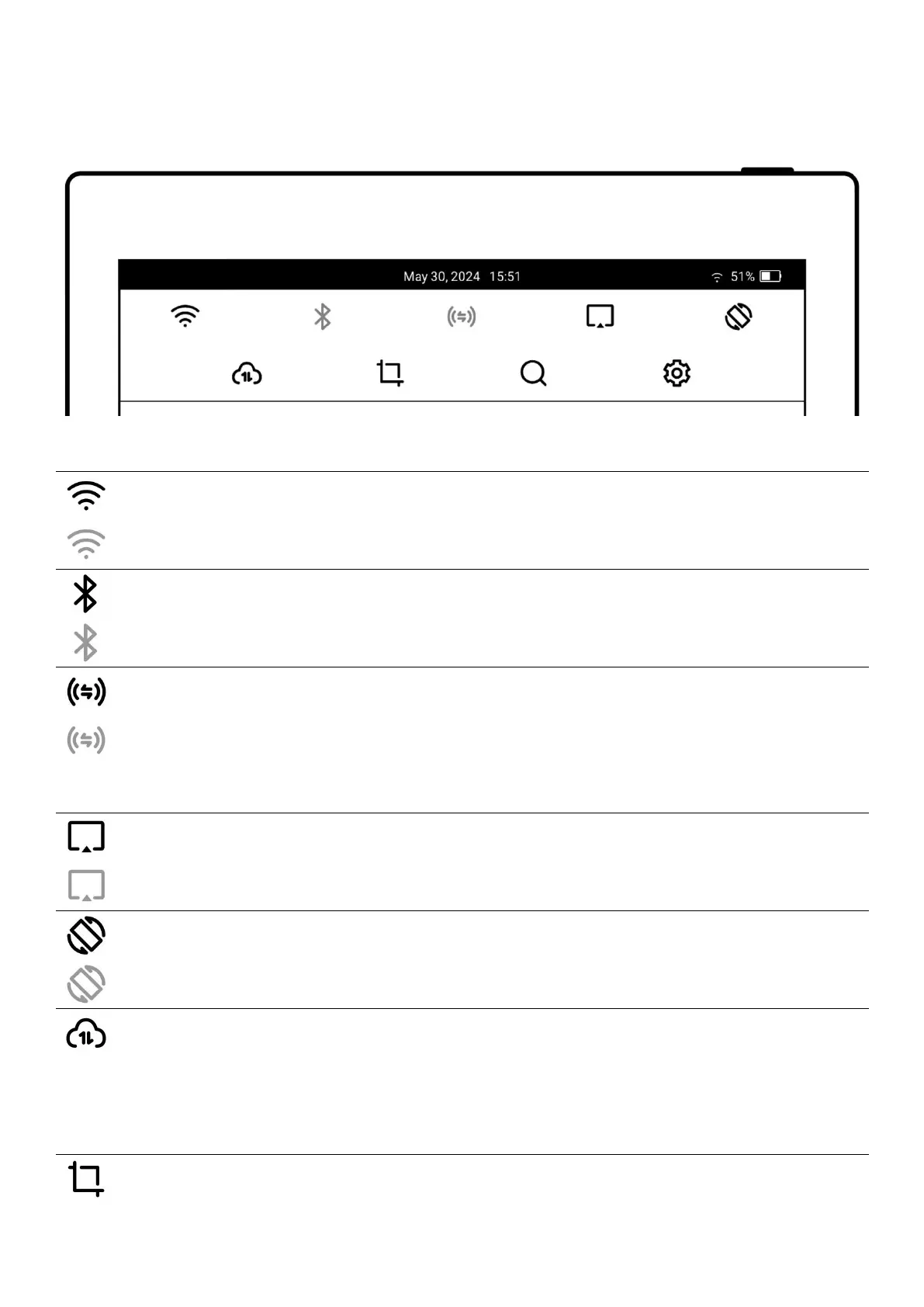
2.2 Top menu bar
Icon
Name
Description
Wi-Fi-On
Wi-Fi-Off
Enable or disable Wi-Fi connection
Bluetooth-On
Bluetooth-Off
Enable or disable Bluetooth
Browse & Access-On
Browse & Access-Off
Transfer files by the browser;Supernote and the
receiving device connected to the same Wi-Fi during
transfer.
Screen Mirroring-On
Screen Mirroring-Off
Keep Supernote and the receiving device connected
to the same Wi-Fi during mirroring.
Auto Rotate-On
Auto Rotate-Off
Enable or disable Auto Rotate
Synchronization
Tap to activate cloud synchronization; Currently
supports Supernote Cloud, Dropbox ,Google Drive
and OneDrive.
Screenshot
Take a screenshot of the current screen and save it

Table of Contents

Related product manuals