B-2
Supermicro C9X299-PG/-PGF/-RPGF Motherboard User’s Manual
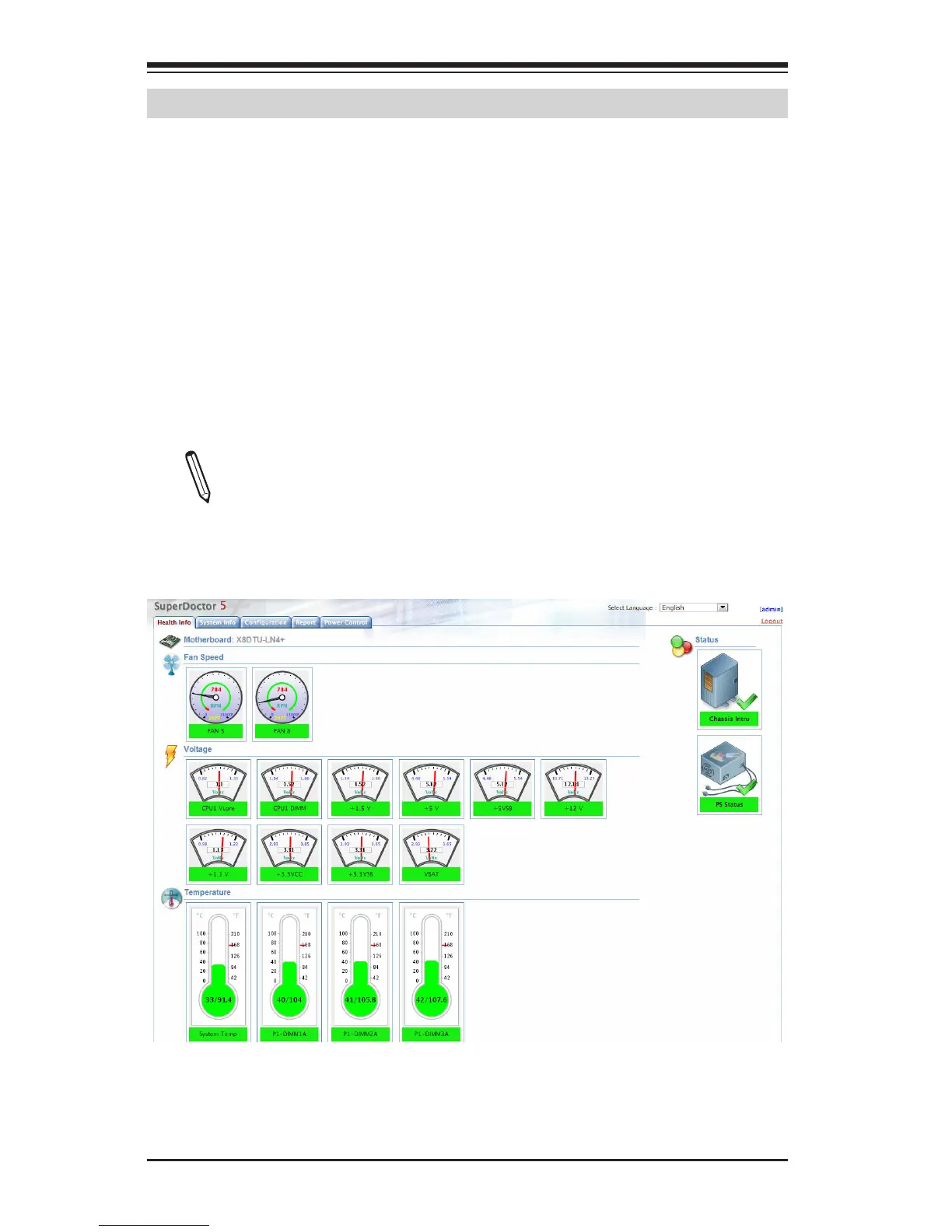
SuperDoctor 5 Interface Display Screen-I (Health Information)
B-2 Configuring SuperDoctor
®
5
The Supermicro SuperDoctor 5 is a hardware monitoring program that
functions in a command-line or web-based interface in Windows and Linux
operating systems. The program monitors system health information
such as CPU temperature, system voltages, system power consumption,
fan speed, and provides alerts via email or Simple Network Management
Protocol (SNMP).
SuperDoctor 5 comes in local and remote management versions and can
be used with Nagios to maximize your system monitoring needs. With
SuperDoctor 5 Management Server (SSM Server), you can remotely con-
trol power on/off and reset chassis intrusion for multiple systems with
SuperDoctor 5 or IPMI. SD5 Management Server monitors HTTP, FTP, and
SMTP services to optimize the efciency of your operation.
Note: The default Username and Password for SuperDoctor 5 is
admin / admin. The SuperDoctor 5 program and user’s manual
can be downloaded from the Supermicro website at http://www.
supermicro.com/products/nfo/sms_sd5.cfm.


 To Next Page