2-14
Supermicro C9X299-PG/-PGF/-RPGF Motherboard User’s Manual
2-6 M.2 Installation (optional)
Two optional M.2 (M-key) connectors are supported by the
C9X299-PG/-PGF/-RPGF. M.2 devices are used for solid state storage
and internal expansion. Follow the steps below in order to install an M.2
device.
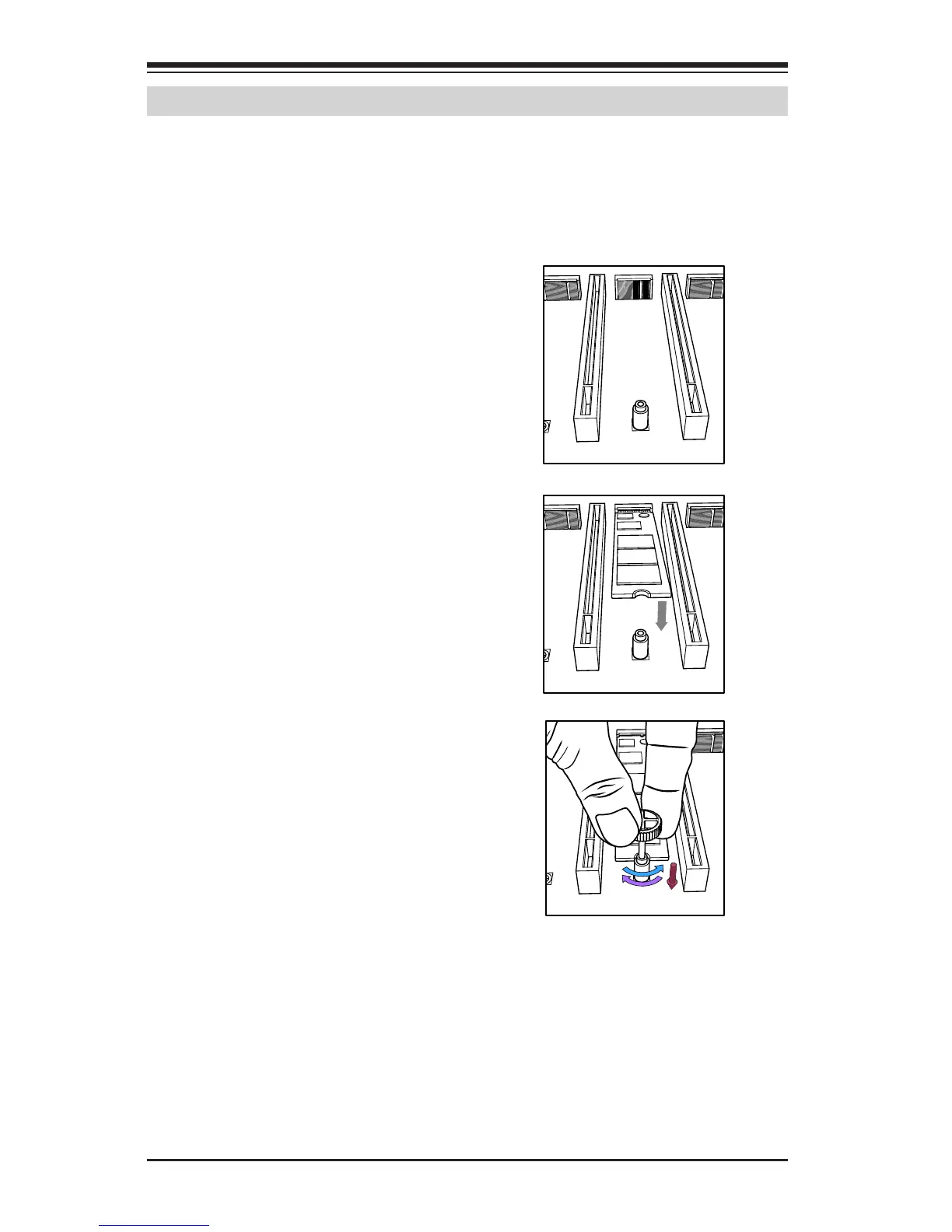
1) Locate one of two standoffs.
Remove and set aside screw.
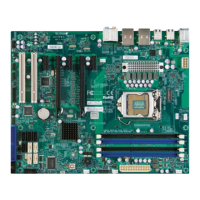
2) Plug M.2 device into M.2 con-
nector and lower the semi-circle
notched end onto standoff.
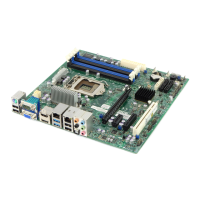
3) Replace screw and tighten to
secure M.2 device into place. Do
not over-tighten so as to avoid
damaging the M.2 device.


 To Next Page