2-8
Supermicro C9X299-PG/-PGF/-RPGF Motherboard User’s Manual
For the 1U passive heat sink, ask for SNK-P0046P (back plate is
included), for the 2U active heat sink, SNK-P0046A4.
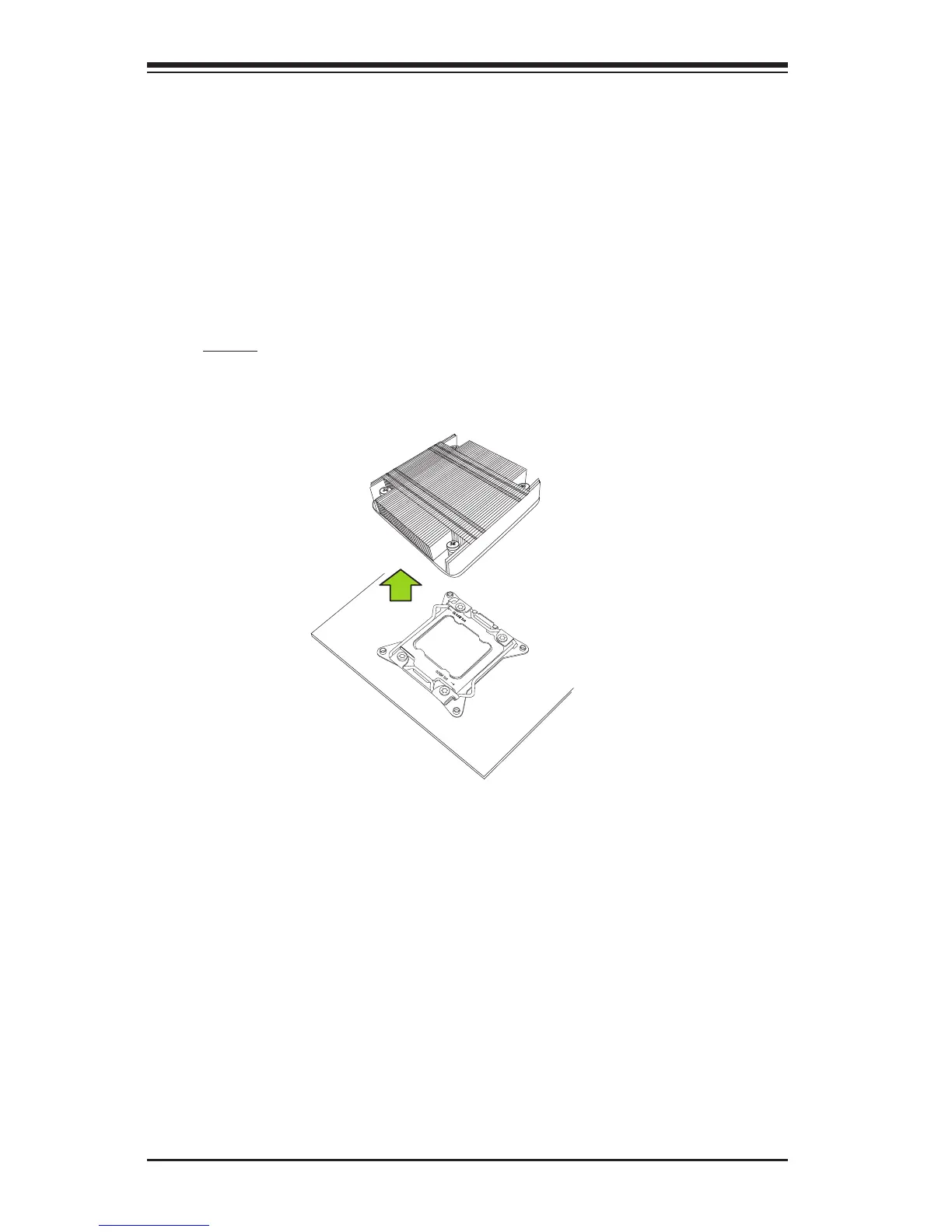
Removing a Heatsink
Warning: We do not recommend that the CPU or the heatsink be removed.
However, if you do need to remove the heatsink, please follow the instruc-
tions below to uninstall the heatsink to avoid damaging the CPU or other
components.
1. Unplug the power cord from the power supply.
2. Loosen the screws in the order below.
3. Gently wriggle the heatsink to loosen it. Do not use excessive force
when wriggling the heatsink.
4. Once the heatsink is loosened, remove it from the motherboard.
OPEN 1st
Screw #1
Screw #3
Screw #2
Screw #4


 To Next Page