Chapter 2: Installation
2-3
2-3 Processor and Heatsink Installation
Attention! When handling the processor package, avoid placing
direct pressure on the label area of the fan.
Important:
• Always connect the power cord last, and always remove it before adding, re-
moving or changing any hardware components. Make sure that you install the
processor into the CPU socket before you install the CPU heatsink.
• If you buy a CPU separately, make sure that you use an Intel-certied multi-
directional heatsink only.
• Make sure to install the system board into the chassis before you install the
CPU heatsink.
• When receiving a server board without a processor pre-installed, make sure that
the plastic CPU socket cap is in place and none of the socket pins are bent;
otherwise, contact your retailer immediately.
• Refer to the Supermicro website for updates on CPU support.
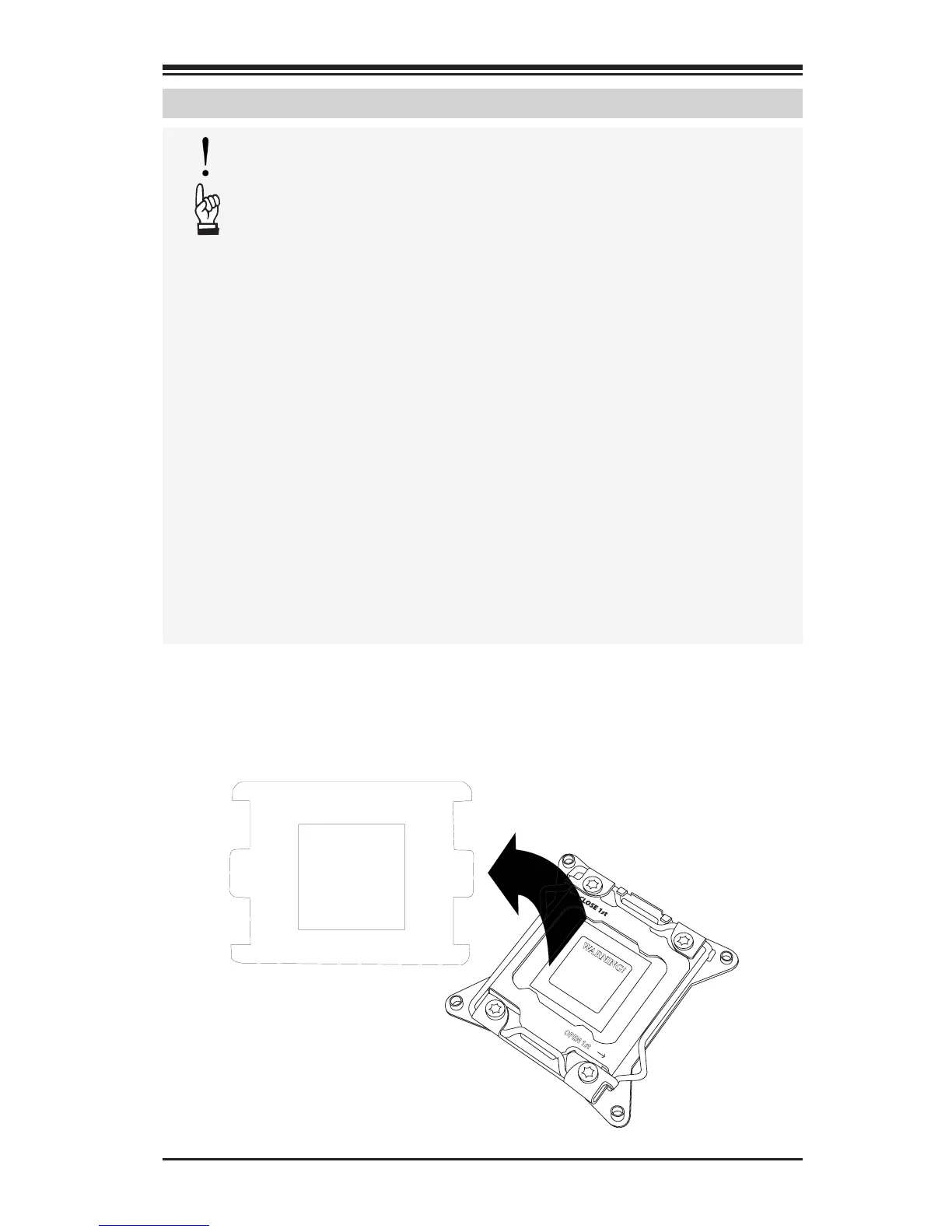
Installing the Processor
WARNING!
OPEN 1st
WARNING!
1. Remove the WARNING plastic cap from the socket.


 To Next Page