SP91 User Manual
Set character width
[Notes] · This command affects to all characters (English characters and Chinese) except for
HRI character.
· If n is out of the definition scale, this command will be ignored.
· In stable mode, the vertical direction is the feed paper direction.
[Default] n = 0
[Reference] ESC
ESC
ESC
ESC !
!
!
!
GS
GS
GS
GS *
*
*
* x
x
x
x y
y
y
y d1..d(
d1..d(
d1..d(
d1..d( x
x
x
x y
y
y
y 8
8
8
8 )
)
)
)
[Name] Defines down-load bit image
[Format] ASCII GS * x y d1...d( x ´ y ´ 8 )
Hex 1D 2A x y d1...d( x ´ y ´ 8 )
Decimal 29 42 x y d1...d( x ´ y ´ 8 )
[Range] 1
≤
x
≤
255
1 ≤ y ≤ 48 (x × y × 1536)
0 ≤ d ≤ 255
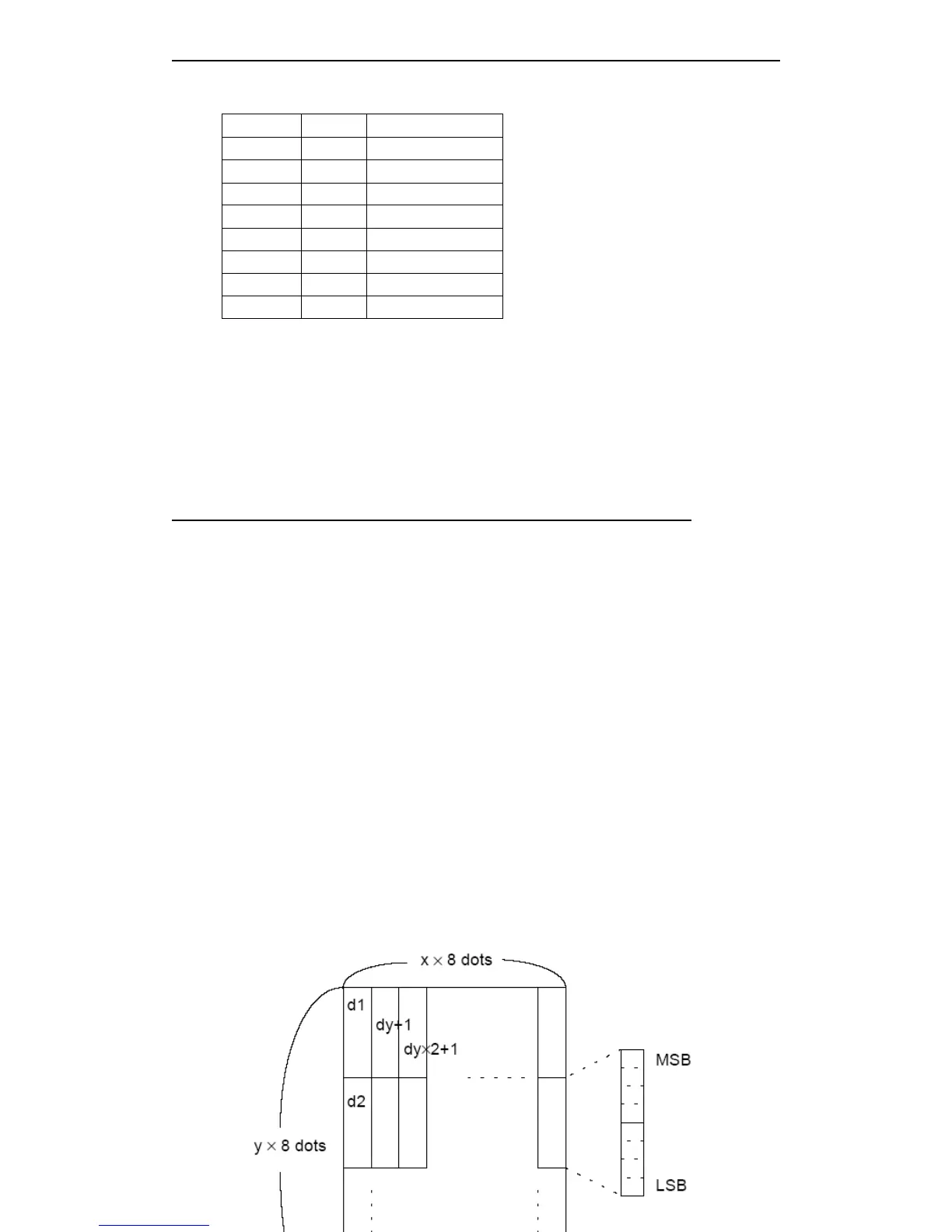
[Description] Specifies dot by x and y, and defines the down-load bit image.
· x specify horizontal dot.
· y specify vertical dot.
[Notes] · Horizontal direction dot is x × 8 ; Vertical direction dot is y × 8.
· When x
×
y overs the defined range, this command is disabled.
· d
indicates bit image dat. Data
(d) specifies that print bit is 1 , Do not print bit that is
0.
· In following case, clear down-load bit image definition:
① Executes ESC
ESC
ESC
ESC @
@
@
@ .
② Executes ESC
ESC
ESC
ESC &
&
&
& .
③ The printer reset or turn the power of.
· The connection between down-load bit image and print data as follows.
Hex Decimal Width
00 0 1(Standard)
10 16 2(Double width)
20 32 3
30 48 4
40 64 5
50 80 6
60 96 7
70 112 8



 To Next Page