SP91 User Manual
[Format] ASCII GS L nL nH
Hex 1D 4C nL nH
Decimal 29 76 nL nH
[Range] 0 ≤ nL ≤ 255
0 ≤ nH ≤ 255
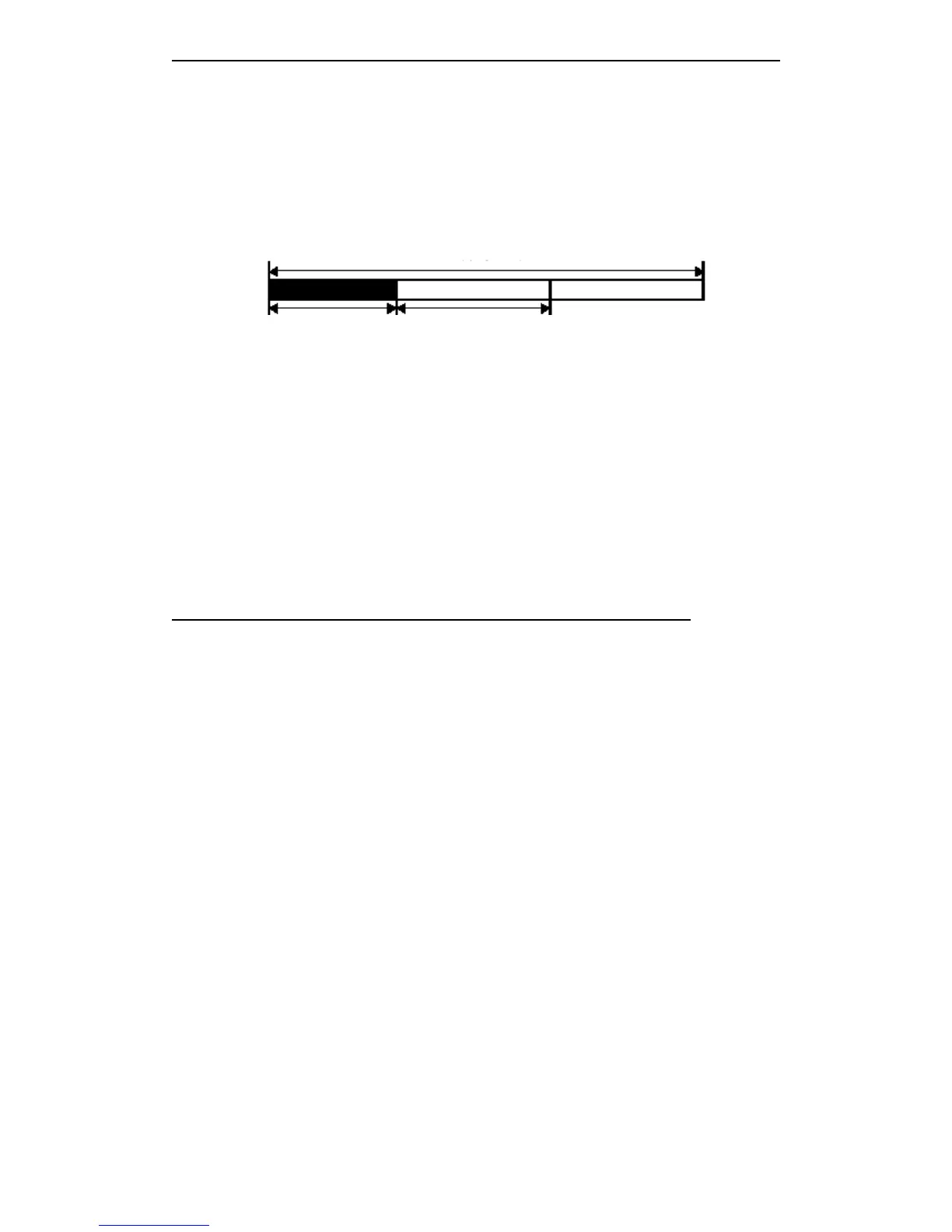
[Description] Set left margin by nL and nH.
· Set left margin [(nL + nH
×
256)
×
0.125 mm].
The left side blank The width of printable width
[ 注意 ] · In stable mode, this command is valid only at the line origin position.
· Input this command in page mode, the printer only executes the inner sign operation.
· In page mode, this command can not affect the print.
· If the set overs the printable area, so uses the max printing unit.
· When execute ( GS
GS
GS
GS v
v
v
v 0
0
0
0 ) , set left margin by this command, 8 bits as
unit. If the left margin can not be deleted by 8, or, leave out remainder.
(For example)
If
(nL + nH × 256) = 20, set value as 16 。
Note
Note
Note
Note : Uses
Uses
Uses
Uses this
this
this
this command
command
command
command together
together
together
together with
with
with
with GS
GS
GS
GS /
/
/
/ 、 ESC
ESC
ESC
ESC *,
*,
*,
*, print
print
print
print result
result
result
result may
may
may
may not
not
not
not the
the
the
the
expected.
expected.
expected.
expected.
[Default] nL = 0, nH = 0
[Reference] GS
GS
GS
GS W
W
W
W
① GS
GS
GS
GS V
V
V
V m
m
m
m ② GS
GS
GS
GS V
V
V
V m
m
m
m n
n
n
n
[Name] Select cut paper mode and cut paper
[Format] ① ASCII GS V m
Hex 1D 56 m
Decimal 29 86 m
② ASCII GS V m n
Hex 1D 56 m n
Decimal 29 86 m n
[Range] ① m = 1, 49
② m = 66, 0 ≤ n ≤ 255
[Description] Select cut paper mode, and execute cut paper operation. Select model by m, as
follows:
[ The particularize of ① and ② ]
· As the difference of the autocut type, the cut paper status is different 。
· This command affects only when processing this command at the printing
origin 。
[ The particularize for ① ]
· Only partial cut; not full cut.
[ The particularize for ② ]
· When n ≠ 0, the printer feeds paper to (cut paper position+[n × 0.125 ㎜ {0.0049 inch}]
and cut paper.



 To Next Page