SP91 User Manual
GS
GS
GS
GS W
W
W
W nL
nL
nL
nL nH
nH
nH
nH
[Name] Set pirnt area width
[Format] ASCII GS W nL nH
Hex 1D 57 nL nH
Decimal 29 87 nL nH
[Range] 0 ≤ nL ≤ 255
0
≤
nH
≤
255
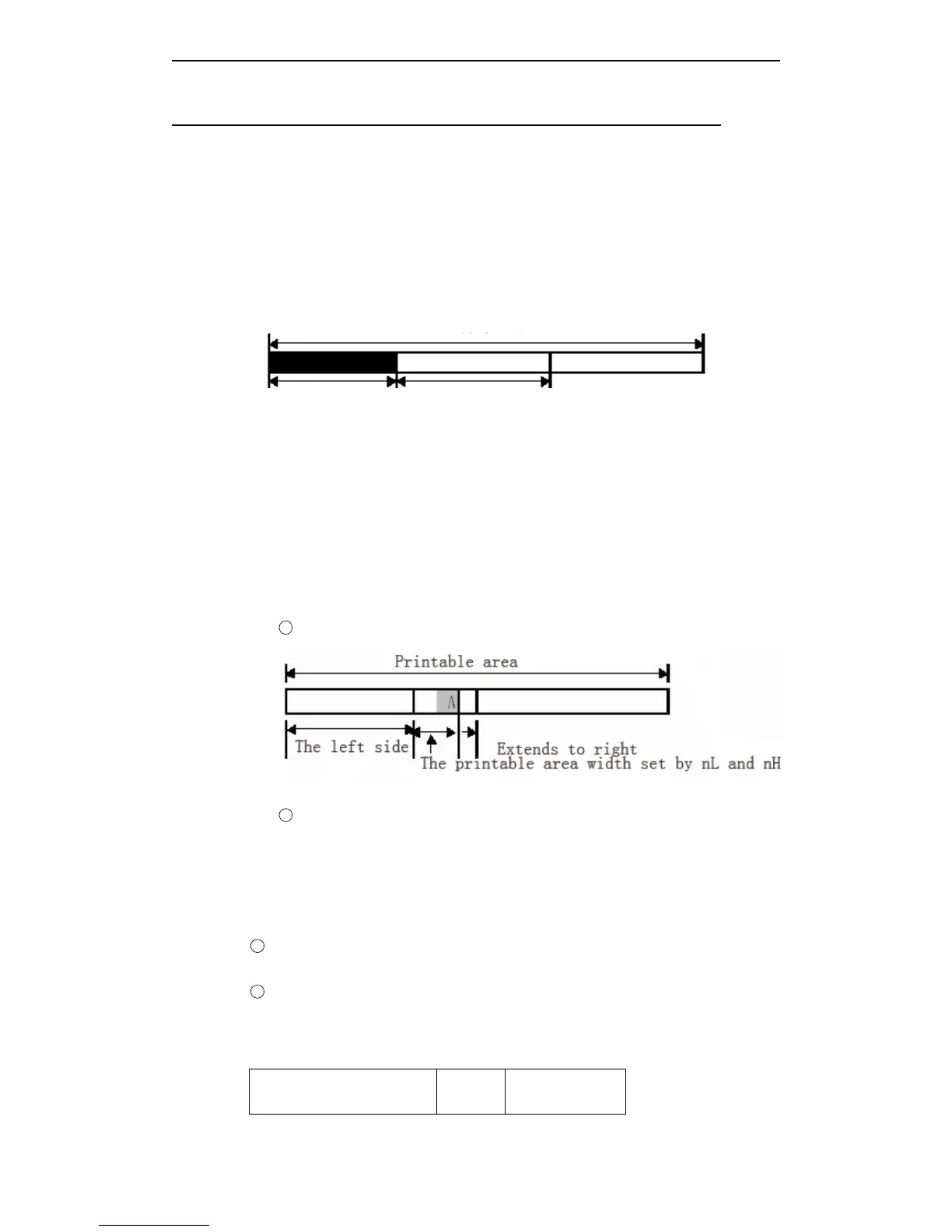
[Description] Set print area width by nL and nH.
· Set print area width as [(nL + nH × 256) × 0.125mm].
Printable area
The left side blank The width of printable width
[Notes] · This command only affects when processing the line origin.
·
If
input this command in page mode, The printer executes inner sign operation.
· This command does not affect printing in page mode.
·
If
set value overs the printable area, uses the max vaule of printable value.
· The set priority of GS W is higher than GS L.
If
[Left blank+printable area width]
overs the printable area, the printer uses [printable area width- left blank]. However, do
not use the set which sets by GS W, reserve the set which sets by GS W.
·
If
the printable area width set which is smaller than one character width, when
printing character data, execute the following steps:
1 The printable area width extends to right to meet one character.
2
If printable area width couldn ’ t be extended fully, decrease left page to meet one
character.
③
If
printable area width couldn ’ t be extended fully, decrease right spacing.
·
If
printable area width is smaller than one vertical line, when printing non-character
data (for example, bit image, the user-defined bit image ), only process the problem
lines as follows:
1
Extend printable area width to right and meet one vertical line of bit image in the printable
area.
2 If printable area width couldn ’ t be extended fully, decrease left page to meet one vertical
line.
[Default]
Mode type
Horizont
al dot
Default



 To Next Page