11
5.0 Page Information
5.1 Advanced Scorecard
e Scorecard feature on the 700X allows the golfer
to keep score during a round.
You can set the Scoring type (Stroke, Par or Stabl-
eford) and player Handicap in Settings. (See 7.0
Settings Menu)
5.2 Entering Score
To access the Scorecard during a round press the Le Key whilst in
the Green View page.
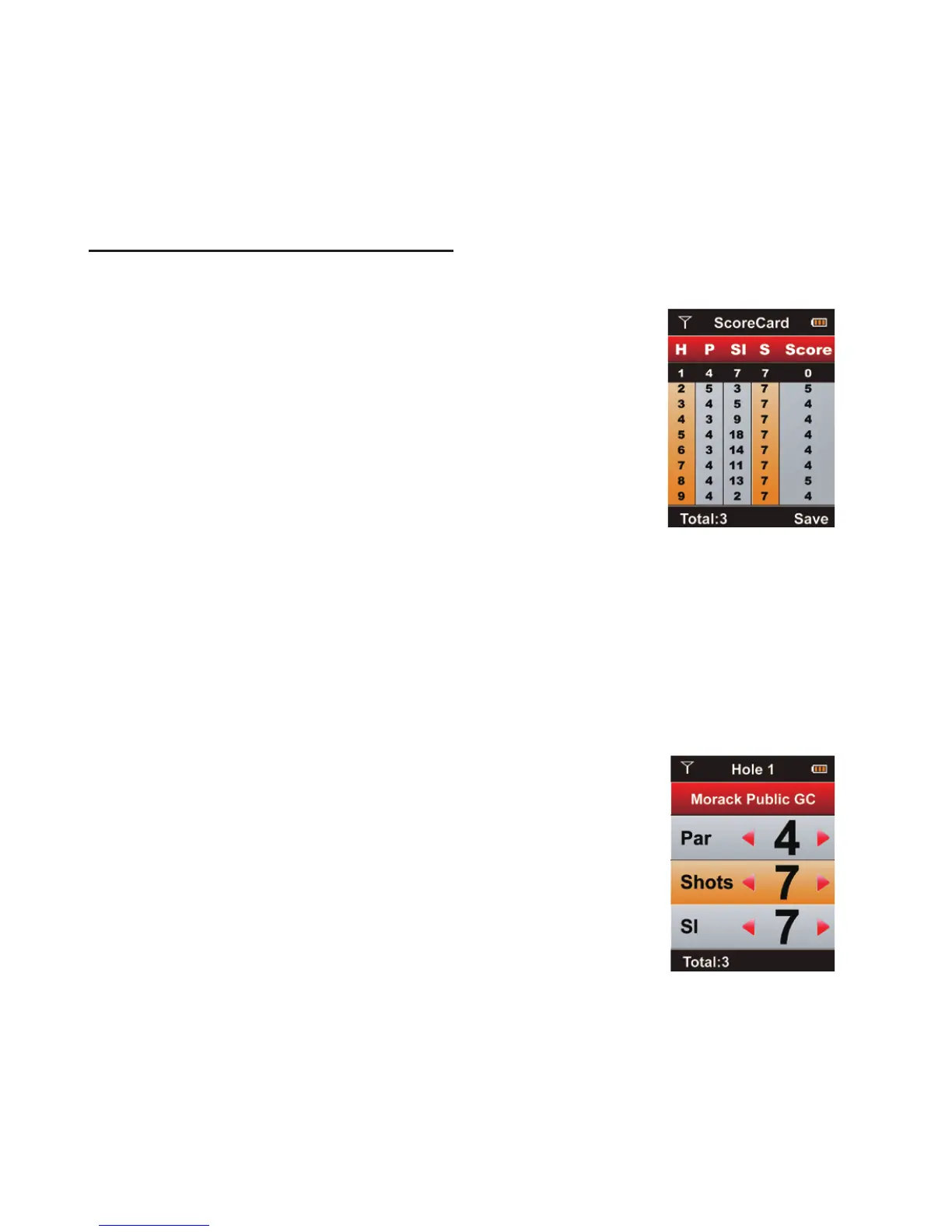
e Scorecard will display hole number, par, stroke index & score.
Depending on which Scoring type is chosen, the 700X will auto-
matically calculate your score by taking into account your handicap
& par/stroke index for each hole.
To input your score for a given hole, press the
Enter Key from the Scorecard and press the
Right Key to enter your shots. Aer you have
entered the shots, press the Enter Key again to
return to the Scorecard. To return to the Green View
and continue with your round, press the Right Key.



 To Next Page