19
7.0 Settings Menu
From the Main Menu, scroll
down and press Enter to select
unit settings.
7.1 Scoring Type
7.2 Handicap
7.3 Club Measurement
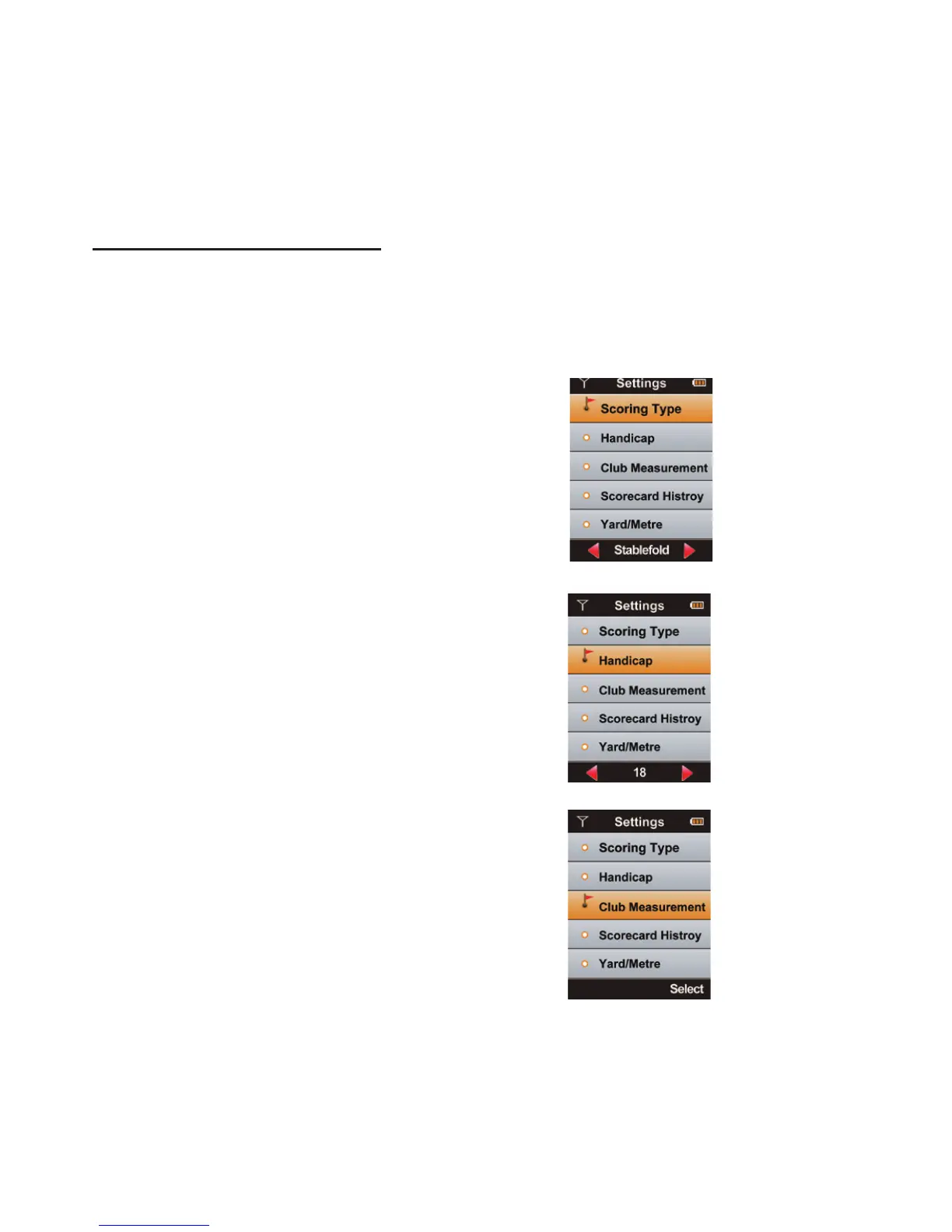
To choose between Stroke, Par and
Stableford, rst highlight Scoring Type in
the Settings menu then press Le/Right
keys to change the scoring type. Press the
Menu key to return to Main Menu.
To set player Handicap, Scroll down until
Handicap is highlighted then press Le/
Right keys to set Handicap. Press the Menu
key to return to Main Menu.
Scroll down until Club Measurement is
highlighted and then press Page to view
your saved shot distances for eash club.
Press the Menu key to return to Main Menu.



 To Next Page