16
6.0 Map Course
6.1 Start Mapping
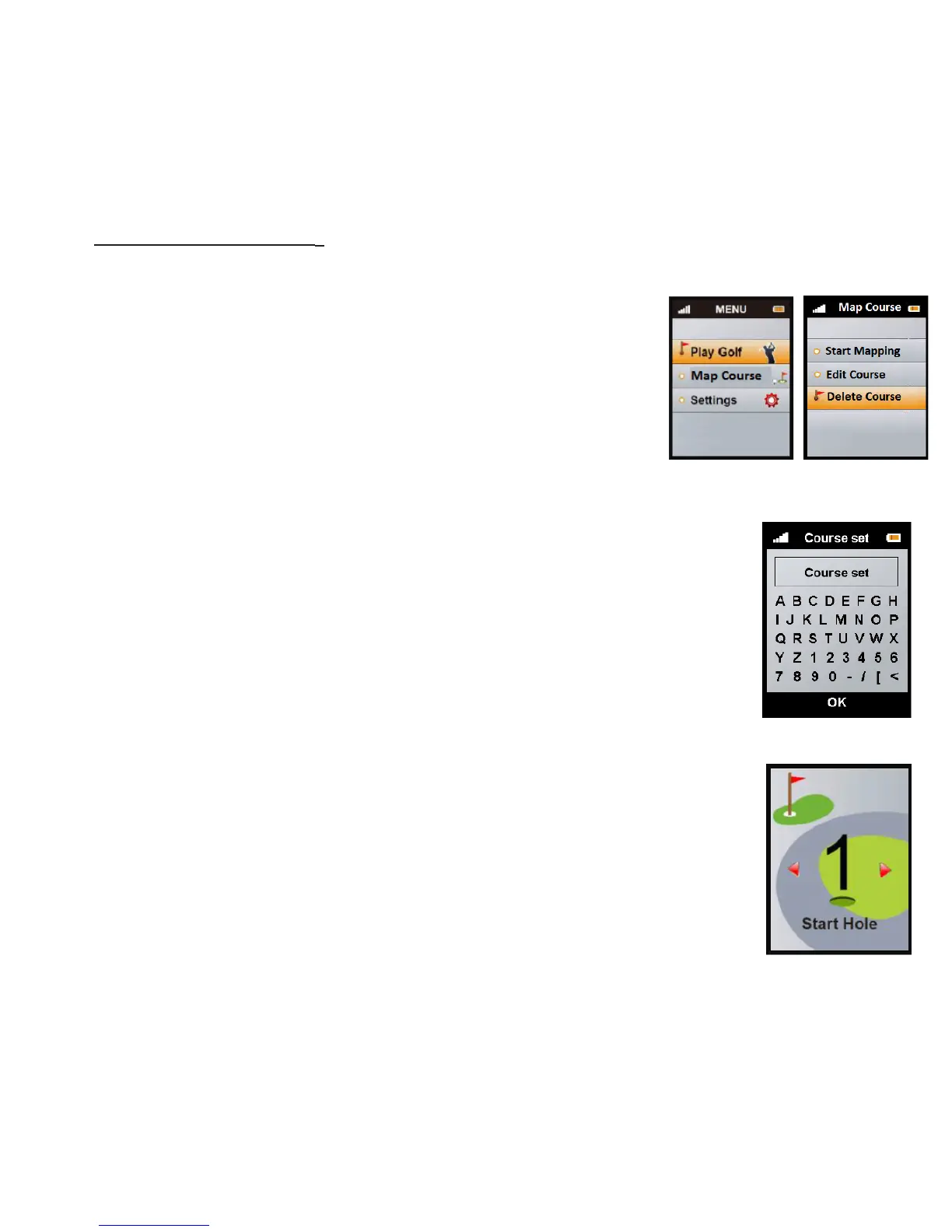
To select Start Mapping use the Up/Down key to highlight
the Start Mapping tab. Once this is highlighted press the
Enter key to select. Use Up/Down/Right/Le keys to type
the course name and the Enter key to conrm your selec-
tion. Once you have selected your course you will be taken
to the Start Hole, use the Up/Down key to change hole.
From the Main Menu, select Map Course by pressing
the Enter key. Select: Map your own course, Edit an
existing course or Delete a selected course.



 To Next Page