13
When you reach your ball, press the Enter key to mark the distance.
To reset Shot Distance, Press Page.
5.6 Club Measurement
To keep a record of how far you hit each of your clubs, the 700X has a
club measurement function. Whilst in the Shot Distance screen, you
can select which club you want to measure by pressing the Up/Down
Key.
You can access your saved Club Measurements in settings. (see 7.0
Settings Menu)
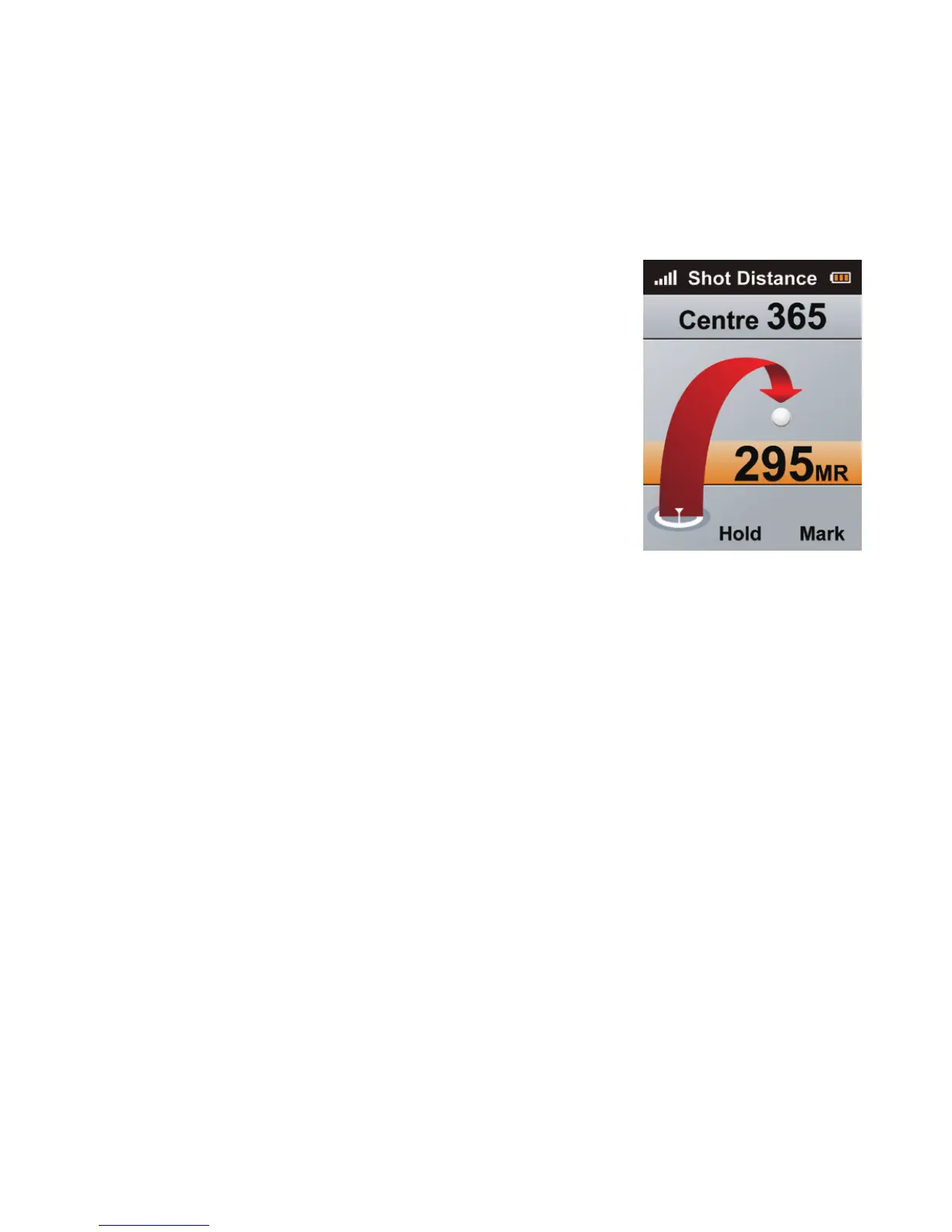
5.5 Shot Distance
From the Hole Information (Green View)
screen press the Right Key twice to access the
Shot Distance screen.
e Shot Distance function will let you measure
your Shot Distance easily and precisely. Before
taking your shot, press the Page Key to set your
current position, the value will be reset to 0.
While walking to your ball the screen will display
the distance from the start point to your current
position instantly.



 To Next Page