24
3.1 BEFORE DIVING
3.1.1. ACTIVATION AND PRECHECKS
The instrument can be activated by pressing the M
button or it will activate the scuba dive computer mode
(default) or freedive mode according the user selection,
if submerged deeper than 0.5 m (1.5 ft).
The chosen Dive Mode is indicated by the Air, EAN or
Free texts and mode indicator on the right side of the
display (Fig. 3.1.). Next, all display elements will turn
on showing mostly figure 8's and graphical elements
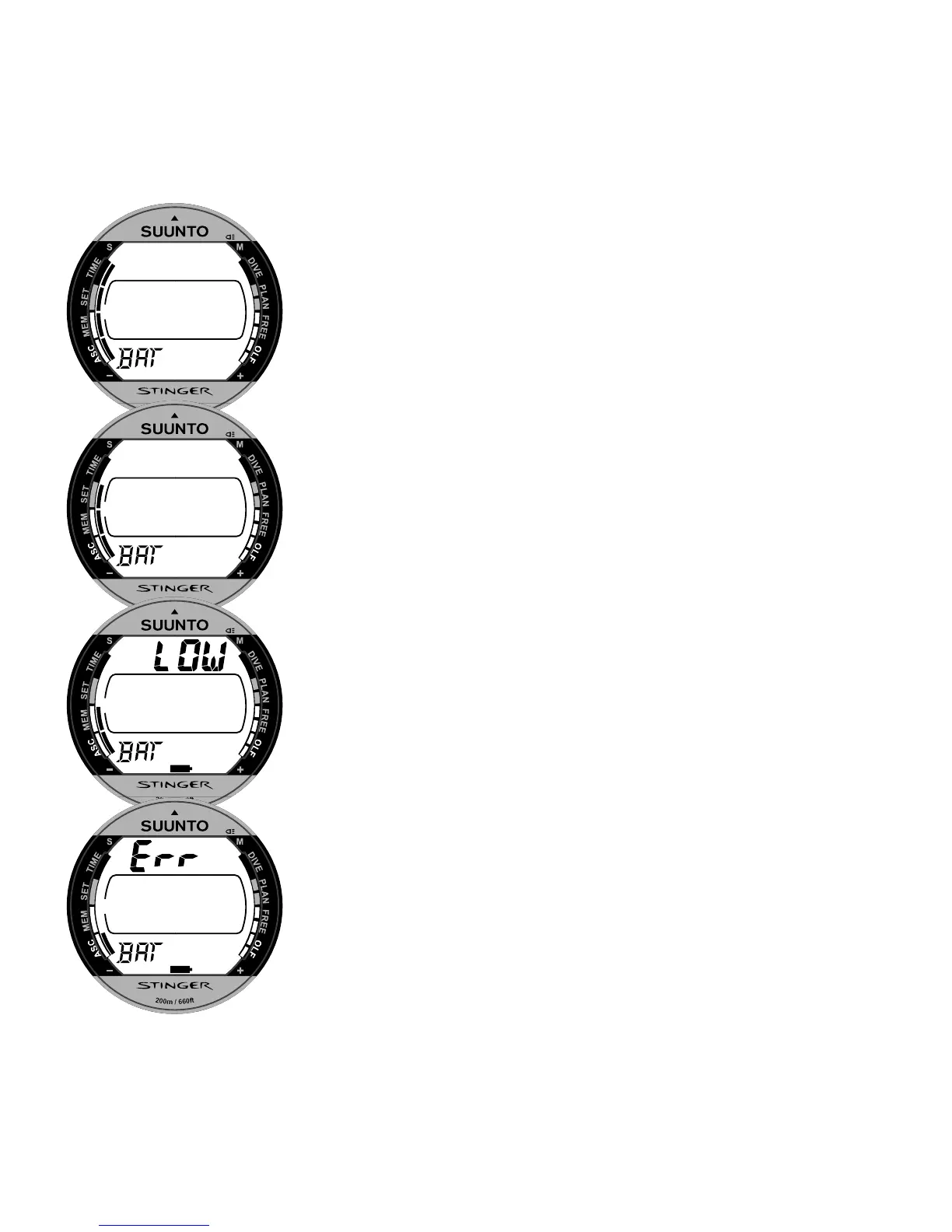
(Fig. 3.2.). A few seconds later the battery power
indicator is shown and the backlight and the buzzer are
activated (Fig. 3.3a.). Next, the screen will display the
mode dependent Ready display confirming that the
activation is complete (Fig. 3.4.).
At this time, perform your precheck making sure that:
the Stinger operates and provides a complete
display
the low battery indicator is not on
the instrument displays correct units
Fig. 3.3. Startup II. Battery power indicator.
a)
b)
c)
d)


 To Next Page