32
3.2.1.2. PRESETTING THE DISPLAYS IN
THE AIR MODE
Preset with the - button in the lower left corner of the
display (Fig. 3.4.):
the maximum depth or
the temperature.
Preset with the + button in the lower right corner of the
display (Fig. 3.4.):
the dive time or
the current time.
3.2.1.3. BASIC DIVE DATA
The dive computer will remain in the Surface mode at
depths less than 1.2 m [4 feet]. At depths greater than
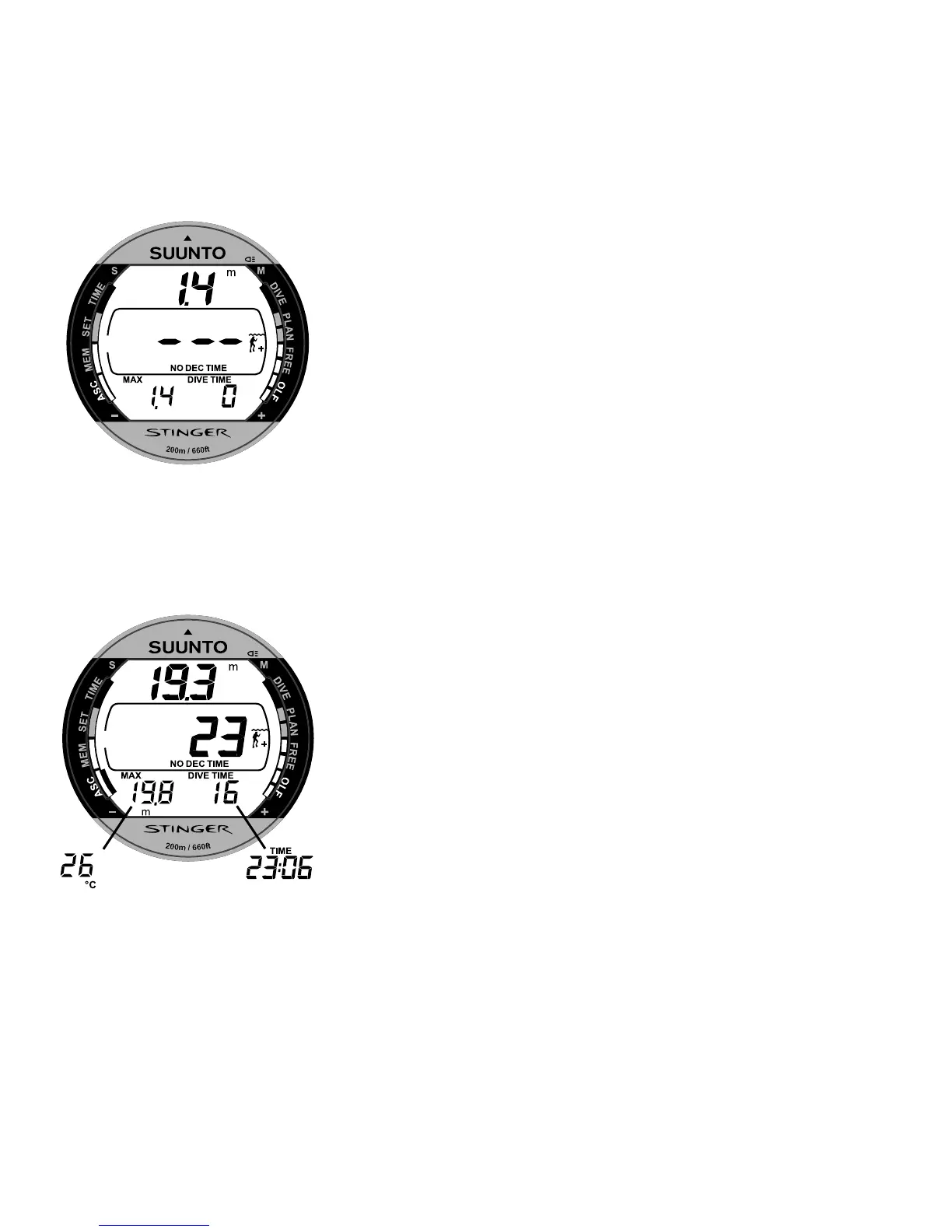
1.2 m the instrument will go into the Diving mode (Fig.
3.10.).
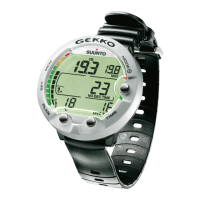
Fig. 3.11. Diving display. Present depth is 19.3 m [63 ft] and no-decompression
stop time limit is 23 minutes in A0/P1 mode. Maximum depth during this dive has
been 19.8 m [65 ft], elapsed dive time is 16 minutes. Alternative display shows
temperature and current time.
Fig. 3.10. Dive has just begun.
Available no-decompression
time is more than 199 min.


 To Next Page