28
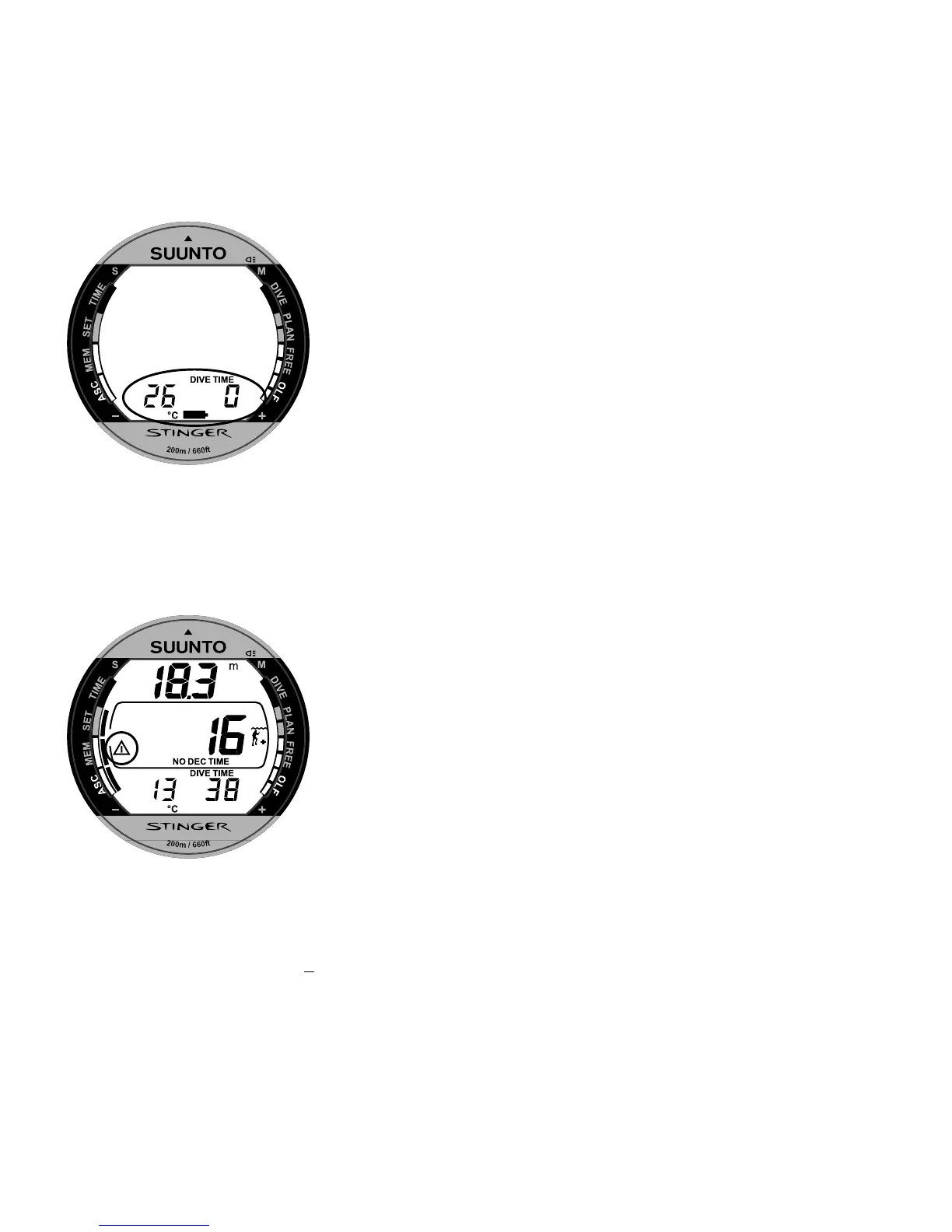
After the battery check the Low Battery Warning is
indicated by the battery symbol (Fig. 3.6.).
If the battery symbol is displayed in the Surface mode
or if the display is faded or weak, the battery may be
too low to operate the dive computer and battery
replacement is recommended.
NOTE: For safety reasons the backlight cannot be
activated when the low battery warning is indicated by
the battery symbol.
3.1.3. USER DEFINABLE FUNCTIONS
AND ALARMS
This Stinger has several User Definable Functions and
depth and time related alarms that you can set according
to your personal preference. For example the Stinger
has a patented presetting system for the User Definable
Display Field in the lower part of the display.
Fig. 3.6. Low Battery Warning.
Battery symbol indicates that the
battery is low and battery
replacement is recommended.
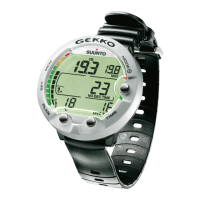
Fig. 3.7. Bookmark activation.
An annotation, Bookmark, is
placed in the profile memory
during a dive by pressing the S
button (Displayed with Diver
Attention symbol.).


 To Next Page