SVAT ELECTRONICS
now you can see
CLEARVU2 10
3. Press to pause your footage.
4. Press to view your footage in reverse.
5. Press to fast forward your footage. Press it again to change the fast forward speed (FF1, FF2, FF3).
6. Press the
button to stop playback and return to Live Mode.
Note: A maximum of 63 events can be recorded
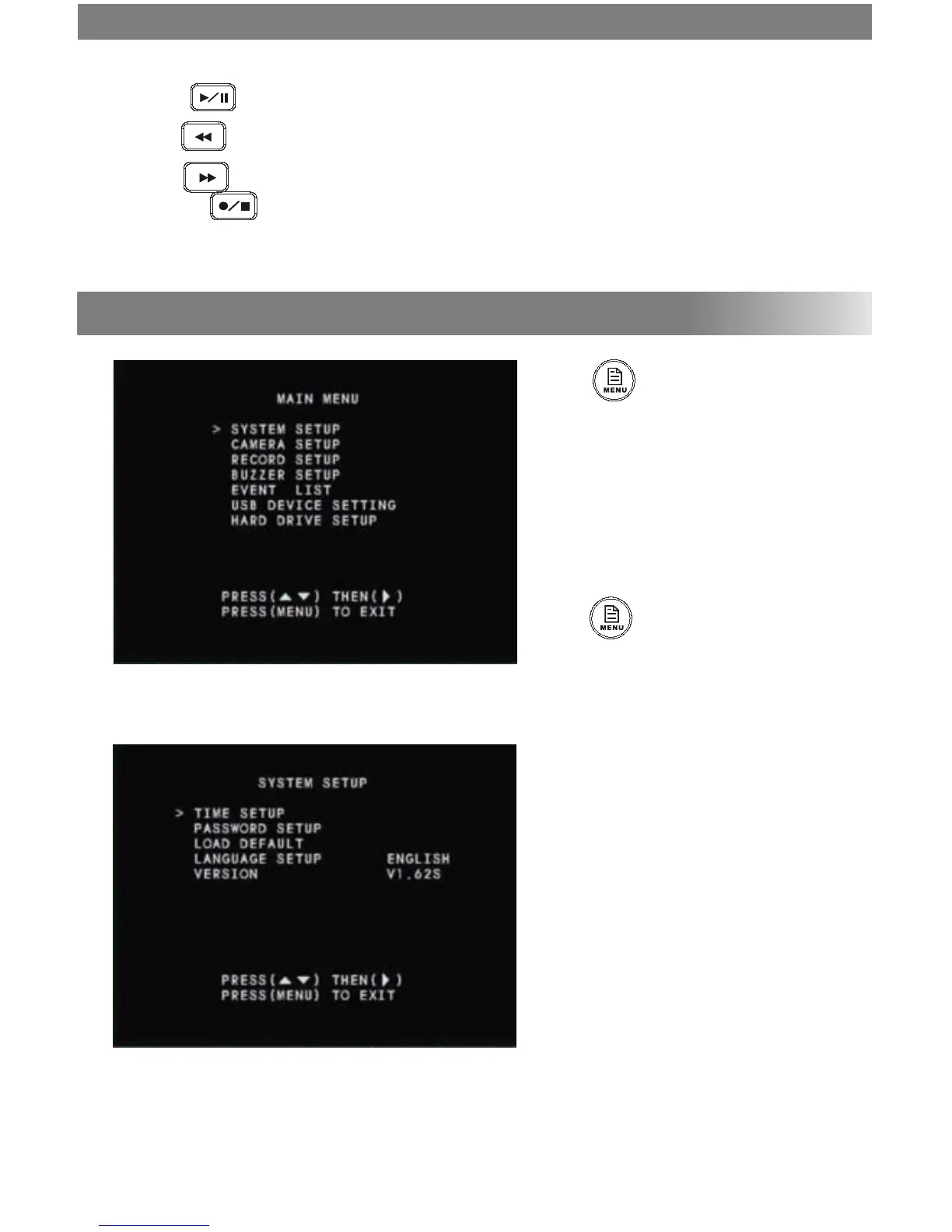
• Press
to enter system setup. Use the
channel buttons (1-4) to enter a password.
The default password is 111111.
• To navigate the menu headings, use the
▲/1▼/3 buttons. Use the ►/4 button to
conrm your selection.
• To change a setting, press ►/4
• Press to exit the menu/ submenus
and save your settings.
System Setup
MAIN MENU



 To Next Page