SVAT ELECTRONICS
now you can see
CLEARVU2 11
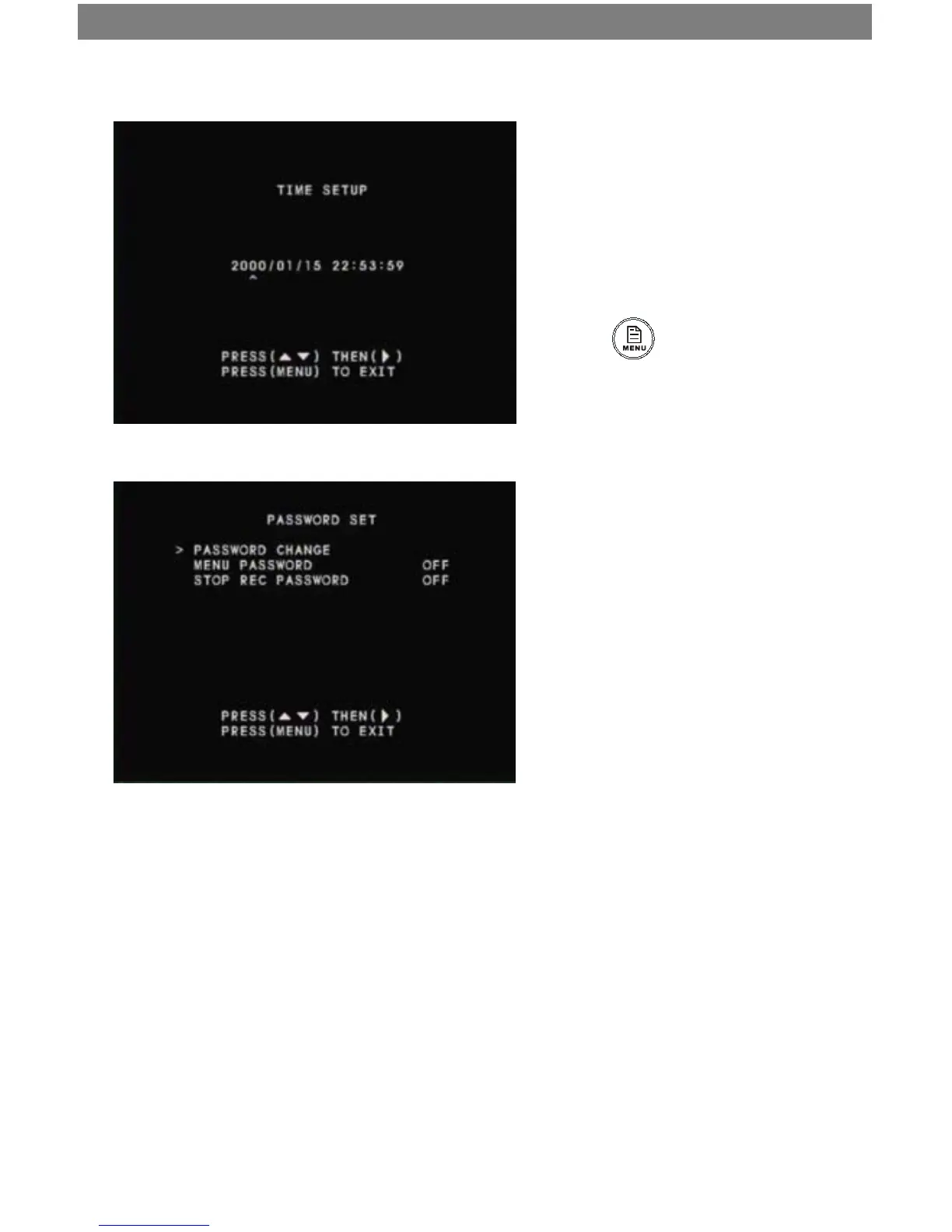
Time Setup
Ensure that your system time is accurate so that
your recorded footage will be labeled with the
correct event time.
1. Use the ▲/1▼/3 buttons to select the
value you want to change (year, month,
day, time).
2. Press the ►/4 to change the value.
3. Press to conrm the date/
time change
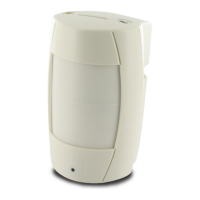
Password Setup
On this screen you can change your password. You
can also choose to disable or enable the Menu
Password and Stop Rec Password. When you
enable these passwords, the DVR will ask for a
password when you try to stop recording or ac-
cess the menu system. If you disable these pass-
words, a password will not be requested.
1. To enable/disable the menu or stop recording password, use the ▲/1▼/3 buttons to select the menu item, and
use ►/4 to toggle the password on or o.
2. To change the password, select “PASSWORD CHANGE.” On the next screen, use the 1-4 channel buttons to enter
the current password. Then enter a new password, and enter it again to conrm.



 To Next Page